


-
Solo Business Courses
-
 Others
-
Overseas Tutorials
-
Photography & Editing
-
Community & Private Domain
-
Self-Media Writing & Copywriting
-
Side Income Projects
-
E-commerce
-
Short Video & Live Streaming
-
Artificial Intelligence (AI)
-
Software & Tools
-
Operating Systems
-
Plugins & Scripts
-
MacOS Software
-
Android Software
-
Windows Software

PS-AI Big-Banana Plugin Complete Tutorial: Screenshot Rendering + Material One-Click Replacement + Lighting/Season Switch, Interior & Exterior Rendering High-Efficiency High-Level Course
-
Game Gold-Farming Money-Making Plan: Earn 1k+ Daily, a Stable 3-Year Project Anyone Can Do in Spare Time [Revealed]
Study material — included with membership Get Membership -
Hot-game fully-automated earning: 500+ a day, no experience, simple operation - the steadiest long-term game-earning side hustle (revealed)
Study material — included with membership Get Membership -
FlyingMouse earns merit this time! Don't panic at Windows format problems — the open-source FlyingMouse format conversion tool helps, a popular GitHub gem
Study material — included with membership Get Membership -
Douyin Product-Selling Coaching Bootcamp: No On-Camera Appearance Needed, Newbies Can Produce Selling Short Videos by Following the Steps
Study material — included with membership Get Membership -
First-release game gold-farming money plan: 1K+ a day, ordinary people in spare time
Study material — included with membership Get Membership






-
FlyingMouse earns merit this time! Don't panic at Windows format problems — the open-source FlyingMouse format conversion tool helps, a popular GitHub gem
Study material — included with membership Get Membership -
LuDaShi v6.1024.4105.1121 Slim Single File
Study material — included with membership Get Membership -
2D Cartoon Animation Software Moho Pro v14.3
Study material — included with membership Get Membership -
Video Editor Aiseesoft Filmai v1.0.18
Study material — included with membership Get Membership -
To-Do Microsoft To Do v2.147 Free
Study material — included with membership Get Membership -
PR/AE/DaVinci/FCPX video Plugin Nobe OmniScope Win1.11.15 / Mac1.10.138
Study material — included with membership Get Membership





Course Introduction
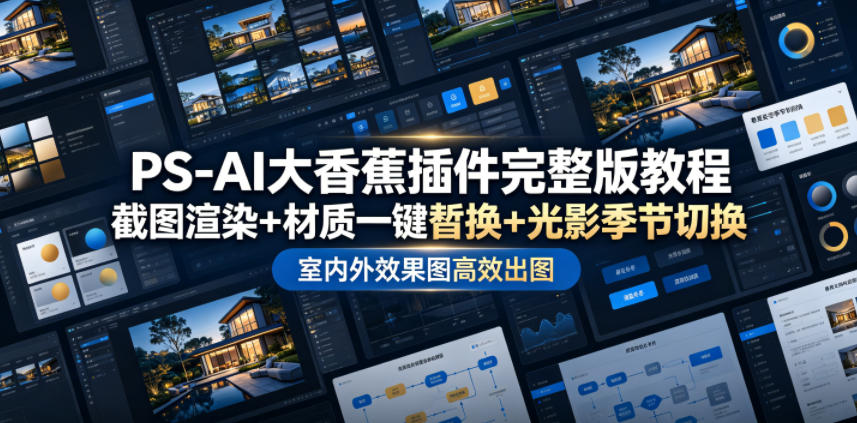
This PS-AI toolbox VIP tutorial systematically teaches the full functionality of the Banana plugin, covering indoor renderings, architectural exteriors, and commercial product images across all scenarios. Starting from basic screenshot-locked material rendering, it hand-teaches light-strip addition, precise furniture/stone replacement, and one-click generating renderings from line-art white-model shells.
The course fully breaks down one-click switching of season, weather, and day/night lighting, deeply teaching practical features like universal image blending, perspective correction, object migration, object removal, watermark removal, and local lighting optimization. For commercial output needs, it teaches HD upscaling, detail enhancement, and large-image retouching optimization, solving blurry images and quality gaps.
Beyond that, the course extends to advanced plays: seamless panorama rendering, first-last-frame growth animation, 25-panel storyboard shorts, and directly generating CAD layout plans and interior color-plan drawings. Every feature is paired with real-scene cases and precise prompt techniques — no repeated debugging needed, one-click optimize image texture, greatly shortening the design output cycle.
Course Content
01.(New) PS AI banana with latest screenshot rendering tips_batch(1)
02. How PS AI adds various shaped light strips_(1)
03. PS-AI-How to use the prompt tool tutorial(1)
04.01-Screenshot locked material rendering_batch(1)
05.06-Material replacement: wood flooring and stone wall_batch(1)
06.07-Line art-white model-roughcast rendering_batch(1)
07.08-Architectural atmosphere style switching function and application explanation_batch(1)
08.08-One-click time period, season, weather and other expressions_batch(1)
09.01.PS AI operation instructions (be sure to read this first)_batch(1)
10.02.-(1)
11.03--(1)
12.04.-(1)
13.05.-(1)
14.06.-(1)(1)
15.07.-(1)
16.08.-(1)
17.09.-(1)
18.10.-(1)
19.11.-(1)
20.12.A-(1)
21.13.B-(1)
22.14.-(1)
23.15.+(1)
24.16.(1)
25.17.(1)
26.18.(1)
27.19.(1)
28.20.-(1)
29.21.(1)
30.22.4K(1)
31.23.(1)
32.24.2–(1)
33.24.(1)
34.25.(1)
35.26.()-(1)
36.08-_batch(1)
37.07-02-_batch(1)
38.06-2-batch(1)
39.03-_batch(1)
40.05-_batch(1)
41.05-_batch(1)
42.(-)-Al(1)
43.1:2(1)
44.2.2-(1)
45.3:2(1)
46.4:2(1)
47.5:2(1)
48.6:2(1)
49.7:3D-(1)
50.()_batch(1)
51.8.[–(1)
52.9.[]–25(1)
53.10.[-(1)
54.11.3(1)
55.12.2CAD(1)
56.13.2(1)
57.14.2(1)
Who Should Learn
✅ Interior designers, architectural rendering artists wanting to speed up output and reduce repeated rendering time
✅ Rendering practitioners who frequently need to change materials, adjust lighting mood, and pursue high-efficiency batch output
✅ Soft-furnishing designers who often do image collage compositing, needing powerful blending, outpainting, and object-replacement tools
✅ Short-video content creators needing to make interior storyboard animations and growth-shot shorts
✅ Artists and designers wanting to master AI photo-retouching black tech, one-click upgrading ordinary images to 4K commercial HD
Fluently master all PS-AI toolbox features, using the Banana plugin to complete screenshot rendering output.
Achieve one-click material/furniture/character replacement, freely switch day/night, season, weather moods, no repeated modeling/rendering.
Master blending, outpainting, object migration, perspective correction, easily completing
**
Supporting Study Materials
This course comes with a materials pack. Members receive the access link by email after requesting the course.
Related Courses

Family Comedy Short-Drama Creation Course: Benchmark Hot Accounts, AI-Assisted, Fast Start for Total Beginners, Grow Followers and Drive Product Sales

Amazon AI Automation Practical Course: AI Operating Mindset, Setting Up the Codex Environment, Risk-Control Checks and Automated Listing Copy

AI E-Commerce Data Tool Development Course: Learn Codex+BI From Zero, Build a Multi-Store Integrated Visualization Dashboard


Advanced AI Prompt Application: 15 Lessons | Universal Instruction Thinking + Multiple Output Modes + Full Industry Commercial Cases

AI Video Creation Crash Course: From Great-Case Breakdown to Five Core Modules, Fast-Track AI Video Skills for Total Beginners

AI Commercial Practice System Course: In-Depth SD Mastery + Advanced Flux Hands-On + Comfyui Workflow Building, Full Commercial Design Project Training

[National-Day Pick] AI Automation Game, 1k+ RMB a Day, Simple to Operate, Stable for Three Years! [Revealed]



