


-
Solo Business Courses
-
 Others
-
Overseas Tutorials
-
Photography & Editing
-
Community & Private Domain
-
Self-Media Writing & Copywriting
-
Side Income Projects
-
E-commerce
-
Short Video & Live Streaming
-
Artificial Intelligence (AI)
-
Software & Tools
-
Operating Systems
-
Plugins & Scripts
-
MacOS Software
-
Android Software
-
Windows Software

Learn Internet-Savvy Editing in 2 Days: Cut Polished, High-End Videos for Personal Use or Paid Gigs
-
Game Gold-Farming Money-Making Plan: Earn 1k+ Daily, a Stable 3-Year Project Anyone Can Do in Spare Time [Revealed]
Study material — included with membership Get Membership -
Hot-game fully-automated earning: 500+ a day, no experience, simple operation - the steadiest long-term game-earning side hustle (revealed)
Study material — included with membership Get Membership -
FlyingMouse earns merit this time! Don't panic at Windows format problems — the open-source FlyingMouse format conversion tool helps, a popular GitHub gem
Study material — included with membership Get Membership -
Douyin Product-Selling Coaching Bootcamp: No On-Camera Appearance Needed, Newbies Can Produce Selling Short Videos by Following the Steps
Study material — included with membership Get Membership -
First-release game gold-farming money plan: 1K+ a day, ordinary people in spare time
Study material — included with membership Get Membership





-
FlyingMouse earns merit this time! Don't panic at Windows format problems — the open-source FlyingMouse format conversion tool helps, a popular GitHub gem
Study material — included with membership Get Membership -
LuDaShi v6.1024.4105.1121 Slim Single File
Study material — included with membership Get Membership -
2D Cartoon Animation Software Moho Pro v14.3
Study material — included with membership Get Membership -
Video Editor Aiseesoft Filmai v1.0.18
Study material — included with membership Get Membership -
To-Do Microsoft To Do v2.147 Free
Study material — included with membership Get Membership -
PR/AE/DaVinci/FCPX video Plugin Nobe OmniScope Win1.11.15 / Mac1.10.138
Study material — included with membership Get Membership





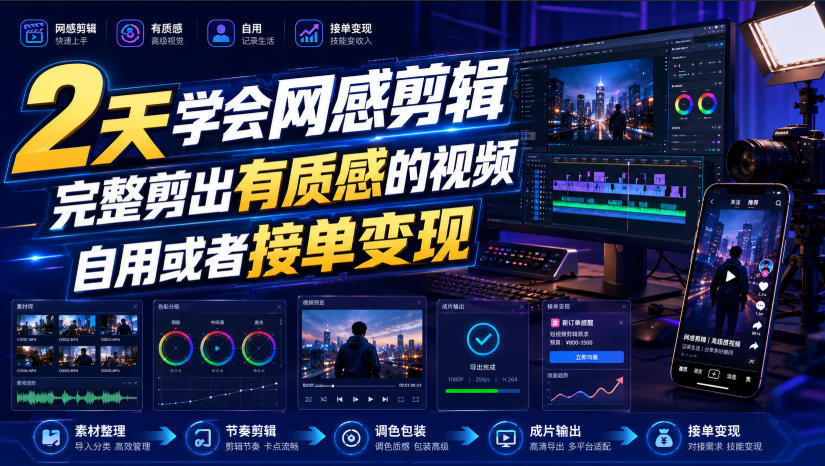
Course Introduction
Just two days of systematic study to master the full set of internet-savvy editing techniques, independently producing polished, high-rhythm, premium-feel short videos that both satisfy daily vlog and self-media creation needs and equip you with the full hardcore craft for paid gigs. The course goes from shallow to deep: basics dissect the software interface, shortcuts, rough-cut logic, and hand-teach PIP, keyframes, mask keying, typography, beauty tuning. The net-feel module digs into sound-effect pairing, text animation, transition effects, BGM selection and emotional rendering to nail what's trending on platforms. Advanced lessons teach 3D text, product glow, glass subtitles, silhouette animation, premium masks to elevate the look. Plus equipment setup, material channels, copyright avoidance, curves color grading, with a full gig-taking workflow. No long trial-and-error from zero; two days build a complete editing knowledge system and open both paths: self-improvement and outsourcing gigs.
Course Catalog
!!!Study Guide!!!-
Gig Course: Four Gig-Taking Stages-
1. Basics: Interface Tour-
2. Basics: Shortcut Settings in Detail-
3. Basics: Talking-Head & VLOG Rough Cut in Detail-
4. Basics: Picture-in-Picture Principle & Practice-
5. Basics: Jump Cut & Keyframes in Detail-
6. Basics: Mask Principle & Use
7. Basics: Keying Practice in Detail-
8. Basics: Text Application & Pairing
9. Basics: Text-to-Speech Full Flow-
10. Basics: Beauty Parameters & Adjustment in Detail-
11. Net-Feel: How to Choose Sound Effects-
12. Net-Feel: Text Animation Training-
13. Net-Feel: Sound Effects + Animation Combos-
14. Net-Feel: Keyframes Control Everything-
15. Net-Feel: How to Lay Out Fonts-
16. Net-Feel: Stickers — Never Pick Tacky Ones-
17. Net-Feel: Effects & Transitions Net-Feel Method-
18. Net-Feel: Mask & Keying Choices-
19. Net-Feel: How to Choose BGM-
20. Net-Feel: How to Do Emotional Packaging Well-
21. Techniques: Parallel Sentences, Multiple Ways-
22. Techniques: 3D Text
23. Techniques: Text Behind the Person-
24. Techniques: Keyed Vlog Opening-
25. Techniques: Compound Clips Kill Monotony-
26. Techniques: Premium Mask Treatment-
27. Techniques: How to Make Product Glow-
28. Techniques: Gradient Text Effect-
29. Techniques: Text Split Effect-
30. Techniques: Grid Background Build-
31. Techniques: Sticker Advanced Ops-
32. Techniques: Black Person Silhouette-
33. Techniques: Floating Material Effect-
34. Techniques: Animating with Keyframes-
35. Techniques: Premium Card Layout-
36. Techniques: Vlog Glass Text-
Extra: PC Setup-
Extra: Pen Tool Full Flow-
Extra: Where to Find PIP Footage-
Extra: Editing Copyright Issues-
Extra: How to Use Jianying Beta Features-
Extra: Curves Color Grading-
*Note: This article is for introduction only and does not constitute any income promise. Results vary by person; please combine with your own effort and practice, use the content reasonably, and strictly comply with platform rules and relevant laws.*
Supporting Study Materials
This course comes with a materials pack. Members receive the access link by email after requesting the course.
Related Courses

Xiaohongshu IP Gold-Mining Bootcamp: Master Topic Selection, Copywriting, Shooting & Editing, and Viral Operations with Private-Domain Monetization



Douyin Emotional-Card GIF Practical Course: Phone Production + Livestream Tactics, Unlock GIF Traffic Monetization

Kuaishou Good-Stuff Practical Course: Product Selection & Operations + Site-Wide Promotion + Re-Creation Editing for Affiliate Sales



Bilibili short-video product-promo dividend: free teaching plus managed operation, two playbooks, single-account seven-day income 1200-3600

Xiaohongshu electronic-resource category opening tutorial: targeted-access rules, qualification materials and the self-recommendation submission flow

Game Gold-Farming Money-Making Plan: Earn 1k+ Daily, a Stable 3-Year Project Anyone Can Do in Spare Time [Revealed]

