


-
Solo Business Courses
-
 Others
-
Overseas Tutorials
-
Photography & Editing
-
Community & Private Domain
-
Self-Media Writing & Copywriting
-
Side Income Projects
-
E-commerce
-
Short Video & Live Streaming
-
Artificial Intelligence (AI)
-
Software & Tools
-
Operating Systems
-
Plugins & Scripts
-
MacOS Software
-
Android Software
-
Windows Software

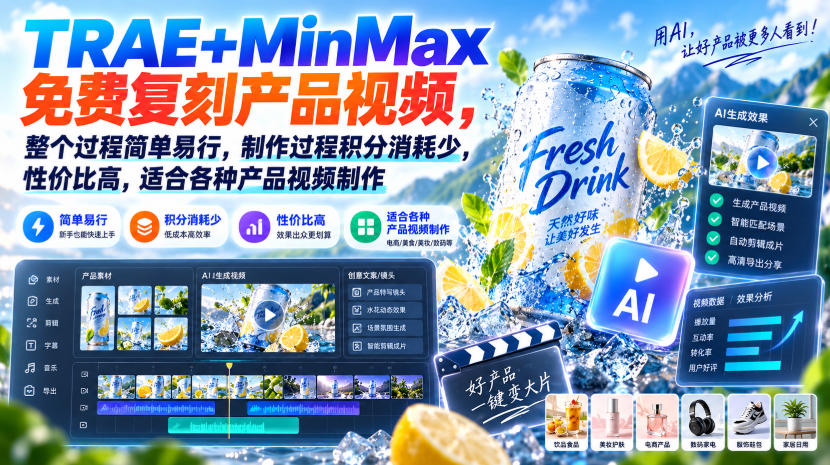
Recreate Product Videos for Free with TRAE+MinMax: Simple Process, Low Credit Cost, Great Value, Suits All Product Videos
-
Game Gold-Farming Money-Making Plan: Earn 1k+ Daily, a Stable 3-Year Project Anyone Can Do in Spare Time [Revealed]
Study material — included with membership Get Membership -
Hot-game fully-automated earning: 500+ a day, no experience, simple operation - the steadiest long-term game-earning side hustle (revealed)
Study material — included with membership Get Membership -
FlyingMouse earns merit this time! Don't panic at Windows format problems — the open-source FlyingMouse format conversion tool helps, a popular GitHub gem
Study material — included with membership Get Membership -
Douyin Product-Selling Coaching Bootcamp: No On-Camera Appearance Needed, Newbies Can Produce Selling Short Videos by Following the Steps
Study material — included with membership Get Membership -
First-release game gold-farming money plan: 1K+ a day, ordinary people in spare time
Study material — included with membership Get Membership






-
FlyingMouse earns merit this time! Don't panic at Windows format problems — the open-source FlyingMouse format conversion tool helps, a popular GitHub gem
Study material — included with membership Get Membership -
LuDaShi v6.1024.4105.1121 Slim Single File
Study material — included with membership Get Membership -
2D Cartoon Animation Software Moho Pro v14.3
Study material — included with membership Get Membership -
Video Editor Aiseesoft Filmai v1.0.18
Study material — included with membership Get Membership -
To-Do Microsoft To Do v2.147 Free
Study material — included with membership Get Membership -
PR/AE/DaVinci/FCPX video Plugin Nobe OmniScope Win1.11.15 / Mac1.10.138
Study material — included with membership Get Membership





Course introduction:
How to make beverage product videos for free using the C Dance and Mini Max H3 models. First, get a reference video from a stock site, then let the software analyze it and generate a shot-breakdown analysis file for the product. Next, upload the product image and state your needs, and the software generates the video. The Mini Max model produces better results and consumes fewer credits, giving high value for money. The whole process is simple, requires no payment, and suits all kinds of product video production.
Tutorial on making beverage product videos with free software: applying the C Dance and Mini Max H3 models:
It explains using the C Dance and Mini Max H3 models in free software to make beverage product videos, covering software download, usage, and how to earn credits - suitable for daily use without topping up.
A simple workflow for efficiently generating personalized product ads using a reference video and AI:
By downloading a reference video and using AI tools to analyze and modify it, you can easily generate a personalized product ad video. The steps are: get a reference video, analyze its content, upload product images, customize product info, and finally let AI generate the product video. The whole process is simple and fast, and works for many product types.
The credit-consumption process of generating a custom video from a shot breakdown and product image:
By uploading the shot-breakdown file and product image, the system can generate a custom video; during this you confirm video duration and music needs. The credit breakdown is clear, totaling about fifty-plus credits, and the service is currently free - worth a try.
Supporting Study Materials
This course comes with a materials pack. Members receive the access link by email after requesting the course.
Related Courses

Family Comedy Short-Drama Creation Course: Benchmark Hot Accounts, AI-Assisted, Fast Start for Total Beginners, Grow Followers and Drive Product Sales

Amazon AI Automation Practical Course: AI Operating Mindset, Setting Up the Codex Environment, Risk-Control Checks and Automated Listing Copy

AI E-Commerce Data Tool Development Course: Learn Codex+BI From Zero, Build a Multi-Store Integrated Visualization Dashboard


Advanced AI Prompt Application: 15 Lessons | Universal Instruction Thinking + Multiple Output Modes + Full Industry Commercial Cases

AI Video Creation Crash Course: From Great-Case Breakdown to Five Core Modules, Fast-Track AI Video Skills for Total Beginners

AI Commercial Practice System Course: In-Depth SD Mastery + Advanced Flux Hands-On + Comfyui Workflow Building, Full Commercial Design Project Training

[National-Day Pick] AI Automation Game, 1k+ RMB a Day, Simple to Operate, Stable for Three Years! [Revealed]



