


-
Solo Business Courses
-
 Others
-
Overseas Tutorials
-
Photography & Editing
-
Community & Private Domain
-
Self-Media Writing & Copywriting
-
Side Income Projects
-
E-commerce
-
Short Video & Live Streaming
-
Artificial Intelligence (AI)
-
Software & Tools
-
Operating Systems
-
Plugins & Scripts
-
MacOS Software
-
Android Software
-
Windows Software
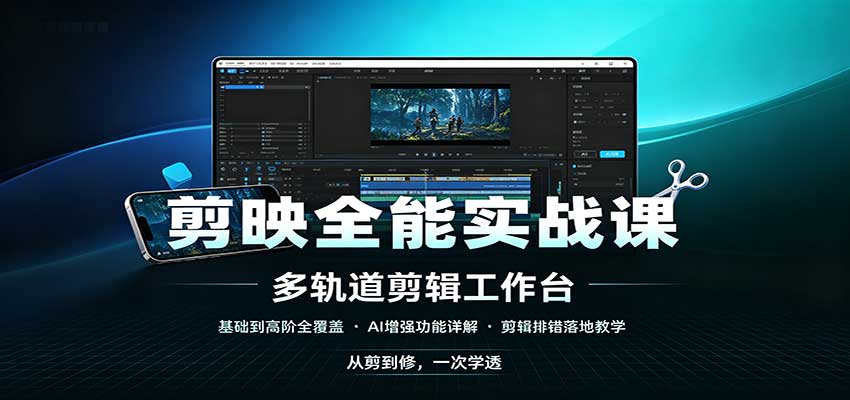
Jianying Complete Practical Course: Full Coverage from Basics to Advanced, AI Enhancement Features, Hands-on Editing Troubleshooting
-
Game Gold-Farming Money-Making Plan: Earn 1k+ Daily, a Stable 3-Year Project Anyone Can Do in Spare Time [Revealed]
Study material — included with membership Get Membership -
Hot-game fully-automated earning: 500+ a day, no experience, simple operation - the steadiest long-term game-earning side hustle (revealed)
Study material — included with membership Get Membership -
FlyingMouse earns merit this time! Don't panic at Windows format problems — the open-source FlyingMouse format conversion tool helps, a popular GitHub gem
Study material — included with membership Get Membership -
Douyin Product-Selling Coaching Bootcamp: No On-Camera Appearance Needed, Newbies Can Produce Selling Short Videos by Following the Steps
Study material — included with membership Get Membership -
First-release game gold-farming money plan: 1K+ a day, ordinary people in spare time
Study material — included with membership Get Membership






-
FlyingMouse earns merit this time! Don't panic at Windows format problems — the open-source FlyingMouse format conversion tool helps, a popular GitHub gem
Study material — included with membership Get Membership -
LuDaShi v6.1024.4105.1121 Slim Single File
Study material — included with membership Get Membership -
2D Cartoon Animation Software Moho Pro v14.3
Study material — included with membership Get Membership -
Video Editor Aiseesoft Filmai v1.0.18
Study material — included with membership Get Membership -
To-Do Microsoft To Do v2.147 Free
Study material — included with membership Get Membership -
PR/AE/DaVinci/FCPX video Plugin Nobe OmniScope Win1.11.15 / Mac1.10.138
Study material — included with membership Get Membership





Course intro
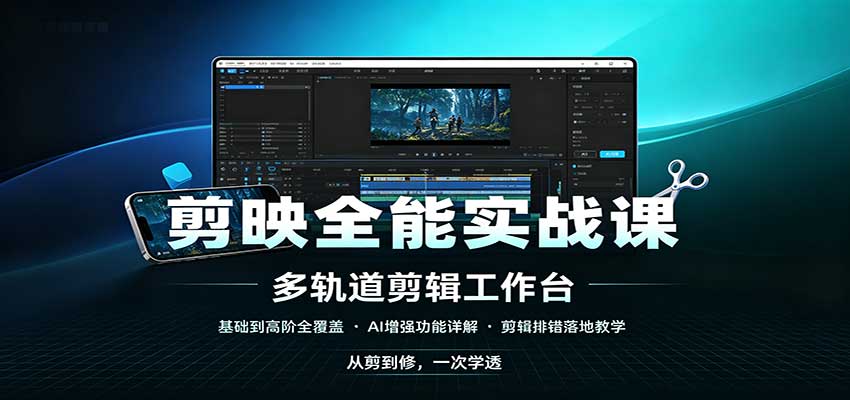
This complete Jianying practical course starts from software download and install, systematically explaining draft management, track ops, asset processing and other basics. It covers audio, subtitles, fancy text, stickers, effects and transitions, and digs into keyframes, masks, tracking, color grading and keying. It also details the full AI toolkit: AI outpainting, image-text final cut, digital human, AI lip-sync, smart-narration rough cut. The course covers export settings and common troubleshooting, with a practice material pack for each lesson - fitting editing newbies and creators wanting to sharpen Jianying, step by step mastering all hands-on skills.
Catalog
01_01 Download, install and uninstall
02_02 Draft page and draft interface intro
03_03 New draft method and save-location change
04_04 Draft save and continue editing
05_05 Draft display style, sort, multi-select and select-all
06_06 Draft rename, search and draft folders
07_07 Draft and asset upload/download
08_08 Draft delete, recover and duplicate
09_09 Asset library import, delete and official assets
10_10 Insert assets to track and add tracks
11_11 Select assets on track and delete track
12_12 The correct operation flow
13_13 Frame rate, resolution and aspect ratio
14_14 In/out point add/delete and their use
15_15 Zoom track and adjust track height
16_16 Hide track, disable clip and lock track
17_17 Split asset and left/right crop
18_18 Smart shot split and smart talking-head cut
19_19 Freeze frame, reverse, mirror, rotate and crop
20_20 Asset scale, rotate, position, opacity and alignment
21_21 Background fill feature
22_22 Main-track magnet and close gaps
23_23 Linkage feature
24_24 Auto-snap - align upper/lower track assets
25_25 Preview axis - the bright yellow line on the timeline
26_26 JKL keys - speed-preview the draft
27_27 Multi-timeline feature
28_28 Audio library and audio track features
29_29 Volume and fade in/out
30_30 Voice separation and voice beautify
31_31 Timbre swap, sound effects, speed change and re-sing
32_32 Recording and level features
33_33 Markers and music beat markers
34_34 Video translation and audio translation
35_35 Default text, fancy text, text templates and import subtitles
36_36 Text property settings
37_37 Smart subtitles, lyric recognition and script matching
38_38 Smart packaging - one-click AI auto-edit
39_39 Copy recommendation, AI narration and add voiceover script
40_40 Text-to-speech - generate voice from text
41_41 Image-text final cut and AI text final cut
42_42 Digital human
43_43 Text animation and image/video animation
44_44 Motion tracking
45_45 Sticker usage tips
46_46 Graphics library custom drawing
47_47 Effect usage tips
48_48 Transition usage tips
49_49 Filter usage tips
50_50 Keying usage tips
51_51 Free hierarchy
52_52 Layer feature
53_53 Common keyframe properties
54_54 Keyframe add/select/delete/move/reset
55_55 Keyframe animation playback-speed effect
56_56 Keyframe speed curve
57_57 Keyframe mini case
58_58 Mask knowledge
59_59 Pen mask tool
60_60 Adjustment usage tips
61_61 Smart color grading, color clone, color correction and adjustment
62_62 RGB mode and color wheel
63_63 HSL usage tips
64_64 Color-grading curves
65_65 Color-wheel usage tips
66_66 Quick asset replacement
67_67 Built-in templates and asset-pack usage tips
68_68 Personal template share and apply
69_69 Guides and rulers
70_70 Warp feature
71_71 Plane tracking
72_72 Safe area and export still frame
73_73 Stroke and shadow
74_74 New compound clip, pre-composite compound clip, save as my preset
75_75 Proxy mode - smoother editing
76_76 Render feature - smoother playback
77_77 Group feature explanation
78_78 Normal speed, curve speed and beat-speed
79_79 Sub-draft - insert a draft inside a draft
80_80 Blend modes
81_81 Ultra HD, resolution fill, one-click HD and video denoise
82_82 Video stabilization - remove jitter
83_83 Motion blur and video flicker removal
84_84 Audio-video alignment
85_85 Multi-cam editing
86_86 Make a video cover
87_87 Export video, audio, subtitles, GIF
88_88 Export a short segment and multiple clips of the draft
89_89 Media-missing causes and fixes
90_90 Black-bar causes and fixes
91_91 Layout settings
92_92 Shortcut-key modes and modification
93_93 Beauty/body - fine portrait retouch
94_94 Smart crop
95_95 Smart lighting
96_96 Smart-narration rough cut - film/TV secondary creation
97_97 Smart camera move and lens tracking
98_98 AI frame interpolation
99_99 AI lip-sync - generate lip-synced video
100_100 AI expand - outpainting
101_101 AI image and video generation
102_102 AI text generation
103_103 AI music generation
104_104 AI remove and local repaint
105_105 AI effects
106_106 AI slicing
107_107 Periodic cache cleanup
108_108 Marketing final cut - generate promo video
109_109 Rounded corners - round-corner effect on assets
110_110 Text color gradient and texture
Practice materials: a matching material pack (materials.zip) accompanies each numbered lesson above.
Supporting Study Materials
This course comes with a materials pack. Members receive the access link by email after requesting the course.
Related Courses

Family Comedy Short-Drama Creation Course: Benchmark Hot Accounts, AI-Assisted, Fast Start for Total Beginners, Grow Followers and Drive Product Sales

Amazon AI Automation Practical Course: AI Operating Mindset, Setting Up the Codex Environment, Risk-Control Checks and Automated Listing Copy

AI E-Commerce Data Tool Development Course: Learn Codex+BI From Zero, Build a Multi-Store Integrated Visualization Dashboard


Advanced AI Prompt Application: 15 Lessons | Universal Instruction Thinking + Multiple Output Modes + Full Industry Commercial Cases

AI Video Creation Crash Course: From Great-Case Breakdown to Five Core Modules, Fast-Track AI Video Skills for Total Beginners

AI Commercial Practice System Course: In-Depth SD Mastery + Advanced Flux Hands-On + Comfyui Workflow Building, Full Commercial Design Project Training

[National-Day Pick] AI Automation Game, 1k+ RMB a Day, Simple to Operate, Stable for Three Years! [Revealed]



