-
Solo Business Courses
-
 Others
-
Overseas Tutorials
-
Photography & Editing
-
Community & Private Domain
-
Self-Media Writing & Copywriting
-
Side Income Projects
-
E-commerce
-
Short Video & Live Streaming
-
Artificial Intelligence (AI)
-
Software & Tools
-
Operating Systems
-
Plugins & Scripts
-
MacOS Software
-
Android Software
-
Windows Software


GitHub's Latest Open-Source Gem! Local Voiceover and Voice Cloning Capabilities Are All Here, Supporting Models Like Indextts 2.5 and VoxCPM yovoice
-
Game Gold-Farming Money-Making Plan: Earn 1k+ Daily, a Stable 3-Year Project Anyone Can Do in Spare Time [Revealed]
Study material — included with membership Get Membership -
Hot-game fully-automated earning: 500+ a day, no experience, simple operation - the steadiest long-term game-earning side hustle (revealed)
Study material — included with membership Get Membership -
FlyingMouse earns merit this time! Don't panic at Windows format problems — the open-source FlyingMouse format conversion tool helps, a popular GitHub gem
Study material — included with membership Get Membership -
Douyin Product-Selling Coaching Bootcamp: No On-Camera Appearance Needed, Newbies Can Produce Selling Short Videos by Following the Steps
Study material — included with membership Get Membership -
First-release game gold-farming money plan: 1K+ a day, ordinary people in spare time
Study material — included with membership Get Membership






-
FlyingMouse earns merit this time! Don't panic at Windows format problems — the open-source FlyingMouse format conversion tool helps, a popular GitHub gem
Study material — included with membership Get Membership -
LuDaShi v6.1024.4105.1121 Slim Single File
Study material — included with membership Get Membership -
2D Cartoon Animation Software Moho Pro v14.3
Study material — included with membership Get Membership -
Video Editor Aiseesoft Filmai v1.0.18
Study material — included with membership Get Membership -
To-Do Microsoft To Do v2.147 Free
Study material — included with membership Get Membership -
PR/AE/DaVinci/FCPX video Plugin Nobe OmniScope Win1.11.15 / Mac1.10.138
Study material — included with membership Get Membership





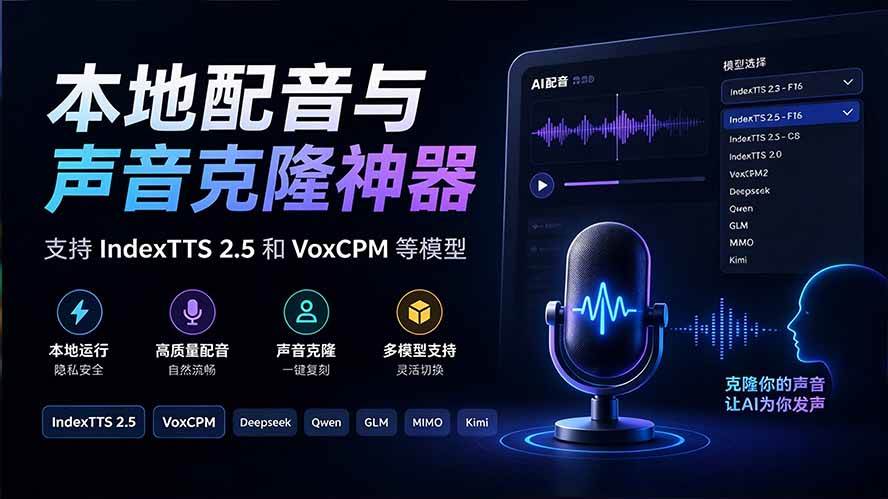
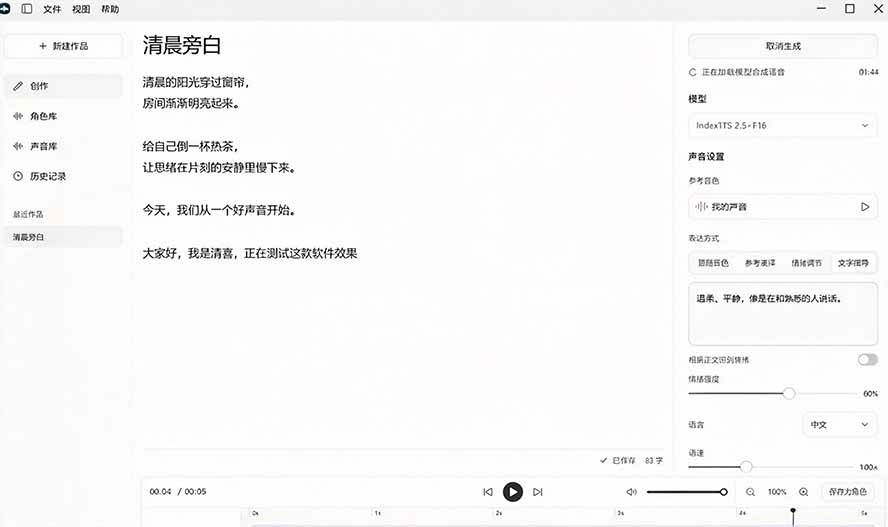
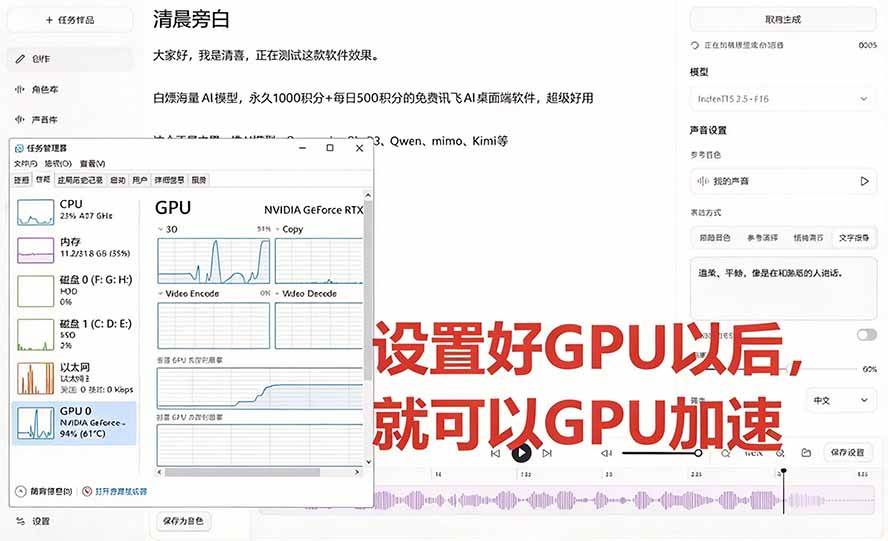
 When making videos, recording courses, or editing podcasts, the most annoying part is often not writing the script, but finding suitable voiceover: cloud voiceover charges by word count, revisions require buying credits again, and materials must be uploaded first. yovoice is an open-source voice creation software. Local speech synthesis, voice cloning, and emotion control are all done on your own computer, without calling cloud APIs or charging by character. It provides both macOS and Windows versions. It is suitable for short video narration, course audio, and podcast creation.


Software Features
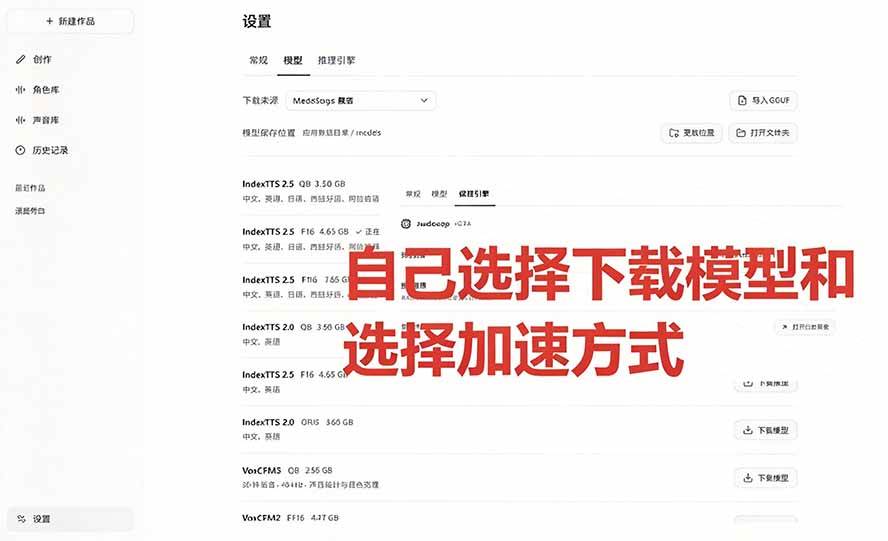
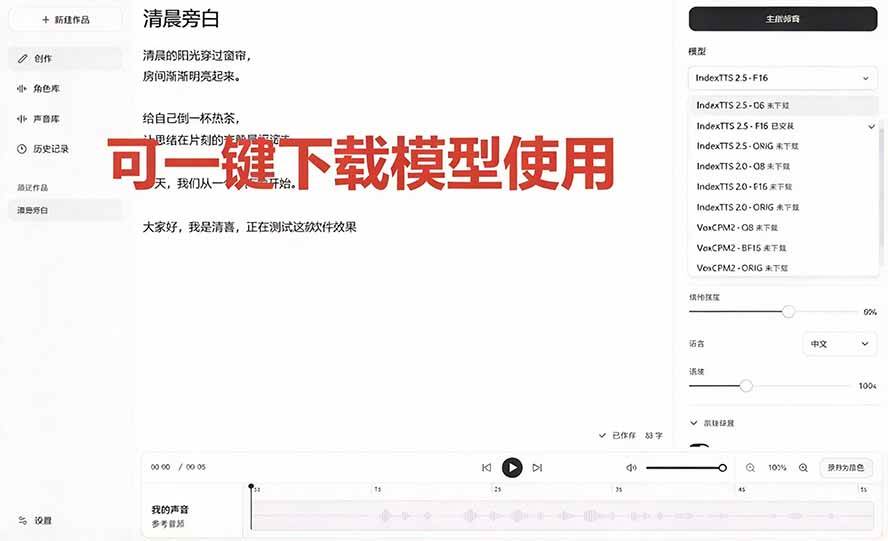
Completely Free: Speech synthesis and voice cloning both run locally, without going through cloud APIs, supporting models like Indextts 2.5 and VoxCPM. Download the model and you can use it.
Voice Cloning Plus Emotion Control: This is its core capability. Besides reading text aloud, it can also clone voices and adjust emotions. The same script can be tried with different tones.
Materials Stay on Your Own Computer: Voice samples and the generation process are all completed locally. There is no need to upload recordings to someone else's server first, making it more reassuring when creating commercial content.
Tested and Easy to Use: Qingxi tested it hands-on. If you need a local voiceover and voice cloning tool, then this software is very suitable.
Suitable for These Scenarios: Short video narration, course audio, podcast intros, draft audio content, batch reading. Any work that requires repeated output can use it.
Supported Systems and Updates: macOS and Windows versions are available; the project uses the Apache-2.0 open-source license
Software Screenshots
Software Features



Supporting Study Materials
This course comes with a materials pack. Members receive the access link by email after requesting the course.
Related Courses

WeChat Official-Account Traffic-Monetizer Beginner Practical Course: Step by Step—Find Benchmarks, Add Article Images, Write Copy, Withdraw Ad Revenue

Commercial social-IP practice bootcamp: positioning planning in the post-traffic era, track case teardowns, and a full tool/methodology set

Meitu practical-tools tutorial bundle: collage, color grading, retouching and effects, fun photo processing, zero-basics novel-post voiceover teaching

High-value advanced copywriting bootcamp: from underlying copy layout to personal-brand shaping - one system for follower growth, trust and sales




WeChat Official Account traffic-owner niche track — 1652 in 10 days, replicable for beginners, detailed breakdown

Viral-content principles course: hit the essence of self-media, break traffic ceilings, build a differentiated IP