


-
Solo Business Courses
-
 Others
-
Overseas Tutorials
-
Photography & Editing
-
Community & Private Domain
-
Self-Media Writing & Copywriting
-
Side Income Projects
-
E-commerce
-
Short Video & Live Streaming
-
Artificial Intelligence (AI)
-
Software & Tools
-
Operating Systems
-
Plugins & Scripts
-
MacOS Software
-
Android Software
-
Windows Software


[No Watermark] Kuangfeng Hui Xiaohongshu E-commerce Matrix 6.0: Store Setup & Product Selection -> Batch Listing -> AI Cover Notes -> Product Testing & Boosting -> Multi-Store Multi-Account Matrix Operations Full Process
-
Game Gold-Farming Money-Making Plan: Earn 1k+ Daily, a Stable 3-Year Project Anyone Can Do in Spare Time [Revealed]
Study material — included with membership Get Membership -
Hot-game fully-automated earning: 500+ a day, no experience, simple operation - the steadiest long-term game-earning side hustle (revealed)
Study material — included with membership Get Membership -
FlyingMouse earns merit this time! Don't panic at Windows format problems — the open-source FlyingMouse format conversion tool helps, a popular GitHub gem
Study material — included with membership Get Membership -
Douyin Product-Selling Coaching Bootcamp: No On-Camera Appearance Needed, Newbies Can Produce Selling Short Videos by Following the Steps
Study material — included with membership Get Membership -
First-release game gold-farming money plan: 1K+ a day, ordinary people in spare time
Study material — included with membership Get Membership






-
FlyingMouse earns merit this time! Don't panic at Windows format problems — the open-source FlyingMouse format conversion tool helps, a popular GitHub gem
Study material — included with membership Get Membership -
LuDaShi v6.1024.4105.1121 Slim Single File
Study material — included with membership Get Membership -
2D Cartoon Animation Software Moho Pro v14.3
Study material — included with membership Get Membership -
Video Editor Aiseesoft Filmai v1.0.18
Study material — included with membership Get Membership -
To-Do Microsoft To Do v2.147 Free
Study material — included with membership Get Membership -
PR/AE/DaVinci/FCPX video Plugin Nobe OmniScope Win1.11.15 / Mac1.10.138
Study material — included with membership Get Membership







Course Intro
Kuangfeng Hui Xiaohongshu E-commerce Matrix 6.0 is a 55-lesson hands-on course on Xiaohongshu e-commerce matrix operations, covering the full loop: store setup -> multi-channel product picking -> batch listing -> AI cover making -> AI note publishing -> account matrix -> product testing & push -> traffic conversion -> matrix scaling -> shipping & after-sale. It starts from opening personal and individual stores and basic new-store config, then systematically walks through multi-channel picking across 1688, peer stores, Taobao, Pinduoduo, Douyin, the business-opportunity center and data tools, with AI-assisted picking directions. Next: plugin/software batch listing, pricing and coupon setup, original-material shooting and AI cover making. The advanced part focuses on binding 3 matrix accounts to 1 store, browser environment setup, AI batch note publishing, test-store and push-store tactics, and scaling store and account matrices, with fixes for low note traffic and low store conversion. It ends with 1688 sourcing, manual/auto shipping, auto returns and AI customer-service replies — the complete flow from single-store testing to multi-store multi-account matrix ops.
Who It's For
- Newcomers who want to do Xiaohongshu e-commerce
- Merchants who want to learn matrix operations
- Sellers who want stronger product-picking skills
- Operators who want AI to boost efficiency
- People who want to expand from one store to many
What You'll Gain
- Master the full Xiaohongshu store-opening flow
- Build a multi-channel hit-product picking system
- Learn to make AI covers and notes
- Master product testing and matrix scaling
- Close the shipping-and-after-sale ops loop
Course catalog
01. [6.0 Tech] Hardcore show-of-force: 6.0 tech demo
02. [6.0 Tech] The opportunity window of Xiaohongshu e-commerce
03. [6.0 Tech] How Xiaohongshu e-commerce evolved
04. [6.0 Tech] Demo: opening personal & individual stores
05. [6.0 Tech] 6 must-do configs after opening a new store
06. [Picking] 3 core traits of a quality hit product
07. [Picking] Using AI to open up picking directions
08. [Picking] Refined product picking on 1688
09. [Picking] Benchmarking peer stores on Xiaohongshu
10. [Picking] Cross-domain picking: Taobao/Pinduoduo/Douyin
11. [Picking] Picking from the business-opportunity center (most reliable)
12. [Picking] Huitun data picking (as auxiliary)
13. [Picking] List first, then test to find good products (best)
14. [Picking] 12 categories newcomers should avoid
15. [Picking] Semi-vertical category layout for 1 store
16. [Tool listing] Manual listing to nail every detail
17. [Tool listing] Batch extract product links via plugin
18. [Tool listing] Batch move products to Xiaohongshu stores via software
19. [Tool listing] Batch edit product pricing via software
20. [Tool listing] Set coupons to lift conversion
21. [AI cover] 3 elements & 3 methods of Xiaohongshu covers
22. [AI cover] Find buyer-show photos of the same product cross-platform
23. [AI cover] Shoot lots of original material photos yourself
24. [AI cover] AI copies hit covers: transplant-and-swap
25. [AI cover] AI-original step 1: download & extract
26. [AI cover] AI-original step 2: the AI-original operation
27. [AI cover] AI-original step 3: remove light/dark watermarks
28. [AI cover] AI-original step 4: place back for adjustment
29. [AI posting] Bind 3 Xiaohongshu matrix accounts to 1 store
30. [AI posting] BitBrowser download, install, configure
31. [AI posting] IP address location, selection, purchase
32. [AI posting] Full isolated-IP operation in BitBrowser
33. [AI posting] Create Cent Browser shortcuts
34. [AI posting] Install the AI-posting plugin
35. [AI posting] Configure the AI-posting software
36. [AI posting] Assign tasks in the AI-posting software
37. [AI posting] Post notes from store main & linked accounts
38. [AI posting] 4 software settings that must change
39. [Ops] 3-step strategy for Xiaohongshu e-commerce
40. [Ops] Note level: manual ops up to V4
41. [Test] Test store: all operation steps
42. [Expand] Expand picking: from 1 good product to a group
43. [Push] Push store: all operation steps
44. [Ops] Matrix scaling: store matrix & account matrix
45. [Ops] Tiered price hikes to break through volume
46. [Ops] Manual boosts: product sales & reviews
47. [Ops] Fix low note traffic
48. [Ops] Fix low store conversion
49. [Shipping] Stock must come from 1688
50. [Shipping] Manual shipping: master the details
51. [Auto shipping] Software auto-shipping demo
52. [After-sale] Set different return/exchange addresses
53. [Auto after-sale] Software auto return/exchange
54. [Auto reply] AI customer-service auto replies
55. [Summary] Keep doing it + pick more + post more notes
Supporting Study Materials
This course comes with a materials pack. Members receive the access link by email after requesting the course.
Related Courses
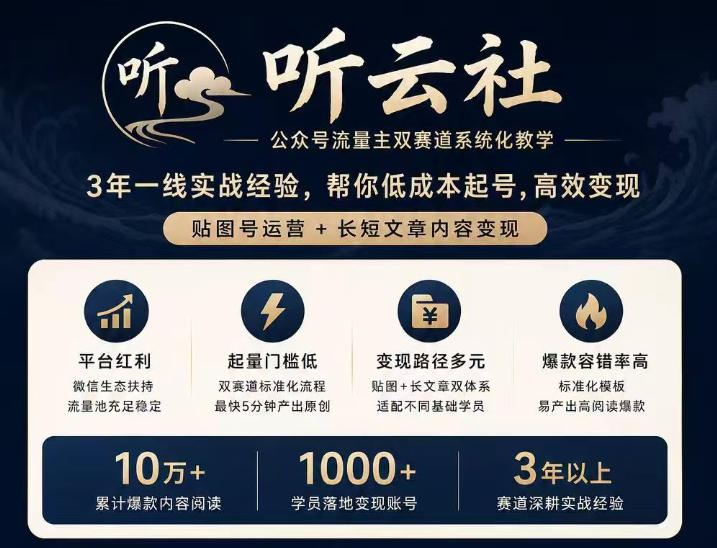
Tingyunshe official-account traffic-master dual-track systematic teaching: 3 years of frontline practice, low-cost account start and efficient monetization



TikTok Southeast Asia cross-border store practice course: market research, onboarding, product selection, listing, shipping and payment collection

Personal IP + private-domain monetization club: a personal-IP practice course to build the commercial loop of your own IP

Taobao Wanxiangtai Wujie systematic practice course: backend feature breakdown, delivery logic analysis, lowering cost and raising ROI

Tao operations 21-day crash camp: zero-basis easy Taobao operations, no empty gestures, fast replicable landing (updated Aug 2026)

Taobao Flash-Purchase, 20 yuan per order: no strong account base, no complex operation skills - beginners can enter directly


Latest August technique: register 5 Douyin accounts with one phone number - a must for matrix operation, test it if you need it

