


-
Solo Business Courses
-
 Others
-
Overseas Tutorials
-
Photography & Editing
-
Community & Private Domain
-
Self-Media Writing & Copywriting
-
Side Income Projects
-
E-commerce
-
Short Video & Live Streaming
-
Artificial Intelligence (AI)
-
Software & Tools
-
Operating Systems
-
Plugins & Scripts
-
MacOS Software
-
Android Software
-
Windows Software


[No Watermark] AI Commercial Visual Design Practical Course: From SD Basic Deployment to ComfyUI+Flux Workflow, Master AI Creation for Photography, E-commerce and Architecture
-
Game Gold-Farming Money-Making Plan: Earn 1k+ Daily, a Stable 3-Year Project Anyone Can Do in Spare Time [Revealed]
Study material — included with membership Get Membership -
Hot-game fully-automated earning: 500+ a day, no experience, simple operation - the steadiest long-term game-earning side hustle (revealed)
Study material — included with membership Get Membership -
FlyingMouse earns merit this time! Don't panic at Windows format problems — the open-source FlyingMouse format conversion tool helps, a popular GitHub gem
Study material — included with membership Get Membership -
Douyin Product-Selling Coaching Bootcamp: No On-Camera Appearance Needed, Newbies Can Produce Selling Short Videos by Following the Steps
Study material — included with membership Get Membership -
First-release game gold-farming money plan: 1K+ a day, ordinary people in spare time
Study material — included with membership Get Membership






-
FlyingMouse earns merit this time! Don't panic at Windows format problems — the open-source FlyingMouse format conversion tool helps, a popular GitHub gem
Study material — included with membership Get Membership -
LuDaShi v6.1024.4105.1121 Slim Single File
Study material — included with membership Get Membership -
2D Cartoon Animation Software Moho Pro v14.3
Study material — included with membership Get Membership -
Video Editor Aiseesoft Filmai v1.0.18
Study material — included with membership Get Membership -
To-Do Microsoft To Do v2.147 Free
Study material — included with membership Get Membership -
PR/AE/DaVinci/FCPX video Plugin Nobe OmniScope Win1.11.15 / Mac1.10.138
Study material — included with membership Get Membership







Course Introduction
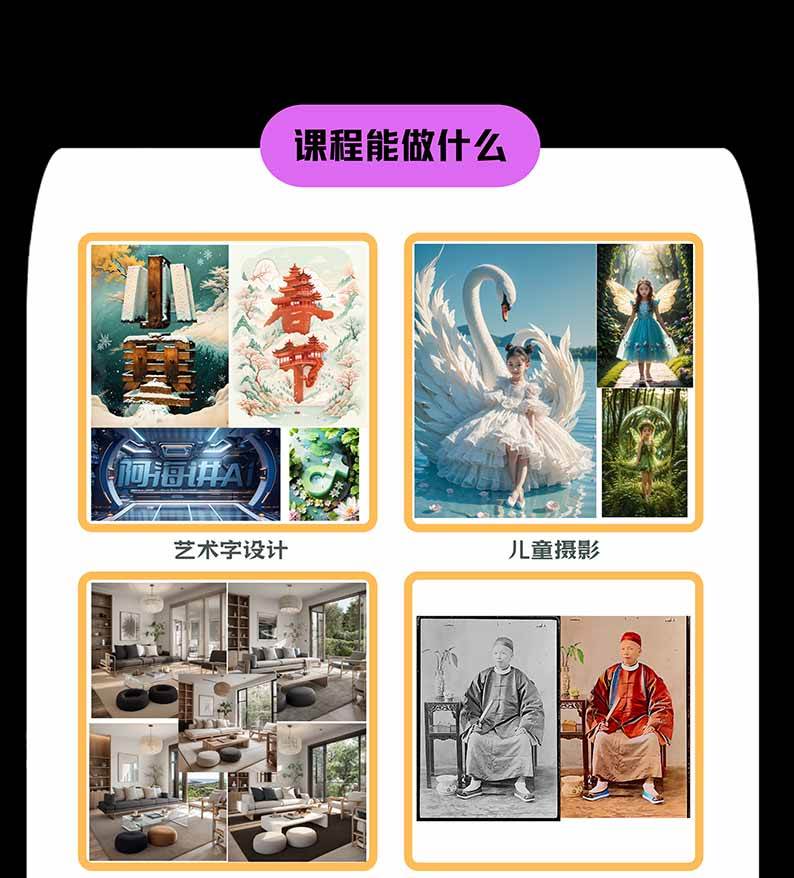
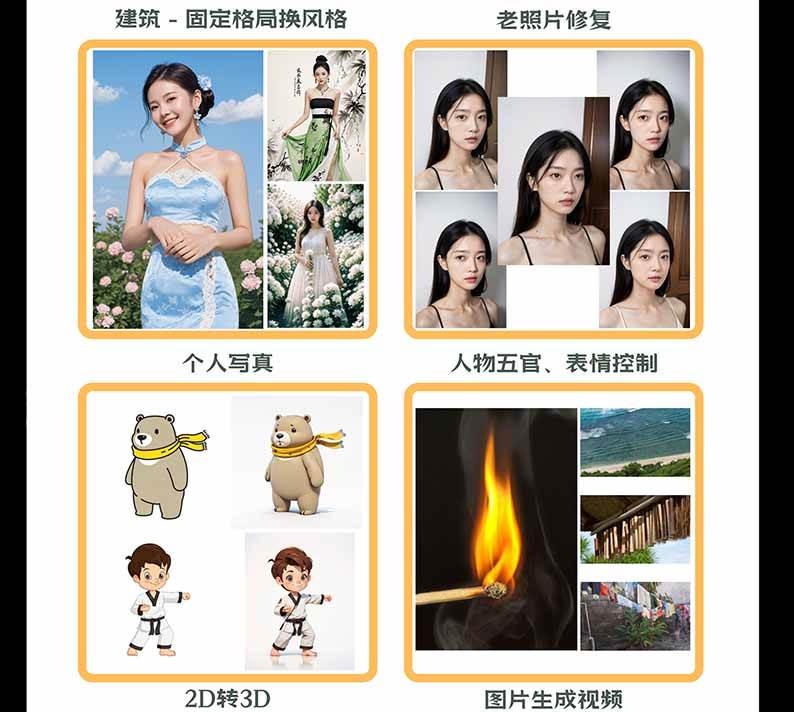
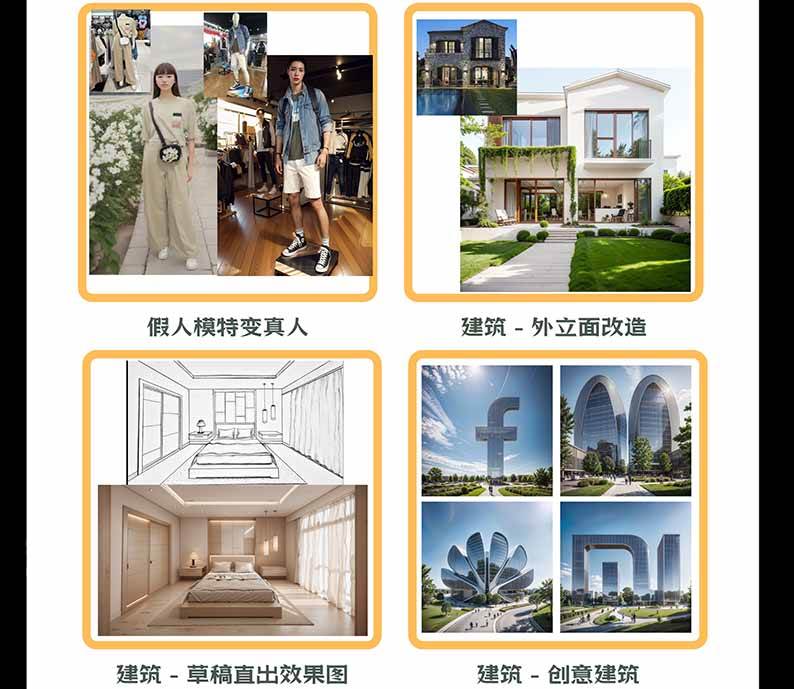
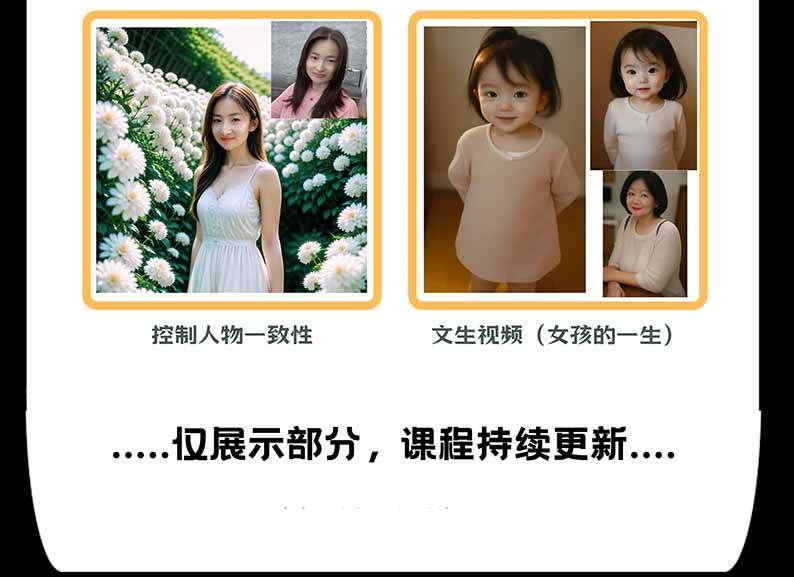
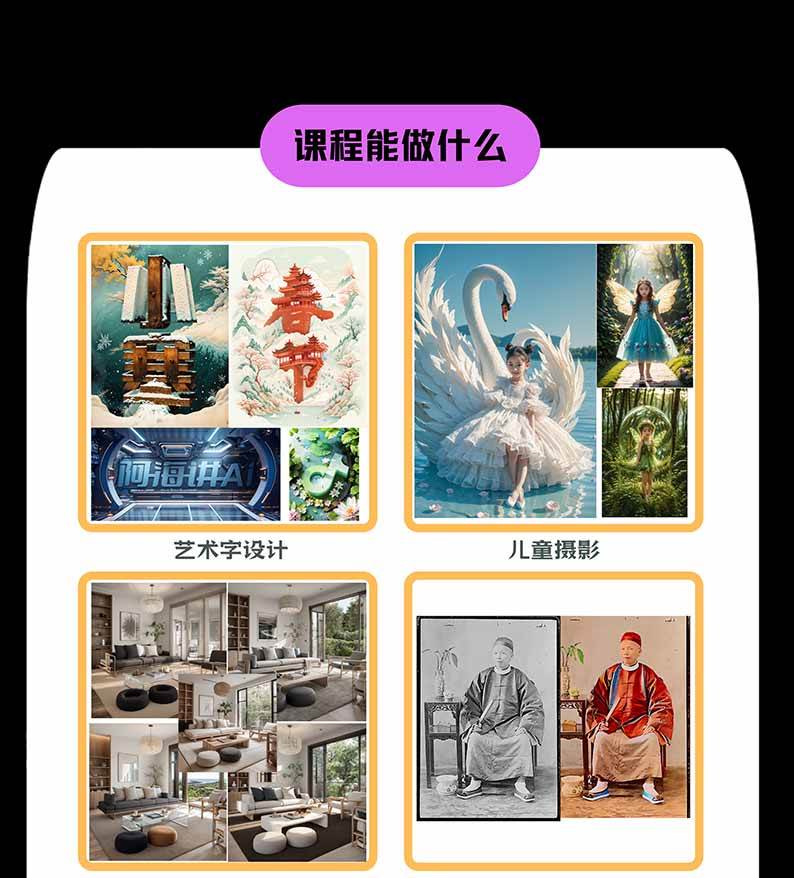
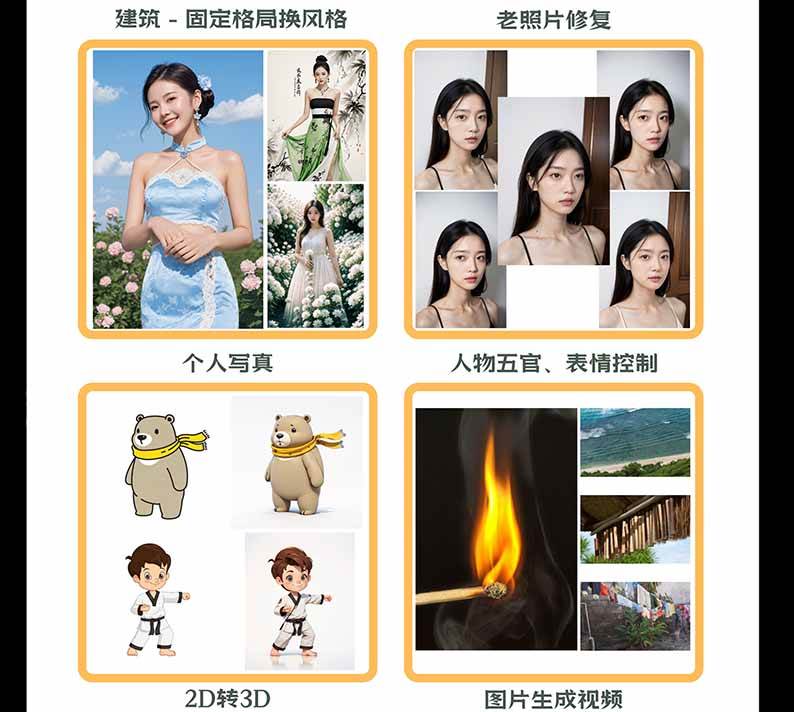
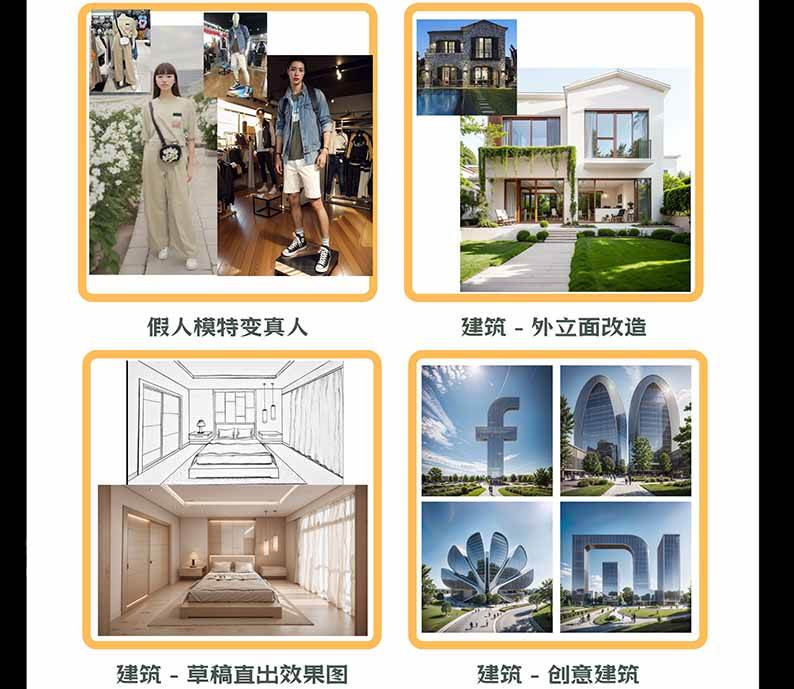
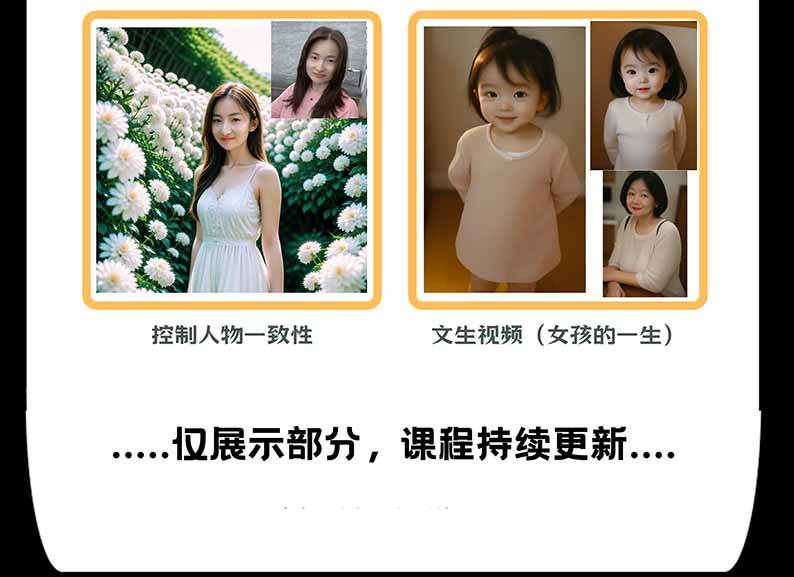
This AI Commercial Visual Design Practical Course is an AI visual creation course that takes you from zero-based beginner to commercial project delivery, built around mainstream AI drawing workflows such as Stable Diffusion, ComfyUI and Flux. Starting from SD principles, local/cloud deployment, parameter settings, prompts, text-to-image, image-to-image and inpainting, the course systematically explains core control techniques including large models, VAE, Embeddings, LoRA, plugins, HD upscaling, and ControlNet's OpenPose and Depth. The advanced part dives into ComfyUI and Flux workflows, covering Fill inpainting, Depth, IPAdapter, Canny, OpenPose and other precise control methods. Practical applications span AI photography, e-commerce design, architectural design, artistic typography, portrait photography, manga-to-real conversion, product images, artistic QR codes and image-to-video scenarios, including facial feature fine-tuning, portrait restoration, photography background replacement, dummy model to real person, indoor style transfer and architectural logos, helping students build a complete capability system from AI tool use and precise image control to commercial visual project production.
Suitable Learners
- Beginners who want to systematically learn AI drawing from scratch
- People who want to master SD, ComfyUI and Flux
- Photography, e-commerce and graphic design practitioners
- Architecture, interior and visual design practitioners
- Creators who want to take on commercial projects with AI
What You Will Gain
- Master the complete SD process from deployment to image output
- Learn to build ComfyUI and Flux workflows
- Master ControlNet precise image control techniques
- Independently produce photography, e-commerce and architectural visual works
- Build practical AI commercial design project capabilities
Course Outline
Intelligent Painting Basics
-Local Deployment- Starting from Configuration
-Detailed Explanation of Interface Parameters
-Text-to-Image in Depth (Prompt Framework)
-Image-to-Image in Depth (Image-to-Image + Doodle)
-What is a Large Model? Where to Find It? How to Use It?
-What is Lora? Where to Find It? How to Use It?
-What is Embedding? Where to Find It? How to Use It?
-What is Vae? Where to Find It? How to Use It?
[Architecture] Creative Architectural Logo Effect
[Architecture] Old House Facade Renovation
[Architecture] Interior Rendering Style Transfer
[Design] AI Typography Practical Series
[Video] Image to Video
[Others] Realistic Style Person to Manga Style
[Others] Manga Character to Real Person Style
Course Catalog:
01. Opening Ceremony_Course Services and Framework
02. Learning Methods and Material Downloads
03. SD Introduction
04. SD Principles Explained
05. SD Local Deployment
06. SD Cloud Deployment
07. SD Parameters Explained (Sampling Steps, Sampler, Random Seed, High-Res Fix)
08. Detailed Explanation of Prompts
09. Image-to-Image in Depth
10. Inpainting, Doodle Repaint, Upload Repaint Mask
11. What are Plugins? How to Install?
12. What is a Large Model? What is it For? How to Manage?
13. What is VAE? How to Download? Notes?
14. Detailed Explanation of Four HD Upscaling Methods
15. What are Embeddings? What are they For? Where to Download?
16. What is Lora? What is it For? What Notes?
17. What are Scripts? What are they For?
18. Recommended Practical SD Plugins
19. ControlNet Basic Parameters Explained
20. OpenPose, Depth Detailed Explanation
21. OpenPose, Depth (Extra Lesson)
22. SDXL Model Basics Explained
23. Creating Artistic QR Codes
24. Facial Feature Fine-tuning
25. Portrait Restoration
26. Architectural Logo
27. Interior Rendering Style Transfer
28. Light and Shadow Text
29. AI Photography_Full Process of Original Photo Replacement
30. AI Photography_Background Replacement
31. Clothing Product Images (Dummy Model to Real Person)
32. Desktop-display E-commerce Product Image Production Process
33. Why Learn ComfyUI?
34. ComfyUI Local Deployment
35. Flux Basic Concepts and Text-to-Image Setup
36. Flux Parameters, Image-to-Image Detailed Explanation
37. AI Course_Flux Inpainting Detailed Explanation
38. Flux ControlNet Basic Concepts
39. Flux ControlNet Depth Control in Depth
40. Flux ControlNet IPAdapter Control in Depth
41. Flux ControlNet Canny Control in Depth
42. Flux ControlNet OpenPose Control in Depth
43. ComfyUI New UI Interface Detailed Explanation
44. Flux-tool Fill Repaint Model in Depth
Supporting Study Materials
This course comes with a materials pack. Members receive the access link by email after requesting the course.
Related Courses

Family Comedy Short-Drama Creation Course: Benchmark Hot Accounts, AI-Assisted, Fast Start for Total Beginners, Grow Followers and Drive Product Sales

Amazon AI Automation Practical Course: AI Operating Mindset, Setting Up the Codex Environment, Risk-Control Checks and Automated Listing Copy

AI E-Commerce Data Tool Development Course: Learn Codex+BI From Zero, Build a Multi-Store Integrated Visualization Dashboard


Advanced AI Prompt Application: 15 Lessons | Universal Instruction Thinking + Multiple Output Modes + Full Industry Commercial Cases

AI Video Creation Crash Course: From Great-Case Breakdown to Five Core Modules, Fast-Track AI Video Skills for Total Beginners

AI Commercial Practice System Course: In-Depth SD Mastery + Advanced Flux Hands-On + Comfyui Workflow Building, Full Commercial Design Project Training

[National-Day Pick] AI Automation Game, 1k+ RMB a Day, Simple to Operate, Stable for Three Years! [Revealed]



