


-
Solo Business Courses
-
 Others
-
Overseas Tutorials
-
Photography & Editing
-
Community & Private Domain
-
Self-Media Writing & Copywriting
-
Side Income Projects
-
E-commerce
-
Short Video & Live Streaming
-
Artificial Intelligence (AI)
-
Software & Tools
-
Operating Systems
-
Plugins & Scripts
-
MacOS Software
-
Android Software
-
Windows Software


[No Watermark] Say Goodbye to Inefficient Content Creation! Codex + Skill Content Efficiency Hands-on Course: from Material Organizing and Smart Writing to Image-Text Production, Video Editing and Dat
-
Game Gold-Farming Money-Making Plan: Earn 1k+ Daily, a Stable 3-Year Project Anyone Can Do in Spare Time [Revealed]
Study material — included with membership Get Membership -
Hot-game fully-automated earning: 500+ a day, no experience, simple operation - the steadiest long-term game-earning side hustle (revealed)
Study material — included with membership Get Membership -
FlyingMouse earns merit this time! Don't panic at Windows format problems — the open-source FlyingMouse format conversion tool helps, a popular GitHub gem
Study material — included with membership Get Membership -
Douyin Product-Selling Coaching Bootcamp: No On-Camera Appearance Needed, Newbies Can Produce Selling Short Videos by Following the Steps
Study material — included with membership Get Membership -
First-release game gold-farming money plan: 1K+ a day, ordinary people in spare time
Study material — included with membership Get Membership






-
FlyingMouse earns merit this time! Don't panic at Windows format problems — the open-source FlyingMouse format conversion tool helps, a popular GitHub gem
Study material — included with membership Get Membership -
LuDaShi v6.1024.4105.1121 Slim Single File
Study material — included with membership Get Membership -
2D Cartoon Animation Software Moho Pro v14.3
Study material — included with membership Get Membership -
Video Editor Aiseesoft Filmai v1.0.18
Study material — included with membership Get Membership -
To-Do Microsoft To Do v2.147 Free
Study material — included with membership Get Membership -
PR/AE/DaVinci/FCPX video Plugin Nobe OmniScope Win1.11.15 / Mac1.10.138
Study material — included with membership Get Membership





I. Course Basic Information **Course Name:** Codex + Skill Content Efficiency Hands-on Course **Course Type:** Hands-on course on building an AI content creation system and automation **Number of Lessons:** 8 lessons in total, divided into 4 learning stages **Core Tools:** Codex, Skill, ChatCut **Platforms Covered:** Douyin, Xiaohongshu, WeChat Channels, Official Accounts, etc. **Core Focus of the Course:** material collection, knowledge base management, content deconstruction, topic planning, copywriting, Xiaohongshu image-text production, IP talking-head shooting, AI automated editing, content data review, and Codex automated task setup. **Course Goal:** from material collection to content review, build a content production system that supports continuous creation and iteration. II. Full Course Introduction Many people do have materials, and they are not completely unable to use AI. What really blocks them: inspiration and reference content are scattered everywhere, they do not know what to write; once written, they cannot turn the text into image-text posts or talking-head videos; and published content is never reviewed or reused. Every creation starts from scratch again. Xinghe Engine starts from real content work and guides you to build a content creation system of your own. Use a knowledge base to capture materials, use methodology to distill openings, structures and titles, use workflows to generate drafts, and then complete different forms of expression through image-text posts, talking-head videos and editing. After publishing, return to real data to judge what is worth continuing, and gradually turn manually verified repetitive steps into inspectable automation. This course does not just teach you a few more AI tools: it connects materials, methods, content and feedback into your own content production line. 2. Who Is This Course For Students who have finished basic Codex learning and want to start building a content system. People who collect a lot of content but whose materials are never truly used. Content creators who frequently get stuck on topics, copywriting, image-text posts, talking-head videos or editing. People with real publishing records who want to use data to find the next direction for their content. People who want to gradually hand repetitive organizing, deconstruction and review steps over to the system. The course is hands-on and does not require programming skills. You need to prepare your own content direction and usable materials, and be willing to run the process manually first, then gradually develop an approach that suits you. III. After 8 Lessons, What You Can Build 01 A content creation system of your own Deploy content-creation-related data structures, rules and Skills in your existing knowledge base as a working environment for continuous use. 02 A sustainable content entry point for materials Bring the external content, inspiration and reference material you see daily into your material library in your own way. 03 A set of reusable content methodology assets Break materials down into content components such as openings, structures, titles, punchlines and endings, and keep enriching them in future creations. 04 A content workflow from direction to draft Use target users, keywords, materials and topics to form better-grounded content drafts. 05 Multiple forms of content expression Organize existing content into image-text, talking-head and video editing plans, instead of rewriting from scratch for every platform. 06 A review method based on real data Find in your own publishing data the content directions worth continuing to test and reuse. 07 An inspectable content automation Starting from a single manually verified step, set up scheduled tasks that can be viewed, paused and adjusted. IV. Complete Detailed Catalog of the 8 Lessons Stage 1: System Deployment & Material Entry (Lessons 1-2) Lesson 1 | Content Creation System Deployment First put the content creation system provided by the course into your existing knowledge base. Learn to review the deployment package and instructions, complete the incremental merge by following the prompts, and get to know the system's modules, file structure and how to invoke Skills. **Learning Outcome:** after this lesson, you will have a content creation working environment you can keep using. Lesson 2 | Multi-Platform Material Collection & Deconstruction Learn to bring content worth studying from channels such as Douyin, Xiaohongshu, WeChat Channels and Official Accounts into your knowledge base according to your own scenarios. First complete the basic setup of the material entry point and sync, preparing raw material for later deconstruction and reuse. **Learning Outcome:** after this lesson, you will know how to make external content go beyond bookmarks and into your own material library. Stage 2: Content Workflow & Image-Text (Lessons 3-4) Lesson 3 | Content Creation Workflow Starting from target user profiles and keywords, learn to collect materials around your content direction. Then break materials down into assets such as openings, structures, titles, punchlines and endings, and generate content drafts starting from inspiration, external hits or existing topics. **Learning Outcome:** after this lesson, you will master the core path from "what should I write?" to "getting the first draft". Lesson 4 | Xiaohongshu Image-Text Production Based on your existing draft, learn to invoke image-text, illustration and visual design tools to organize adjustable image-text material. The focus is on understanding how written content becomes image-text expression, rather than just applying a fixed layout. **Learning Outcome:** after this lesson, you can turn an existing piece of content into image-text form. Stage 3: Talking-Head Shooting & Editing (Lessons 5-6) Lesson 5 | IP Talking-Head Shooting & Editing Import your talking-head script into a teleprompter and learn to complete an actual shoot. Then handle slips of the tongue, repetition, pauses and subtitles based on the video, combine templates that suit you, and build a clearer talking-head shooting and basic editing workflow. **Learning Outcome:** after this lesson, you can truly turn a content draft into a talking-head piece. Lesson 6 | ChatCut Automated Editing Learn to clearly describe requirements such as pauses, slips of the tongue, subtitles, keywords, animation, sound effects and export to the editing tool. Save confirmed editing preferences as versioned Skills, keep adjusting them later, and reuse them for similar videos. **Learning Outcome:** after this lesson, you will master how to distill and reuse your personal editing requirements. Stage 4: Data Review & Automation (Lessons 7-8) Lesson 7 | Data Review & Growth Flywheel Export your real data from the content platform backend, then review it after unifying time ranges and file naming. The focus is on identifying better-performing content and tracing the corresponding topics, openings, structures and drafts, as the basis for the next round of testing and reuse. **Learning Outcome:** after this lesson, you will not only look at data, but also know how to turn data into your next content actions. Lesson 8 | Codex Automation Setup Learn to write manually verified single steps into clear automation tasks. Specify the input location, trigger time, Skill to invoke, output location and human confirmation points; test first, then run gradually. **Learning Outcome:** after this lesson, you can set up a content automation task that you can view, adjust and pause yourself. V. Course Materials & Learning Order The whole column is studied through four course links: Link 1: Lessons 1-2 complete system deployment and the multi-platform material entry. Link 2: Lessons 3-4 run through the content workflow and produce image-text expression. Link 3: Lessons 5-6 complete IP talking-head shooting and distill editing skills. Link 4: Lessons 7-8 establish a data review method and set up the first inspectable automation. **Study Advice:** learn in order. Manually operate each step once before considering automation. VI. What to Prepare Before Studying A computer that can run Codex normally. A clear content direction. 3 to 5 usable materials. A talking-head script or short video material of your own. VII. How to Keep Using This Method As you keep collecting materials, completing content and importing real data, your material library, methodology, topic library and templates will gradually become content assets that fit you better. Afterwards, you can keep adding new content directions, reuse better-performing themes and structures, or hand verified and stable repetitive steps over to automation again. Content no longer starts from zero every time: it accumulates, is reused and iterates within your own system. Accumulate materials & methods → reuse themes & structures → keep testing & iterating VIII. Course & Third-Party Tool Usage Notes The course provides teaching content and current supporting materials. Third-party software, platform accounts, subscriptions, network environment and actual usage costs are to be prepared by students according to their own needs; specific functions and compatibility are subject to verification with the current version and real devices. IX. Course Content Summary "Xinghe Engine - Content Creation System Building" is a hands-on AI content production system course built around Codex, Skill and ChatCut, 8 lessons in total, divided into eight core stages: system deployment, material collection, content creation, image-text production, talking-head shooting, automated editing, data review and task automation. The course starts with knowledge base and Skill deployment, explaining how to collect content material from platforms such as Douyin, Xiaohongshu, WeChat Channels and Official Accounts, and break it down into reusable assets such as topics, openings, structures, titles and punchlines; through the Codex content workflow it helps generate copy drafts, produce Xiaohongshu image-text posts, and complete IP talking-head shooting and ChatCut smart editing. Finally, it combines real publishing data to analyze quality content and gradually turn repetitive work into inspectable, adjustable automation tasks, helping creators establish a complete working system from material accumulation and content production to data feedback and continuous iteration. Core value: not simply learning to write copy with AI, but building a personal content creation system that can accumulate materials, reuse methods, produce content, analyze data and gradually automate over the long term.
Supporting Study Materials
This course comes with a materials pack. Members receive the access link by email after requesting the course.
Related Courses

WorkBuddy zero-basics hands-on training: even non-programmers can follow the manual steps, learn agents systematically by doing

Higgsfield cinematic animation course: one-stop creation platform, complete animation production-flow teaching

The same dance with 6 outfits switching in order: I turned an outfit-change video into a Skill
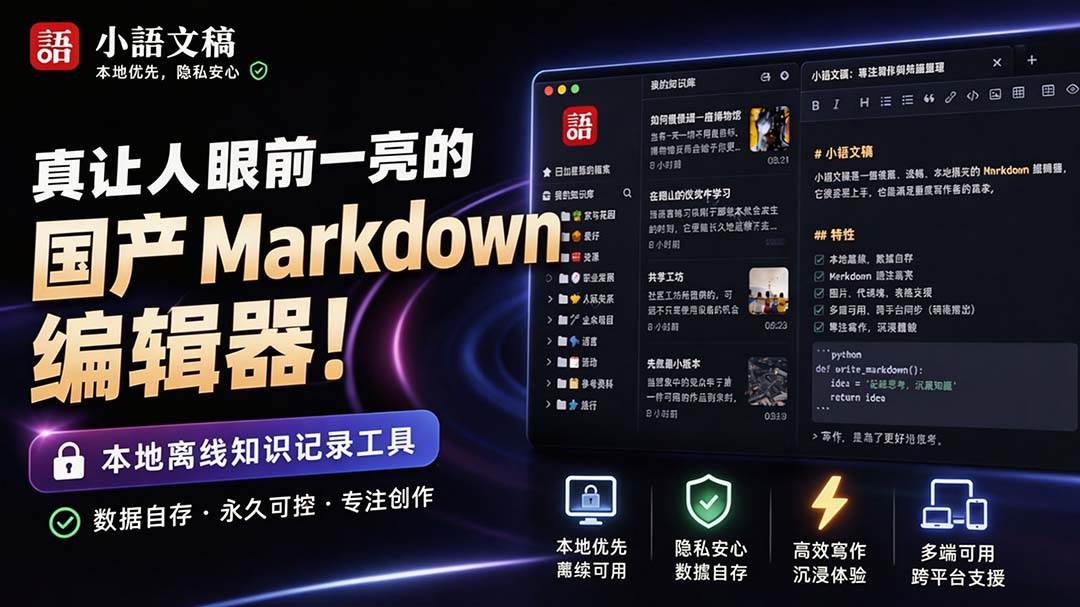
An eye-catching domestic Markdown editor: local offline high-performance note tool, free and no login required

Domestic Markdown editor: local offline high-performance knowledge-note tool, free and no login required

WorkBuddy practical blue paper: user manual and practice guide, complete combined image-text edition

Jimeng challenges a 180-second long video: one-click a 3-minute movie? Full production flow shared in detail

Super handy! Douyin video downloader, supports batch download of user works, favorites and likes lists, open-source free Better-douyin-R
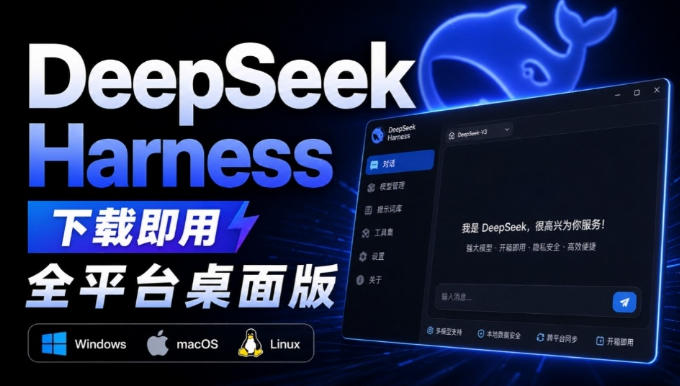
Nearly 200K stars on GitHub - Harness now runs by double-click: the Harness full-platform desktop edition

Nearly 200K stars on GitHub - Harness now runs by double-click: the Harness full-platform desktop edition DSH Desktop

