


-
Solo Business Courses
-
 Others
-
Overseas Tutorials
-
Photography & Editing
-
Community & Private Domain
-
Self-Media Writing & Copywriting
-
Side Income Projects
-
E-commerce
-
Short Video & Live Streaming
-
Artificial Intelligence (AI)
-
Software & Tools
-
Operating Systems
-
Plugins & Scripts
-
MacOS Software
-
Android Software
-
Windows Software

DeepSeek Practical Tutorial | Hidden Features of the Basic Version with Internet Access, Advanced Prompt Instructions, and Content Creation with CapCut
-
Game Gold-Farming Money-Making Plan: Earn 1k+ Daily, a Stable 3-Year Project Anyone Can Do in Spare Time [Revealed]
Study material — included with membership Get Membership -
Hot-game fully-automated earning: 500+ a day, no experience, simple operation - the steadiest long-term game-earning side hustle (revealed)
Study material — included with membership Get Membership -
FlyingMouse earns merit this time! Don't panic at Windows format problems — the open-source FlyingMouse format conversion tool helps, a popular GitHub gem
Study material — included with membership Get Membership -
Douyin Product-Selling Coaching Bootcamp: No On-Camera Appearance Needed, Newbies Can Produce Selling Short Videos by Following the Steps
Study material — included with membership Get Membership -
First-release game gold-farming money plan: 1K+ a day, ordinary people in spare time
Study material — included with membership Get Membership






-
FlyingMouse earns merit this time! Don't panic at Windows format problems — the open-source FlyingMouse format conversion tool helps, a popular GitHub gem
Study material — included with membership Get Membership -
LuDaShi v6.1024.4105.1121 Slim Single File
Study material — included with membership Get Membership -
2D Cartoon Animation Software Moho Pro v14.3
Study material — included with membership Get Membership -
Video Editor Aiseesoft Filmai v1.0.18
Study material — included with membership Get Membership -
To-Do Microsoft To Do v2.147 Free
Study material — included with membership Get Membership -
PR/AE/DaVinci/FCPX video Plugin Nobe OmniScope Win1.11.15 / Mac1.10.138
Study material — included with membership Get Membership





The complete DeepSeek practical tutorial is aimed at AI beginners and content creators: from basic software operations to advanced instructions, fully master the DS tool and efficiently empower the production of copywriting and short-video content. The course first explains DeepSeek's basic functions and the capabilities of the panel; it details the practical use of the internet function, obtaining the latest materials through real-time network information to break the time limits of the knowledge base. Hidden features of the software are unlocked and advanced capabilities many users don't know about are uncovered, expanding the boundaries of use. Multiple lessons explain daily practical uses, covering frequent scenarios such as copy rewriting, material organization and idea structuring, integrating AI into daily work. Special emphasis is placed on teaching creation instructions: across three lessons, the logic of prompt writing is broken down, teaching you to give precise instructions and produce high-quality scripts, stories and copywriting materials — saying goodbye to empty or irrelevant AI output. Finally, it teaches the combined use of DeepSeek with CapCut: AI generates scripts and copy in bulk, connected directly to the editing tool to quickly produce short-video content. All courses are practical demonstrations, with no empty theory. Complete beginners can learn quickly too; suitable for social media creators, side-hustlers and writing enthusiasts. After learning, you will no longer only ask simple chat questions: you will skillfully use prompt techniques, reduce creation time with AI, improve content production efficiency, and truly turn DeepSeek into your productivity tool. 1. How to start a social media account – 2. Building a social media account – 3. Introduction to auxiliary tools for starting an account – 4. Basic functions and uses of DS – 5. How to use DS's internet function – 6. Hidden features of DS – 7. Daily uses of DS 1 – 8. Daily uses of DS (2) – 9. Daily uses of DS (3) – 10. DS + Creation Instructions Lesson 1 – 11. DS + Creation Instructions Lesson 2 – 12. DS + Creation Instructions Lesson 3 – 13. Quick uses of DS + CapCut –
Supporting Study Materials
This course comes with a materials pack. Members receive the access link by email after requesting the course.
Related Courses

WorkBuddy zero-basics hands-on training: even non-programmers can follow the manual steps, learn agents systematically by doing

Higgsfield cinematic animation course: one-stop creation platform, complete animation production-flow teaching

The same dance with 6 outfits switching in order: I turned an outfit-change video into a Skill
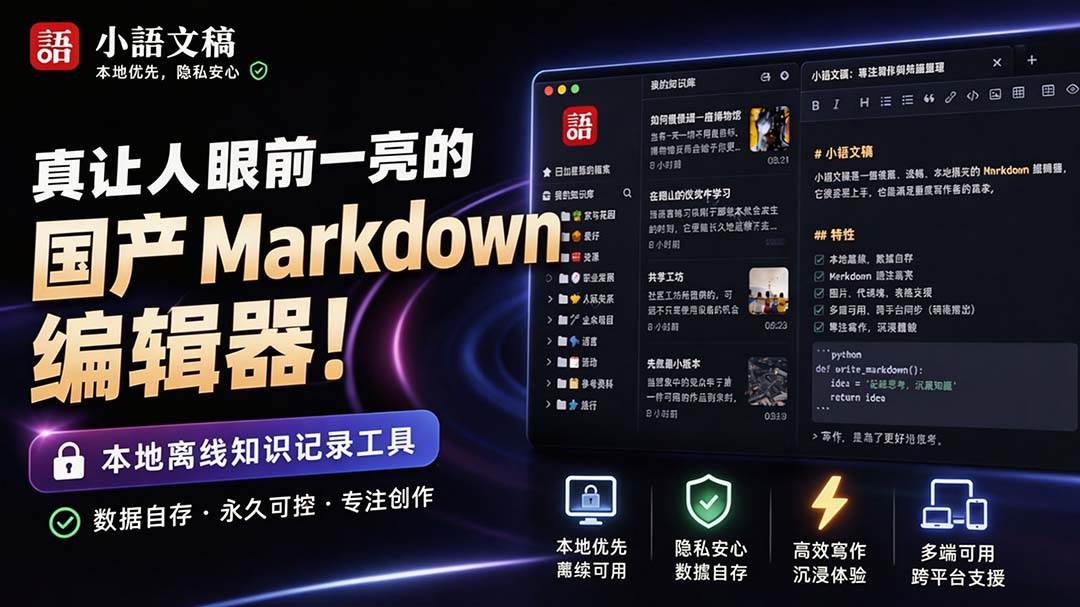
An eye-catching domestic Markdown editor: local offline high-performance note tool, free and no login required

Domestic Markdown editor: local offline high-performance knowledge-note tool, free and no login required

WorkBuddy practical blue paper: user manual and practice guide, complete combined image-text edition

Jimeng challenges a 180-second long video: one-click a 3-minute movie? Full production flow shared in detail

Super handy! Douyin video downloader, supports batch download of user works, favorites and likes lists, open-source free Better-douyin-R
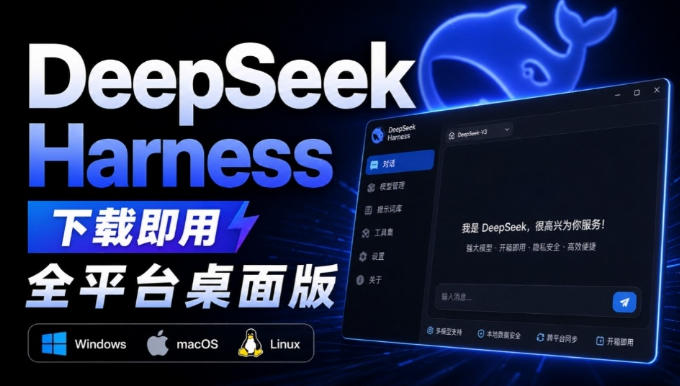
Nearly 200K stars on GitHub - Harness now runs by double-click: the Harness full-platform desktop edition

Nearly 200K stars on GitHub - Harness now runs by double-click: the Harness full-platform desktop edition DSH Desktop

