


-
Solo Business Courses
-
 Others
-
Overseas Tutorials
-
Photography & Editing
-
Community & Private Domain
-
Self-Media Writing & Copywriting
-
Side Income Projects
-
E-commerce
-
Short Video & Live Streaming
-
Artificial Intelligence (AI)
-
Software & Tools
-
Operating Systems
-
Plugins & Scripts
-
MacOS Software
-
Android Software
-
Windows Software
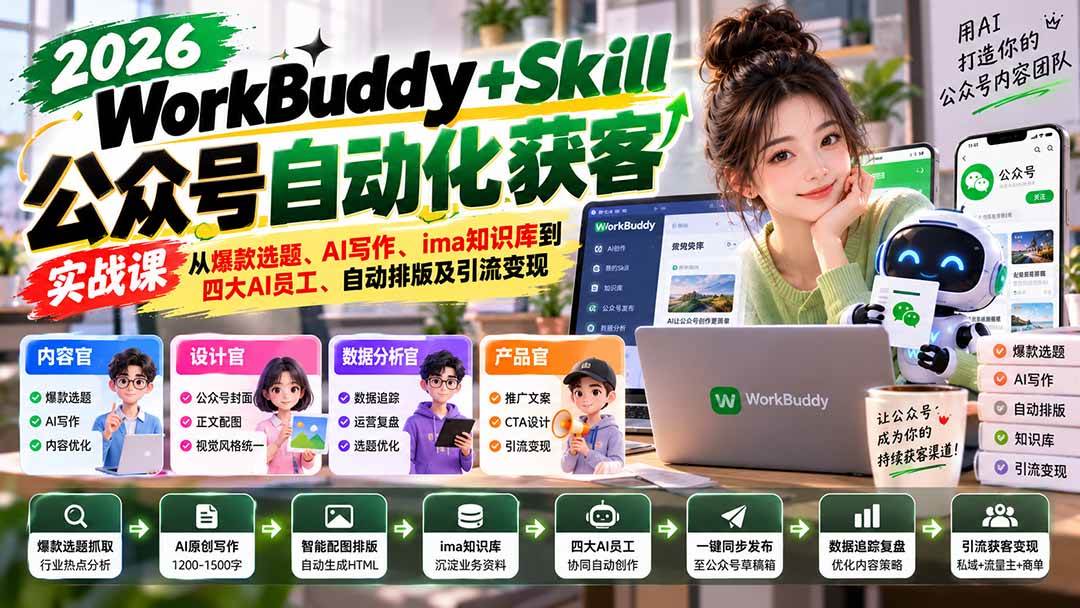
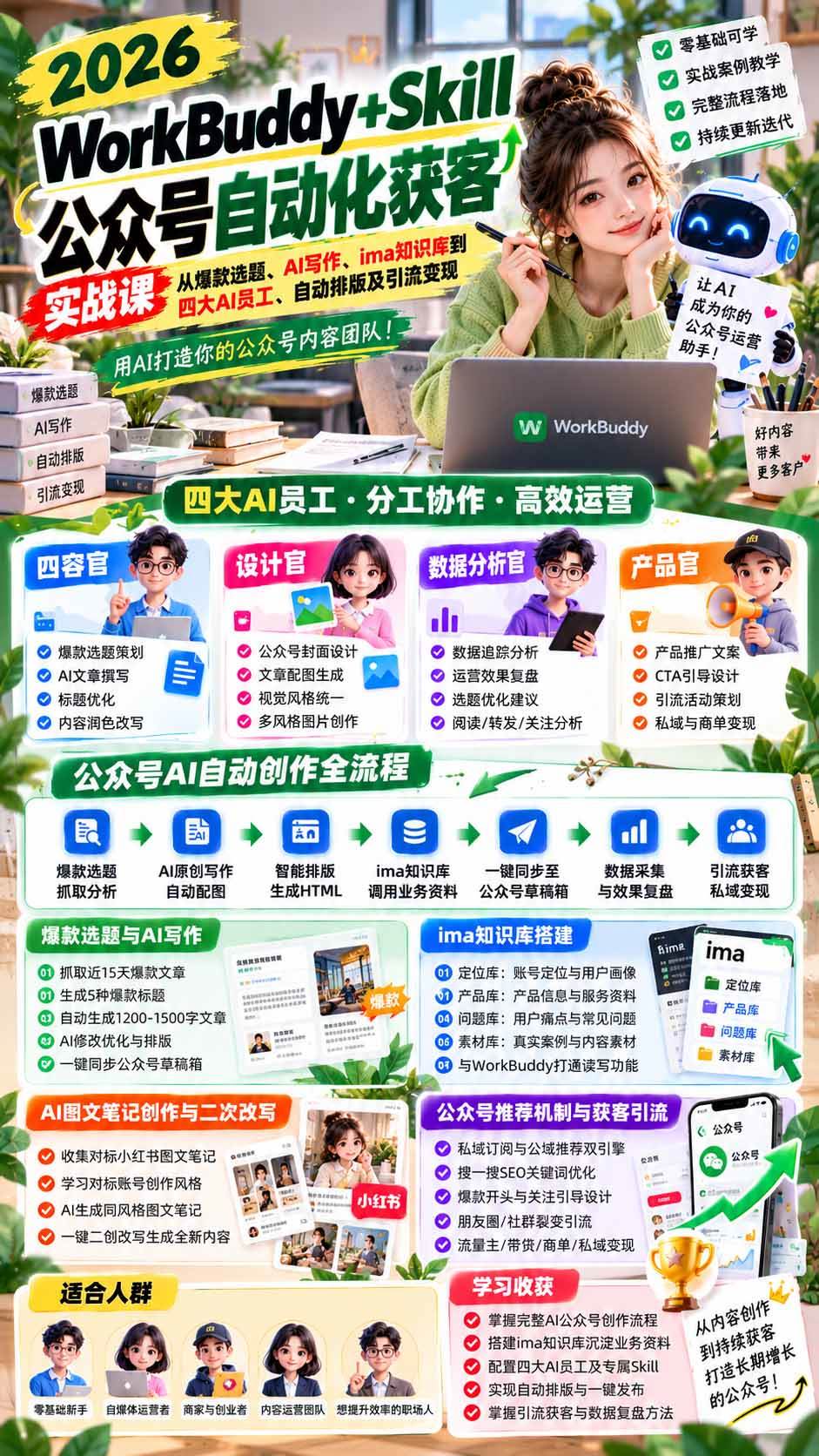
WorkBuddy + Skill WeChat-Official-Account Automated Customer-Acquisition Course: From Viral Topics, AI Writing, and ima Knowledge Base to Four AI Employees, Auto Layout, and Traffic Conversion
-
Game Gold-Farming Money-Making Plan: Earn 1k+ Daily, a Stable 3-Year Project Anyone Can Do in Spare Time [Revealed]
Study material — included with membership Get Membership -
Hot-game fully-automated earning: 500+ a day, no experience, simple operation - the steadiest long-term game-earning side hustle (revealed)
Study material — included with membership Get Membership -
FlyingMouse earns merit this time! Don't panic at Windows format problems — the open-source FlyingMouse format conversion tool helps, a popular GitHub gem
Study material — included with membership Get Membership -
Douyin Product-Selling Coaching Bootcamp: No On-Camera Appearance Needed, Newbies Can Produce Selling Short Videos by Following the Steps
Study material — included with membership Get Membership -
First-release game gold-farming money plan: 1K+ a day, ordinary people in spare time
Study material — included with membership Get Membership






-
FlyingMouse earns merit this time! Don't panic at Windows format problems — the open-source FlyingMouse format conversion tool helps, a popular GitHub gem
Study material — included with membership Get Membership -
LuDaShi v6.1024.4105.1121 Slim Single File
Study material — included with membership Get Membership -
2D Cartoon Animation Software Moho Pro v14.3
Study material — included with membership Get Membership -
Video Editor Aiseesoft Filmai v1.0.18
Study material — included with membership Get Membership -
To-Do Microsoft To Do v2.147 Free
Study material — included with membership Get Membership -
PR/AE/DaVinci/FCPX video Plugin Nobe OmniScope Win1.11.15 / Mac1.10.138
Study material — included with membership Get Membership







1. Course Overview
\This is a hands-on tutorial for building an AI-powered automated content creation and precise customer-acquisition system for a WeChat Official Account from scratch using WorkBuddy + ima knowledge base. It covers the whole pipeline: basic account setup, mining viral topics, AI article writing, smart image selection, auto layout, draft-box sync, traffic operations, and data review. The course first teaches WorkBuddy installation, WeChat Official Account API connection, and Skill configuration—showing you how to scrape industry viral articles, analyze trending topics, batch-generate viral headlines and original content, and complete image-text secondary creation plus automatic Official-Account layout. It then goes deep into building the ima knowledge base: setting up positioning, product, FAQ, and asset libraries, and configuring four AI employees—Content Officer, Design Officer, Data-Analytics Officer, and Product Officer—to deliver automatic topic selection, drafting, designed images, content optimization, and draft-box sync. It also combines the Official Account recommendation mechanism, Search (SouYiSou) SEO, follower growth, private-domain traffic, and customer conversion methods to build a complete acquisition loop from content production, human review and publishing, to data feedback and optimization. It helps solo founders and operators boost content output and cut daily operating costs.
\2. Who It's For
\- \
- Beginners who want to run an Official Account with AI. \
- Content creators who want to raise content output efficiency. \
- Solo founders who want to acquire customers through an Official Account. \
- Knowledge-paid practitioners who want to drive traffic with AI. \
- Corporate operators who want to build an AI content team. \
3. What You'll Gain
\- \
- Master WorkBuddy installation and Official-Account connection setup. \
- Learn viral-topic scraping, AI drafting, and auto layout. \
- Build the ima knowledge base and the four-AI-employee collaboration system. \
- Deliver AI image selection, image-text creation, and draft-box sync. \
- Master Official-Account traffic acquisition and data review methods. \
4. Course Outline
\Live session replays:
\- \
- Lesson 1 \
- Lesson 2 \
- Lesson 3 \
Prerequisites (5 minutes; mandatory for beginners)
1.1 WorkBuddy client installation and login
Step 1: Download the client
Mobile version:
Step 2: Log in to your account
Step 3: Claim daily free credits and free AI large models
Step 4: WeChat Official Account registration and login
Official-Account article creation, Method 1:
Interface overview
WeChat Official Account connector configuration
Feature 1: Viral-topic scraping
Feature description
Detailed steps
Step 1: Install the skill
Step 2: Use the skill
Step 3: View viral-topic results
How to use the topic results
Feature 2: Viral article generation with auto layout and publishing
Feature description
Detailed steps
Step 1: Install the skill
Step 2: Enter a topic to start generating the article
Step 3: View viral-topic results
How to use the topic results
Feature 2: Viral article generation with auto layout and publishing
Feature description
Detailed steps
Step 1: Install the skill
Step 2: Enter a topic to start generating the article
Step 2: Pick a viral headline
Step 3: Generate the article body
Step 4: Choose a layout style
Step 5: Auto layout
Step 6: Sync to the WeChat Official Account draft box
Step 7: Review and publish in the Official Account backend
Practical prompt collection
Viral-topic scraping prompts
Article generation prompts
Layout and publishing prompts
Notes and FAQs
Usage notes
FAQ
Q1: What if syncing to the draft box fails?
Q2: What if I'm not satisfied with the article quality?
Q3: What if the layout looks different in the Official Account backend?
Q4: Can I batch-generate multiple articles?
Q5: What is the data source for viral-topic scraping?
Image-text note creation tutorial:
1. Image-text note creation
2. Image-text note secondary creation
The complete guide to WeChat Official-Account traffic: recommendation mechanism and acquisition methods
1. Introduction to the Official Account recommendation mechanism
- \
- Dual-engine distribution model \
- Three major recommendation signals \
- Core algorithm metric weights \
- Staged traffic-pool mechanism \
- Main public-domain traffic entries
2. Official Account acquisition methods \
- Content traffic: build high-quality content the algorithm favors \
- Social virality: activate the WeChat social graph \
- Ecosystem linkage: make good use of traffic entries inside WeChat \
- Campaign marketing: use perks to drive follows \
- SEO: capture ongoing long-tail traffic
Official Account monetization methods:
3. Hands-on tips and pitfalls to avoid
Cold-start advice for new accounts
Common pitfall warnings
Key metric benchmarks \
Official-Account article creation, Method 2:
Overall architecture: two tools, one customer-acquisition system
Part 1: Building the knowledge base
Set up 4 ima content libraries
What each of the 4 libraries stores
Operational steps
Library-building prompts (copy into ima's Copilot)
Importing business materials
Import workflow
Prompt 1: Organizing prompt (data cleaning)
Prompt 2: Import instruction
Prompt 3: Follow-up prompt when materials are insufficient
Connecting WorkBuddy and ima
Two channels
Operational steps
Verify whether the connection succeeded
Part 2: Configuring the AI employee dream team
Content Officer setup
Role description
Configure the "Content Officer" prompt
Daily invocation method
Design Officer setup
Role description
Configure the prompt
Daily invocation method
Data-Analytics Officer setup
Role description
Configure the prompt
Daily invocation method
Product Officer setup
Role description
Configure the prompt
Daily invocation method
Install the layout skill
Advanced: package AI employees as a Skill
Packaging prompt
Part 3: The full automated Official-Account content creation pipeline
Preparation (one-time setup)
- \
- Install the Official-Account layout skill \
- Connect WorkBuddy and the Official Account
Step 1: Content Officer generates topics
Step 2: Generate the article and save it to the draft box
Step 3: Human review and publish
Step 4: Data feedback loop (closed loop)
Summary \
Supporting Study Materials
This course comes with a materials pack. Members receive the access link by email after requesting the course.
Related Courses

Family Comedy Short-Drama Creation Course: Benchmark Hot Accounts, AI-Assisted, Fast Start for Total Beginners, Grow Followers and Drive Product Sales

Amazon AI Automation Practical Course: AI Operating Mindset, Setting Up the Codex Environment, Risk-Control Checks and Automated Listing Copy

AI E-Commerce Data Tool Development Course: Learn Codex+BI From Zero, Build a Multi-Store Integrated Visualization Dashboard


Advanced AI Prompt Application: 15 Lessons | Universal Instruction Thinking + Multiple Output Modes + Full Industry Commercial Cases

AI Video Creation Crash Course: From Great-Case Breakdown to Five Core Modules, Fast-Track AI Video Skills for Total Beginners

AI Commercial Practice System Course: In-Depth SD Mastery + Advanced Flux Hands-On + Comfyui Workflow Building, Full Commercial Design Project Training

[National-Day Pick] AI Automation Game, 1k+ RMB a Day, Simple to Operate, Stable for Three Years! [Revealed]



