


-
Solo Business Courses
-
 Others
-
Overseas Tutorials
-
Photography & Editing
-
Community & Private Domain
-
Self-Media Writing & Copywriting
-
Side Income Projects
-
E-commerce
-
Short Video & Live Streaming
-
Artificial Intelligence (AI)
-
Software & Tools
-
Operating Systems
-
Plugins & Scripts
-
MacOS Software
-
Android Software
-
Windows Software
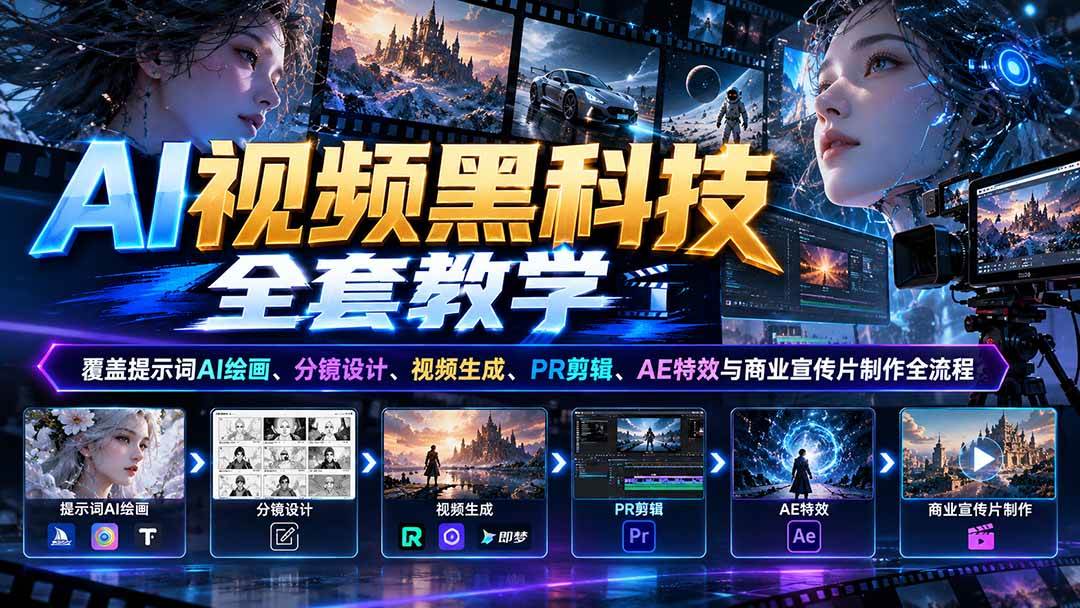
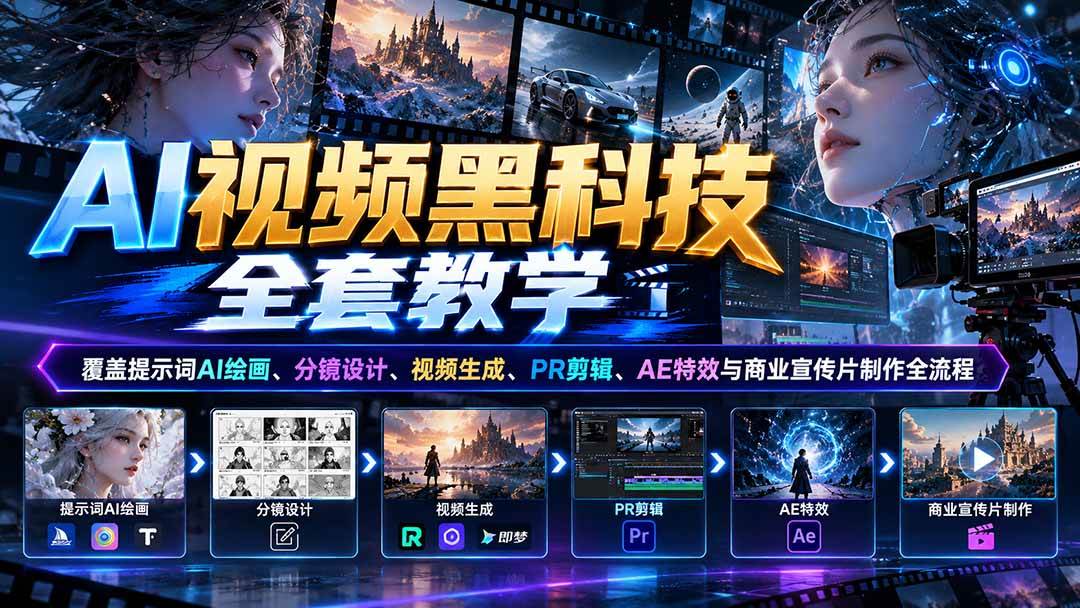
AI Video Black-Tech Full Course: Covering Prompts, AI Painting, Storyboard Design, Video Generation, PR Editing, AE Effects and Commercial Promo Production End to End
-
Game Gold-Farming Money-Making Plan: Earn 1k+ Daily, a Stable 3-Year Project Anyone Can Do in Spare Time [Revealed]
Study material — included with membership Get Membership -
Hot-game fully-automated earning: 500+ a day, no experience, simple operation - the steadiest long-term game-earning side hustle (revealed)
Study material — included with membership Get Membership -
FlyingMouse earns merit this time! Don't panic at Windows format problems — the open-source FlyingMouse format conversion tool helps, a popular GitHub gem
Study material — included with membership Get Membership -
Douyin Product-Selling Coaching Bootcamp: No On-Camera Appearance Needed, Newbies Can Produce Selling Short Videos by Following the Steps
Study material — included with membership Get Membership -
First-release game gold-farming money plan: 1K+ a day, ordinary people in spare time
Study material — included with membership Get Membership






-
FlyingMouse earns merit this time! Don't panic at Windows format problems — the open-source FlyingMouse format conversion tool helps, a popular GitHub gem
Study material — included with membership Get Membership -
LuDaShi v6.1024.4105.1121 Slim Single File
Study material — included with membership Get Membership -
2D Cartoon Animation Software Moho Pro v14.3
Study material — included with membership Get Membership -
Video Editor Aiseesoft Filmai v1.0.18
Study material — included with membership Get Membership -
To-Do Microsoft To Do v2.147 Free
Study material — included with membership Get Membership -
PR/AE/DaVinci/FCPX video Plugin Nobe OmniScope Win1.11.15 / Mac1.10.138
Study material — included with membership Get Membership







1. Course Overview
This course is a full-flow AI video creation masterclass continuously updated through 2026, covering AI painting, video generation, professional editing, film effects, music creation, director thinking and commercial project practice. Starting from zero, it systematically teaches the use of AI tools such as TensAI, Midjourney, Stable Diffusion, Runway, Jimeng 4.0 and Kling, going deep into prompt design, text-to-image, image-to-image, character consistency, ControlNet precise control, LoRA models, text-to-video, image-to-video, dynamic camera moves, digital human creation and lip sync. Combined with Premiere Pro (PR) and After Effects (AE), it comprehensively covers video editing, keyframe animation, professional color grading, mask compositing, motion tracking, particle effects and film packaging, plus AI music generation, lyrics creation and sound design. The advanced section focuses on building film and TV directing thinking: topic planning, cinematography, storyboard scripts, composition, emotional pacing and advanced transition design. It also includes many live practical cases, breaking down the complete production process of commercial ads, film trailers, AI animation, virtual digital characters and hit short videos, incorporating 2026 AI new tech, OpenClaw intelligent assistant, short-video topic selection and commercial client-work thinking, helping students build a complete skill system from creative planning, AI asset generation to professional post-production and finished delivery.
2. Who It's For
- Zero-basis beginners who want to systematically learn AI video creation.
- Short-video creators who want to use AI to improve efficiency.
- Film enthusiasts who want to master PR and AE editing and effects.
- Practitioners who want to make AI ads, animation and promos.
- People who want to expand into AI video production and commercial client work.
3. What You'll Gain
- Master the use of mainstream AI painting and video generation tools.
- Learn character consistency, storyboard design and AI dynamic camera moves.
- Skillfully use PR and AE for editing, color grading and film effects.
- Independently make AI ads, animation, digital humans and short videos.
- A complete flow from idea to finished film.
4. Course Catalog:
├─01. Opening ceremony
│ │ 00-opening.pptx
│ │
│ └─Videos
│ AI video masterclass opening
│
├─02. Beginner content
│ TensAI guide 01
│ TensAI guide 02: AI dialogue
│ TensAI guide 03: AI painting (lower)
│ Study materials.rar
│
├─03. AI image creation
│ Lesson 1: AI video intro
│ Lesson 2: your first creative storyboard image
│ Lesson 3: design starts with the model
│ Lesson 4: prompt fundamentals
│ Lesson 5: Describe image-to-text - reverse prompts
│ Lesson 6: AI base-image mastery - image-to-image
│ Lesson 7: MJ settings and customization
│ Lesson 8: storyboard upscaling prompt structure
│ Lesson 9: character consistency
│ Lesson 10: multiple style-consistent images
│
├─04. AI video production
│ Lesson 11: Runway signup & basics
│ Lesson 12: dynamic shots start with the model
│ Lesson 13: text-to-video - your first AI video
│ Lesson 14: image-to-video - more controllable and accurate
│
├─05. PR video editing
│ │ 020310500778
│ │ 02 mastering keyframe logic 77665039.rar
│ │ 03034680036
│ │ 03 built-in video effects 15485613.rar
│ │
│ └─Videos
│ AI video - PR intro
│ Lesson 1: PR interface and basics
│ Lesson 2: mastering keyframes
│ Lesson 3: built-in video effects
│ Lesson 4: timeline and source monitor
│ Lesson 5: common toolbar tools
│ Lesson 6: time remapping
│ Lesson 7: effect controls and alpha
│ Lesson 8: Jianying smart subtitles
│ Lesson 9: talking-head digital human
│ Lesson 10: common effects 1
│ Lesson 11: common effects 2
│ Lesson 12: common editing - transitions
│ Lesson 13: packaging and exporting
│
├─06. First look at the SD workflow
│ │ 1. SD requirements 37759964.zip
│ │ 2. SD local deploy 36179182.zip
│ │ 3. SD models and plugins 58920719.zip
│ │ 4. SD basics and interface 47293920.zip
│ │ 5. SD text-to-image prompts and weights 68327615.zip
│ │
│ └─Videos
│ Lesson 1: SD requirements
│ Lesson 2: SD local deploy notes
│ Lesson 3: SD models and plugins
│ Lesson 4: SD interface and basics
│ Lesson 5: SD text-to-image prompts and weights
│
├─07. Precise SD control
│ │ 7. ControlNet line-art 202726718.zip
│ │ 8. ControlNet depth 212449730.zip
│ │ 9. Openpose pose 88139666.zip
│ │
│ └─Videos
│ Lesson 1: ControlNet line-art composition
│ Lesson 2: ControlNet depth composition
│ Lesson 3: pose composition - Openpose
│ Lesson 4: image-to-image interface and basics
│ Lesson 5: targeted local redraw
│ Lesson 6: LoRA basics and troubleshooting
│ Lesson 7: changing style with LoRA
│ Lesson 8: image-to-image + LoRA for a character
│
├─08. AI video deep dive
│ Lesson 1: Gen4 model update
│ Lesson 2: camera as director
│ Lesson 3: Act-one performance
│ Lesson 4: Runway text-to-audio
│ Lesson 5: lip sync
│
├─09. New tech updates
│ Jimeng 4.0 image model
│ Jimeng 4.0 multi-character consistency
│ Jimeng 4.0 character consistency
│ Keling animation canvas
│
├─10. AI music creation
│ Lesson 1: interface and basics
│ Lesson 2: AI song production
│ Lesson 3: quick custom AI music
│ Lesson 4: custom lyrics
│ Lesson 5: unifying the lead vocal
│ Lesson 6: local tweaks to AI music
│
├─11. Pro PR editing
│ │ 01 adjustment layer + color matte 22136681.rar
│ │ 02 Lumetri color 22136498.rar
│ │ 03 PR masks 20101555.rar
│ │ 04 keying 305271146.rar
│ │
│ └─Videos
│ Lesson 1: adjustment layers and mattes
│ Lesson 2: video color
│ Lesson 3: mask principles
│ Lesson 4: the magic of PR keying
│
├─12. AE effects design
│ │ case files 51725477.rar
│ │ practice material 66265001.rar
│ │ green-screen material and sites 2343836.rar
│ │ Horse Head plugin 216650357.rar
│ │
│ └─Videos
│ AI video - AE intro
│ Lesson 1: first taste of AE compositing
│ Lesson 2: typing elegantly in video
│ Lesson 3: processing AI green-screen material
│ Lesson 4: case detail supplements
│
├─13. AE animation design
│ │ 06 practice 273234408.rar
│ │ Trapcode Suite 2024.0.2 Win Chinese fix1 LOOKAE788209977.zip
│ │ previous practice 51611367 (1).rar
│ │ previous practice 51611367.rar
│ │ plugins 53518285.zip
│ │ practice project 7927680.rar
│ │ practice material 10576470.rar
│ │ practice 51611367.rar
│ │
│ └─Videos
│ Lesson 10: photos to films (lower) - scripts and expressions
│ Lesson 11: Particular particles
│ Lesson 5: Bezier curves for silkier video
│ Lesson 6: the charm of blend modes
│ Lesson 7: making effects follow the frame
│ Lesson 8: 3D scene camera tracking
│ Lesson 9: photos to films (upper)
│
├─14. AI advanced
│ │ lesson 2 material 196516863.rar
│ │ lesson 3 material 1196509265.rar
│ │ lesson 4 material 902222438.rar
│ │ lesson 5 material 286149621.rar
│ │ lesson 7 Particular-Win bilingual 953002546.zip
│ │ lesson 7 practice 9769394.rar
│ │ lesson 8 practice 29083400.rar
│ │
│ └─Videos
│ Lesson 1: AE masks and common modes, tracking mattes
│ Lesson 2: layer auto-trace, text-stroke animation
│ Lesson 3: layer track matte
│ Lesson 4: combined masks and track mattes
│ Lesson 5: layer blend modes
│ Lesson 6: color flow and built-in AE plugins
│ Lesson 7: Particular emitter - text scatter
│ Lesson 8: Particles for promo packaging
│
├─15. Professional film thinking
│ │ lesson 5 seamless transitions - lessons 4-6 project 275632883.zip
│ │ lesson 1 thinking upgrade lessons 1-4 all materials 1268091045.zip
│ │ lesson 1 rough storyboard 71680.doc
│ │
│ └─Videos
│ Lesson 1: video title design
│ Lesson 2: moving BGM and SFX
│ Lesson 3: emotional pacing
│ Lesson 4: advanced transitions
│ Lesson 5: film animation in practice
│ Lesson 6: advanced color grading
│
├─16. High-end prompts
│ │ lesson 1 light keywords 82940164.zip
│ │ lesson 2 character-style diversity 106852966.zip
│ │ lesson 3 image-quality render 55383993.zip
│ │ lesson 4 scene design 87322274.zip
│ │ lesson 5 color-tone 75748103.zip
│ │ lesson 6 viewpoint 71874172.zip
│ │ lesson 7 texture 70231918.zip
│ │
│ └─Videos
│ Lesson 1: light keywords
│ Lesson 2: character-style diversity
│ Lesson 3: image-quality render
│ Lesson 4: scene design
│ Lesson 5: color-tone
│ Lesson 6: viewpoint
│ Lesson 7: texture
│
├─17. Director's thinking
│ Shot analysis
│ Lesson 1: the meaning of directing - build your director's mind
│ Lesson 2: theme conception and design
│ Lesson 3: three shot categories
│ Lesson 4: shot-size types
│ Lesson 5: camera-movement techniques
│ Lesson 6: shot selection and combination
│ Lesson 7: common shot combinations
│ Lesson 8: in-frame combination design
│ Lesson 9: writing storyboards
│
└─18. Live lessons
├─Courseware
│ 01-storyboard update 03245147721.pptx
│ 02-video update 04178713031.pptx
│ 03-music update 77695585.pptx
│ 04 full-flow case demo 44650883.pptx
│ 06 image-to-image 83965510.pptx
│ 20251126 practice three 3529800.pdf
│ AE03-Trapcode Suite 2024.0.2 Win Chinese fix1 LOOKAE788209977.zip
│ AE03 practice 221241524.rar
│ AI video - material AI-AE011115346290.rar
│ PR from fragments to narrative 78121703.pptx
│ SD storyboard 1 text-to-image.pptx
│ SD storyboard 2 image-to-image.pptx
│ V11.0 tech share: latest hot tech 203565.pdf
│ V7.0 AI full-flow product ad - first/last frames 9176390.pdf
│ V7.0 how to make AI animation 1483806.pdf
│ practice material 624117868.rar
│ Start the AI video effects journey - AE.rar
│ Camera Master bilingual 8189.txt
│ Camera Master Doubao version 8300.txt
│ OpenClaw: from chat to action whitepaper.pdf
│ AI basics primer 5812638.pdf
│
└─Videos
Commercial promo 1 - storyboard (2025.10.17)
Commercial promo 2 - dynamic shots (2025.10.20)
Commercial promo 3 - music (2025.10.22)
Commercial promo 4 - compositing (2025.10.27)
2025 client secrets and AI's impact on post (2025.10.28)
SD storyboard 1 text-to-image (2025.10.29)
SD storyboard 2 image-to-image (2025.10.31)
Start the AI video effects journey - AE (2025.11.05)
AE motion tracking + particles: cinematic compositing 01 (2025.11.07)
AE motion tracking + particles: cinematic compositing 02 (2025.11.10)
Full-case editing flow - PR (2025.11.14)
Practice 1: long-take techniques (2025.11.19)
Practice 2: film trailer 0-to-1 (2025.11.21)
Interactive Q&A (2025.11.25)
Practice 3: virtual digital human full pipeline (2025.11.26)
Tech sharing: latest hot tech (2025.11.28)
Promo case direction - Deforum basics (2025.12.10)
Xiaohongshu viral post breakdown (2026.03.09)
Viral short-video topics (2026.03.17)
AI basics crash course (2026.04.02)
Continuously updating...
Supporting Study Materials
This course comes with a materials pack. Members receive the access link by email after requesting the course.
Related Courses

Family Comedy Short-Drama Creation Course: Benchmark Hot Accounts, AI-Assisted, Fast Start for Total Beginners, Grow Followers and Drive Product Sales

Amazon AI Automation Practical Course: AI Operating Mindset, Setting Up the Codex Environment, Risk-Control Checks and Automated Listing Copy

AI E-Commerce Data Tool Development Course: Learn Codex+BI From Zero, Build a Multi-Store Integrated Visualization Dashboard


Advanced AI Prompt Application: 15 Lessons | Universal Instruction Thinking + Multiple Output Modes + Full Industry Commercial Cases

AI Video Creation Crash Course: From Great-Case Breakdown to Five Core Modules, Fast-Track AI Video Skills for Total Beginners

AI Commercial Practice System Course: In-Depth SD Mastery + Advanced Flux Hands-On + Comfyui Workflow Building, Full Commercial Design Project Training

[National-Day Pick] AI Automation Game, 1k+ RMB a Day, Simple to Operate, Stable for Three Years! [Revealed]



