


-
Solo Business Courses
-
 Others
-
Overseas Tutorials
-
Photography & Editing
-
Community & Private Domain
-
Self-Media Writing & Copywriting
-
Side Income Projects
-
E-commerce
-
Short Video & Live Streaming
-
Artificial Intelligence (AI)
-
Software & Tools
-
Operating Systems
-
Plugins & Scripts
-
MacOS Software
-
Android Software
-
Windows Software
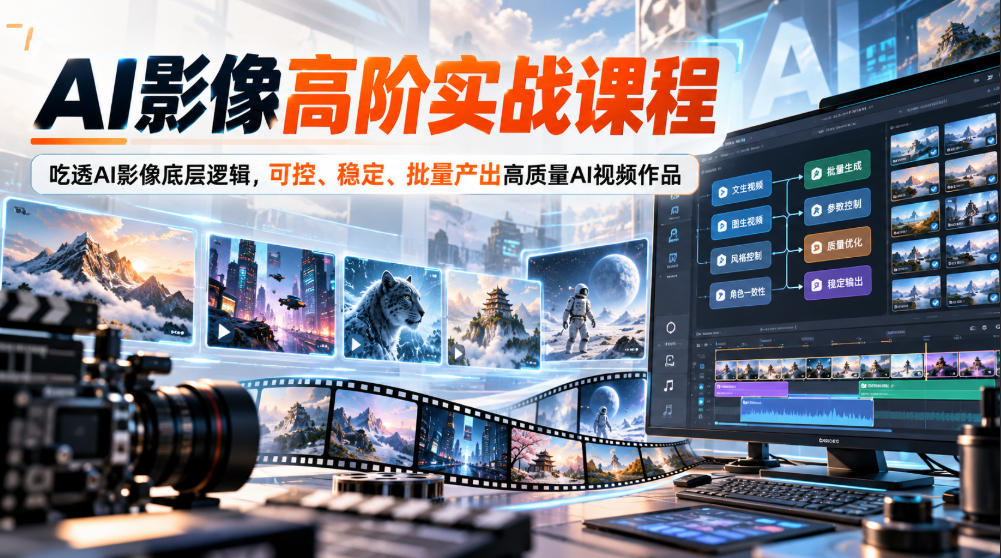
Advanced practical AI imaging course, fully master the underlying logic of AI imaging, controllable, stable, batch output of high-quality AI video works
-
Game Gold-Farming Money-Making Plan: Earn 1k+ Daily, a Stable 3-Year Project Anyone Can Do in Spare Time [Revealed]
Study material — included with membership Get Membership -
Hot-game fully-automated earning: 500+ a day, no experience, simple operation - the steadiest long-term game-earning side hustle (revealed)
Study material — included with membership Get Membership -
FlyingMouse earns merit this time! Don't panic at Windows format problems — the open-source FlyingMouse format conversion tool helps, a popular GitHub gem
Study material — included with membership Get Membership -
Douyin Product-Selling Coaching Bootcamp: No On-Camera Appearance Needed, Newbies Can Produce Selling Short Videos by Following the Steps
Study material — included with membership Get Membership -
First-release game gold-farming money plan: 1K+ a day, ordinary people in spare time
Study material — included with membership Get Membership






-
FlyingMouse earns merit this time! Don't panic at Windows format problems — the open-source FlyingMouse format conversion tool helps, a popular GitHub gem
Study material — included with membership Get Membership -
LuDaShi v6.1024.4105.1121 Slim Single File
Study material — included with membership Get Membership -
2D Cartoon Animation Software Moho Pro v14.3
Study material — included with membership Get Membership -
Video Editor Aiseesoft Filmai v1.0.18
Study material — included with membership Get Membership -
To-Do Microsoft To Do v2.147 Free
Study material — included with membership Get Membership -
PR/AE/DaVinci/FCPX video Plugin Nobe OmniScope Win1.11.15 / Mac1.10.138
Study material — included with membership Get Membership






Course Introduction
This is an advanced practical AI imaging course leaning toward film and television creative thinking, not just teaching simple button clicks, but integrating prompt systems, director audiovisual language, AI tool pipelines, and practical cases.
The course starts with the basics of AI imaging creation, systematically explaining the underlying structure of prompts, professional terminology, prompt reverse engineering, batch generation techniques, and core image editing capabilities such as mask erasing, outpainting, repainting, and image-to-image fusion, establishing a foundation for stable image output.
Then it enters the audiovisual basics of film and television directing, learning camera movement, shot size, shooting angles, building director thinking, and saying goodbye to chaotic visuals.
The video advanced section explains major AI video platforms, first-last frame connection solutions, voice cloning, paired with GPT-assisted scripting and multi-angle visual conception.
The advanced tools part goes deep into ComfyUI workflow building, FLUX model analysis, Kontext feature practice, learning to build your own automated creation pipeline, and solving the most headache-inducing consistency problems in AI creation for characters, clothing, and scenes.
The course is equipped with massive practical cases: Ghibli-style short films, movie recreations, ancient poetry short videos, Fujifilm-texture portraits, Doubao one-stop finished films, Sora animated short films, car commercial blockbusters, LoRA training, storyboard production, AI music matching visuals, etc. A dedicated Sora chapter is offered separately, explaining Sora prompt elements, character settings, and standard prompt writing. It also supplements practical techniques such as live-action and AI fusion, batch high-definition export, covering multiple creation scenarios such as self-media short films, commercials, national-style videos, and animated short films.
Suitable For
Creators who want to systematically learn AI video and often encounter image collapse, character face changes, and unstable styles
Short video, short drama, and advertising content producers who need batch, stable AI finished films
AI enthusiasts who want to learn advanced tools such as ComfyUI, FLUX, and Sora and build automated workflows
AI players who do not know film shooting and want to build camera scheduling and audiovisual language skills from zero
Self-media bloggers, designers, and freelance creators who want to use AI to improve output efficiency and work quality
Learning Outcomes
Master prompt writing, reverse engineering, batch generation, and proficiently master retouching skills such as masks, outpainting, repainting, and image fusion
Master camera scheduling, shot sizes, camera movement, build director thinking, and improve video visual quality and narrative sense
Proficiently use mainstream video generation tools such as Midjourney, Sora, and Jimeng, and master first-last frame connection techniques
Learn ComfyUI workflow building, FLUX model selection, LoRA training, and solve the pain point of character image consistency
Master supporting skills such as AI voice cloning, AI music, live-action + AI fusion, and batch high-definition export
Benchmark against a large number of mature cases and learn to independently produce national-style short films, movie recreations, commercial ads, and animated short films
Course Content
├──1. AI Imaging Creation Basics Course
│├──9_9 Three batch generation methods—double your creation efficiency-Mask Fill(1)
│├──11_11 Must-know AI image editing skills—erase, outpainting, repainting-Mask Fill(1)
│├──5_5 Must-know concepts of professional vocabulary in prompts-Mask Fill(1)
│├──4_4 Deconstructing the DNA structure of prompts 2-Mask Fill(1)
│├──10_10 Use batch generation to master AI video-Mask Fill(1)
│├──6_6 Prompt reverse engineering + batch writing—quickly produce high-quality visuals-Mask Fill(1)
│├──8_8 Write prompts like chatting—natural language image generation techniques-Mask Fill(1)
│├──7_7 Efficiently improve prompt writing ability-Mask Fill(1)
│├──2_2 Quickly understand the logic of AI imaging prompts-Mask Fill(1)
│├──12_12 Must-know AI image editing skills—transformation, reference, fusion-Mask Fill(1)
│├──3_3 Deconstructing the DNA structure of prompts 1-Mask Fill(1)
│├──1_1 Introduction to basic tool usage-Mask Fill(1)
├──2 AI Film Directing Visual and Audio Basics Course
│├──3 Camera Angles - Creating Multi-Dimensional Visual Expression (1)
│├──2 Shot Sizes - Controlling Visual Tension (1)
│├──1 Camera Movement - Directing Cameras Like a Film Director (1)
├──3 AI Video Production Advanced Course
│├──7_7 How to Use Midjourney - Mask Filling (1)
│├──3_3 Analyzing the 5 Major Transition Techniques for AI Video First and Last Frames - Mask Filling (1)
│├──2 Master the 4 Core Control Dimensions of Video Prompts (1)
│├──6_6 Explanation of 9 Common GPT Functions - Mask Filling (1)
│├──1_1 Introduction to Mainstream AI Video Generation Platforms - Mask Filling (1)
│├──4_4 Voice Cloning Technology - Restoring Real Voices with AI - Mask Filling (1)
│├──5_5 Multi-Angle Implementation in a Single GPT Scene - Mask Filling (1)
├──4 Advanced Tool Learning
│├──4_4 Kontext Feature Analysis - 8 Major Functions of AI Video Applications (delogo) (1)
│├──2_2 ComfyUI Underlying Principles - Building Workflows Like Stacking Blocks (delogo) (1)
│├──1_1 ComfyUI Basics - Quickly Understand AI Creation Workflow Tools (delogo) (1)
│├──3_3 FLUX Model Interpretation - Understanding Different Versions and Features (delogo) (1)
├──5 AI Practical Cases
│├──Case 4: Using MJ to Control Style Consistency Case (delogo) (1)
│├──Case 10: Color Tone Processing and Jimeng Shot Splitting Case (delogo) (1)
│├──Case 14: Video Batch Reverse-Inference Wind Sound Case Explanation (delogo) (1)
│├──Case 16: Using Sora2 to Quickly Create Animated Short Films (delogo) (1)
│├──Case 13: Fujifilm Style Beach Girl Case Explanation (delogo) (1)
│├──Case 12: Reverse Inference + Jimeng Reference Image Generation (delogo) (1)
│├──Case 6: Quickly Replicate a Movie, Produce Blockbuster Results in Minutes (delogo) (1)
│├──Case 11: Classical Poetry Production Explanation (delogo) (1)
│├──Case 8: Doubao One-Stop Short Film Production Full Process Hands-On (delogo) (1)
│├──Case 2: WebUI+LoRA Precise Control of Visual Consistency Case (delogo) (1)
│├──Case 5: Learn AI Short Film Production Thinking with a Ghibli Case (delogo) (1)
│├──Case 9: Using AI to Generate Music to Match Visuals (delogo) (1)
│├──Case 7: Master LoRA Training to Control Character Consistency (delogo) (1)
│├──Case 1: ComfyUI Solving Special Clothing Consistency Case (delogo) (1)
│├──Practical Case 15: GPT5+VEO3 Producing a Car Commercial Blockbuster (delogo) (1)
│├──Case 3: ComfyUI Achieving Character Face Consistency Case (delogo) (1)
├──6 sora
│├──007 Sora Prompt Format. (1)
│├──006 How to Write Sora Prompts 2 (1)
│├──005 How to Write Sora Prompts 1 (1)
│├──003 Create Characters 2 (1)
│├──002 Create Characters 1 (1)
│├──004 Elements of Sora Prompts (1)
│├──001 Getting to know sora(1)
├──Batch high-definition video(1)
├──Live-action + AI-generated fusion Animate move explanation(1)
Supporting Study Materials
This course comes with a materials pack. Members receive the access link by email after requesting the course.
Related Courses

Family Comedy Short-Drama Creation Course: Benchmark Hot Accounts, AI-Assisted, Fast Start for Total Beginners, Grow Followers and Drive Product Sales

Amazon AI Automation Practical Course: AI Operating Mindset, Setting Up the Codex Environment, Risk-Control Checks and Automated Listing Copy

AI E-Commerce Data Tool Development Course: Learn Codex+BI From Zero, Build a Multi-Store Integrated Visualization Dashboard


Advanced AI Prompt Application: 15 Lessons | Universal Instruction Thinking + Multiple Output Modes + Full Industry Commercial Cases

AI Video Creation Crash Course: From Great-Case Breakdown to Five Core Modules, Fast-Track AI Video Skills for Total Beginners

AI Commercial Practice System Course: In-Depth SD Mastery + Advanced Flux Hands-On + Comfyui Workflow Building, Full Commercial Design Project Training

[National-Day Pick] AI Automation Game, 1k+ RMB a Day, Simple to Operate, Stable for Three Years! [Revealed]



