


-
Solo Business Courses
-
 Others
-
Overseas Tutorials
-
Photography & Editing
-
Community & Private Domain
-
Self-Media Writing & Copywriting
-
Side Income Projects
-
E-commerce
-
Short Video & Live Streaming
-
Artificial Intelligence (AI)
-
Software & Tools
-
Operating Systems
-
Plugins & Scripts
-
MacOS Software
-
Android Software
-
Windows Software
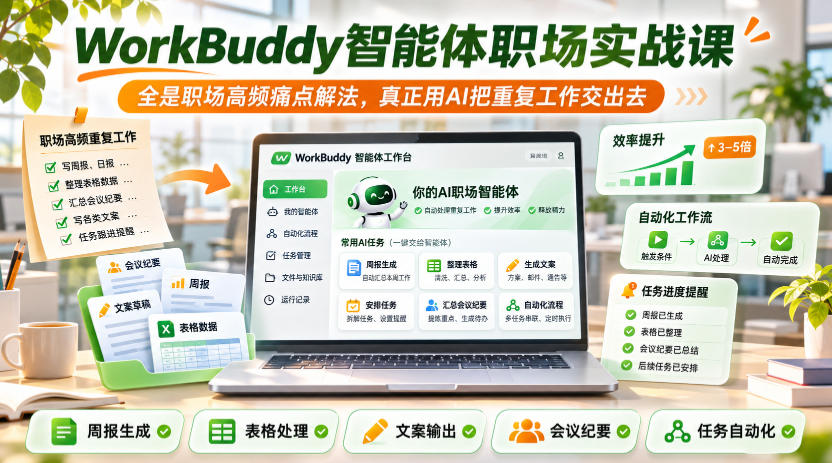
WorkBuddy Agent Workplace Practical Course, all high-frequency workplace pain-point solutions, truly using AI to hand off repetitive work
-
Game Gold-Farming Money-Making Plan: Earn 1k+ Daily, a Stable 3-Year Project Anyone Can Do in Spare Time [Revealed]
Study material — included with membership Get Membership -
Hot-game fully-automated earning: 500+ a day, no experience, simple operation - the steadiest long-term game-earning side hustle (revealed)
Study material — included with membership Get Membership -
FlyingMouse earns merit this time! Don't panic at Windows format problems — the open-source FlyingMouse format conversion tool helps, a popular GitHub gem
Study material — included with membership Get Membership -
Douyin Product-Selling Coaching Bootcamp: No On-Camera Appearance Needed, Newbies Can Produce Selling Short Videos by Following the Steps
Study material — included with membership Get Membership -
First-release game gold-farming money plan: 1K+ a day, ordinary people in spare time
Study material — included with membership Get Membership






-
FlyingMouse earns merit this time! Don't panic at Windows format problems — the open-source FlyingMouse format conversion tool helps, a popular GitHub gem
Study material — included with membership Get Membership -
LuDaShi v6.1024.4105.1121 Slim Single File
Study material — included with membership Get Membership -
2D Cartoon Animation Software Moho Pro v14.3
Study material — included with membership Get Membership -
Video Editor Aiseesoft Filmai v1.0.18
Study material — included with membership Get Membership -
To-Do Microsoft To Do v2.147 Free
Study material — included with membership Get Membership -
PR/AE/DaVinci/FCPX video Plugin Nobe OmniScope Win1.11.15 / Mac1.10.138
Study material — included with membership Get Membership






Course Introduction
This WorkBuddy Agent Workplace Practical Course is designed for workplace people who spend a lot of time on PPT creation, material organization, and spreadsheet data processing; it does not teach vague AI concepts and is fully grounded in real office scenarios.
The course starts with getting to know WorkBuddy, guides you through the 5 basic settings that must be done before getting started, and helps you master 3 practical tips for writing good prompts; targeting high-frequency workplace pain points, it teaches one-stop organization of scattered materials and one-click data linkage for messy tables and dirty data. The core breaks down the efficient PPT creation process: three steps to generate from scratch a PPT that can be presented directly on stage, and existing drafts can also be standardized and beautified with one click, truly greatly reducing manual operations in traditional office software after using AI.
The course also specifically clarifies the difference between Skills and ordinary prompts; it not only teaches you to install Skills, but also teaches you to correctly invoke Skills in office scenarios, turning WorkBuddy into a dedicated office assistant that can truly do work, rather than staying at the level of simple conversation.
Suitable For
Office workers who spend a lot of time every day making PPTs, organizing materials, and processing spreadsheets
Newbies who have just come into contact with WorkBuddy and only know simple conversation, cannot do basic settings, and cannot write efficient prompts
Administrative, operations, finance, and workplace people who often encounter scattered documents that cannot be assembled into a draft and messy spreadsheet data that is difficult to organize
AI office players who have installed many Skills but do not know how to use them and cannot distinguish between Skills and prompts
Workers and team managers who want to use agents to reduce repetitive work and improve workplace efficiency
Student learning outcomes
Quickly complete the 5 basic configurations before getting started with WorkBuddy and build an efficient office environment that suits you
Master 3 practical tips for writing good prompts, so that AI output fully matches your office needs
Learn one-stop organization of scattered and messy materials and quickly turn them into clearly structured drafts
Master methods for handling dirty data and messy tables, achieve one-click data linkage across multiple tables, and say goodbye to manual table pulling and checking
Skillfully master efficient PPT creation: three steps to generate from scratch a presentation draft ready for the stage, and one-click standardized beautification of existing drafts
Distinguish the essential difference between Skills and ordinary prompts, learn to correctly invoke Skills, and fully use the tool's value
Master the implementation methods of WorkBuddy in core workplace scenarios and truly turn AI into an office assistant that can carry the work
Course Content
1. After using WorkBuddy, I rarely open PPT-type office software
2. WorkBuddy course companion material - Slidecent.docx
3. Getting to know WorkBuddy
4. The 5 basic settings you must know before getting started
5. The 3 practical tips for writing good prompts
6. No need to worry about scattered materials; one-stop organization into shape
7. No more messy data and tables, one-click data linkage
8. Three steps to a presentation-ready PPT
9. How to standardize and beautify an existing PPT draft
10. Are Skills and prompts the same thing?
11. Make good use of Skills: not just installing, but knowing how to use them
Supporting Study Materials
This course comes with a materials pack. Members receive the access link by email after requesting the course.
Related Courses

Family Comedy Short-Drama Creation Course: Benchmark Hot Accounts, AI-Assisted, Fast Start for Total Beginners, Grow Followers and Drive Product Sales

Amazon AI Automation Practical Course: AI Operating Mindset, Setting Up the Codex Environment, Risk-Control Checks and Automated Listing Copy

AI E-Commerce Data Tool Development Course: Learn Codex+BI From Zero, Build a Multi-Store Integrated Visualization Dashboard


Advanced AI Prompt Application: 15 Lessons | Universal Instruction Thinking + Multiple Output Modes + Full Industry Commercial Cases

AI Video Creation Crash Course: From Great-Case Breakdown to Five Core Modules, Fast-Track AI Video Skills for Total Beginners

AI Commercial Practice System Course: In-Depth SD Mastery + Advanced Flux Hands-On + Comfyui Workflow Building, Full Commercial Design Project Training

[National-Day Pick] AI Automation Game, 1k+ RMB a Day, Simple to Operate, Stable for Three Years! [Revealed]



