


-
Solo Business Courses
-
 Others
-
Overseas Tutorials
-
Photography & Editing
-
Community & Private Domain
-
Self-Media Writing & Copywriting
-
Side Income Projects
-
E-commerce
-
Short Video & Live Streaming
-
Artificial Intelligence (AI)
-
Software & Tools
-
Operating Systems
-
Plugins & Scripts
-
MacOS Software
-
Android Software
-
Windows Software
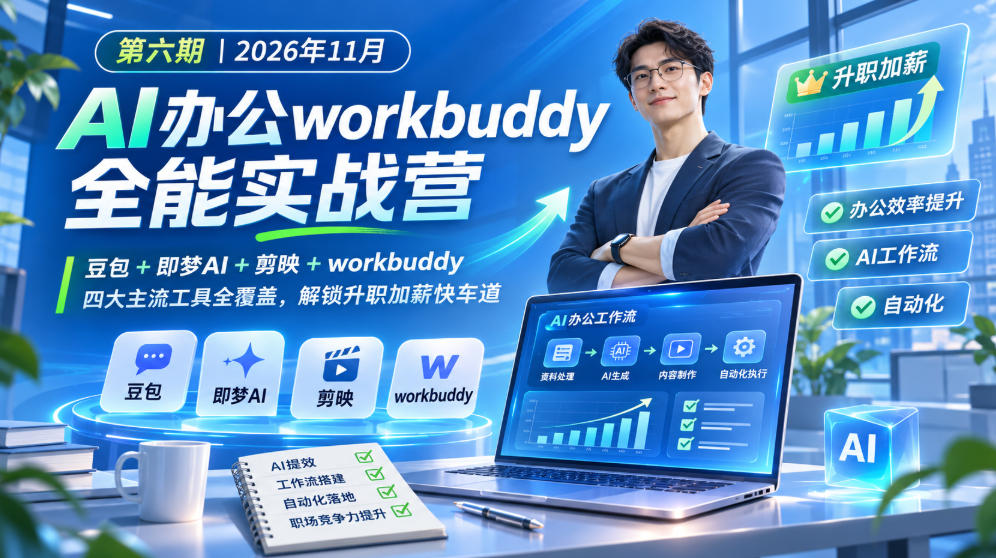
AI Office WorkBuddy All-Round Practical Camp, Session 6, November 2026, full coverage of four mainstream tools: Doubao + Jimeng AI + CapCut + WorkBuddy, unlocking the fast track to promotion and salar
-
Game Gold-Farming Money-Making Plan: Earn 1k+ Daily, a Stable 3-Year Project Anyone Can Do in Spare Time [Revealed]
Study material — included with membership Get Membership -
Hot-game fully-automated earning: 500+ a day, no experience, simple operation - the steadiest long-term game-earning side hustle (revealed)
Study material — included with membership Get Membership -
FlyingMouse earns merit this time! Don't panic at Windows format problems — the open-source FlyingMouse format conversion tool helps, a popular GitHub gem
Study material — included with membership Get Membership -
Douyin Product-Selling Coaching Bootcamp: No On-Camera Appearance Needed, Newbies Can Produce Selling Short Videos by Following the Steps
Study material — included with membership Get Membership -
First-release game gold-farming money plan: 1K+ a day, ordinary people in spare time
Study material — included with membership Get Membership






-
FlyingMouse earns merit this time! Don't panic at Windows format problems — the open-source FlyingMouse format conversion tool helps, a popular GitHub gem
Study material — included with membership Get Membership -
LuDaShi v6.1024.4105.1121 Slim Single File
Study material — included with membership Get Membership -
2D Cartoon Animation Software Moho Pro v14.3
Study material — included with membership Get Membership -
Video Editor Aiseesoft Filmai v1.0.18
Study material — included with membership Get Membership -
To-Do Microsoft To Do v2.147 Free
Study material — included with membership Get Membership -
PR/AE/DaVinci/FCPX video Plugin Nobe OmniScope Win1.11.15 / Mac1.10.138
Study material — included with membership Get Membership






Course Introduction
Full video + supporting notes + in-group materials
AI Office WorkBuddy All-Round Practical Camp Session 6 is aimed at zero-foundation learners and focuses on high-frequency essential workplace scenarios. It covers four mainstream AI tools: Doubao, Jimeng AI, CapCut, and WorkBuddy. One course connects five core office areas: copywriting, image generation, short video, PPT, and data spreadsheets. It is suitable for students, fresh graduates, workplace professionals, operations staff, management positions, and side-business creators.
The course has seven major modules in total, progressing step by step through hands-on practice:
Starting from efficient AI questioning and new media and workplace document writing, combined with WorkBuddy linked with Word for quick formatting and revision; learning AI batch image creation to handle self-media graphics, e-commerce posters, and corporate promotional materials; without professional shooting ability, using AI to produce short videos such as talking-head videos, digital humans, business promotion, and training tutorials; mastering pyramid logic to make AI PPTs, with intelligent layout and image matching and generated verbatim speech drafts, adapting to company templates; AI cleaning spreadsheets, automatic statistics, and producing data analysis reports, with WorkBuddy linked with Excel for one-stop data processing.
Key detailed explanation of advanced WorkBuddy methods: train a dedicated AI assistant in 10 minutes, load Skill packages, and form an AI expert team to collaboratively handle tasks; build a personal workstation and private knowledge base to achieve project management and document access, and hand a large amount of repetitive work to AI for automated execution.
Supporting complete video teaching, courseware, bonus materials, study notes, multiple live Q&A sessions, and full supporting assignment manuals, prompt templates, and case materials throughout; you can get started by following along and practicing.
Suitable For
Office workers who want to use AI to boost work efficiency
Clerical staff who often write proposals and reports, and need to make PPTs and organize Excel
Operations and self-media creators who need to produce copy, images, and short video materials
New graduates and students who want to master AI skills in advance to improve job competitiveness
Side-hustlers and freelance creators who want to build dedicated AI assistants to reduce repetitive work
Enterprise managers who want to use AI to simplify project and team affairs management
Learning Outcomes
✅ Master AI questioning techniques to quickly produce new media copy, reports, proposals, and bids
✅ Proficient in AI image creation, producing various visual materials for self-media, e-commerce, and corporate publicity, with batch image output support
✅ Zero-basis production of talking-head, digital human, business promotion, and training tutorial short videos
✅ Learn structured AI PPT creation, smart layout and image matching, with accompanying speech scripts
✅ AI handles spreadsheets, data cleaning, statistical analysis, and one-click visual charts
✅ Proficient in tuning WorkBuddy, loading Skill capabilities, and building an AI expert team
✅ Build dedicated AI knowledge bases and personal office workbenches, and implement automated workflows
Course outline
Module 1: AI Copywriting Efficiency - Say goodbye to late-night writing and repeated revisions
1. Effective AI questioning: master 2 methods for efficient dialogue with AI to quickly complete all kinds of copywriting.
2. AI new media copy: use AI to break down viral copy, master traffic secrets, and create Xiaohongshu and WeChat official account content.
3. AI workplace documents: from conception to finished piece, easily complete work reports, proposals, and bid writing.
4. Workbuddy + Word: one-stop completion of document generation, template application, and layout beautification.
Module 2: AI Image Efficiency - Quickly create professional visual materials
1. Self-media image design: use AI to create high-click-rate, high-conversion image-text content.
2. E-commerce marketing design: AI quickly produces product main images, promotion posters, and detail page marketing materials.
3. Workplace brand design: AI assists in completing corporate event publicity, display boards, brochures, and IP design.
4. Workbuddy batch image output: set standardized design processes to let AI automatically generate images in batches.
Module 3: AI Video Efficiency - Make videos even if you cannot shoot or edit
1. Self-media short videos: quickly produce talking-head, knowledge explainer, and digital human videos to improve daily content production efficiency.
2. Marketing promotion videos: produce business videos such as product introductions, event promotions, and case demonstrations.
3. Workplace presentation videos: produce professional videos such as work reports, training, and operation tutorials.
Module 4: AI PPT Efficiency - Quickly create high-quality work reports
1. Pyramid structure: learn structured PPT reporting to make logic clear and highlights prominent.
2. Smart layout: AI-assisted page design to make content presentation professional and clear.
3. Visual design: AI smart image matching and chart design to make complex content clear at a glance.
4. Speech scripts: AI writes speech scripts and simulates coaching to improve presentation and expression skills.
5. Workbuddy + PPT: quickly adapt to company template standards, and dynamically add and modify PPTs.
Module 5: AI Data Efficiency - Make data organization and analysis simpler
1. Data organization: AI batch-cleans messy work spreadsheets to improve data processing efficiency.
2. Quick statistics: no complex formulas needed, quickly complete business result statistics.
3. Professional analysis: through dialogue with AI, output professional data analysis reports.
4. Chart beautification: one-click charts for core data, making report presentations more intuitive.
5. Workbuddy + Excel: one-stop completion from raw data organization to professional analysis reports.
Module 6: Private AI Assistant - Hand repetitive work to Workbuddy
1. Quick start: tune Workbuddy in 10 minutes, turning it from a general tool into a dedicated assistant that fits personal habits.
2. Skill capabilities: one-click load workplace expert skills to make Workbuddy an all-around office assistant.
3. Build an expert team: let Workbuddy run multiple AI assistants to collaboratively and automatically complete complex tasks.
Module 7: Advanced Practice - Build a personal efficient office system
1. Workbench setup: use Workbuddy to develop a personal office workbench for one-stop management of work affairs.
2. Knowledge base setup: aggregate local documents and online materials so Workbuddy can call professional knowledge at any time.
3. Project management: use Workbuddy project features to organize project records and collaborate with teams on tasks.
Course Catalog
├──🎬01 Opening Ceremony_workbuddy
├──🎬02 Lesson 1 [Copywriting Efficiency]_workbuddy
├──🎬03 Lesson 2 [AI Image Efficiency] Part 1_workbuddy
├──🎬03 Lesson 2 [AI Image Efficiency] Part 2_workbuddy
├──🎬04 Live Q&A First Half 01
├──🎬04 Live Q&A First Half 02
├──🎬05 Live Q&A Middle Part 01_1_workbuddy
├──🎬05 Live Q&A Middle Part 01_2_workbuddy
├──🎬06 Live Q&A Second Half_workbuddy
├──🎬07 Lesson 3 [AI Video Efficiency]_1_workbuddy
├──🎬07 Lesson 3 [AI Video Efficiency]_2_workbuddy
├──🎬08 Lesson 4 [AIPPT Efficiency]_workbuddy
├──🎬09 Lesson 5 [AI Data Efficiency]_1_workbuddy
├──🎬09 Lesson 5 [AI Data Efficiency]_2_workbuddy
├──🎬10 Second Q&A First Half_workbuddy
├──🎬11 Second Q&A Second Half_workbuddy
├──🎬12 Lesson 6 [Personal AI Assistant]_workbuddy
├──🎬13 Lesson 7 [workbuddy Advanced]_workbuddy
├──🎬14 Final Q&A_1_workbuddy
├──🎬15 Final Q&A_2_workbuddy
├──📁Group Bonus Content
│├──📄Lesson 1 [Copywriting Efficiency] Bonus.pdf
│├──📄Lesson 1 [AI Copywriting Efficiency] Class 7 Term 6 Bonus.pdf
│├──📄Lesson 2 [AI Image Efficiency] Bonus.pdf
│├──📄Lesson 3 [AI Video Efficiency] Bonus.pdf
│├──📄Lesson 4 [AIPPT Efficiency] Bonus.pdf
│├──📄Lesson 5 [AI Data Efficiency] Bonus.pdf
│└──📄Lesson 6 [Personal AI Assistant] Bonus.pdf
├──📁Q&A Course Materials
│├──📄Lesson 1 [Copywriting Efficiency] Q&A.pdf
│├──📄Lesson 2 [AI Image Efficiency] Q&A.pdf
│├──📄Lesson 3 [AI Video Efficiency] Q&A.pdf
│├──📄Lesson 4 [AIPPT Efficiency] Q&A.pdf
│├──📄Lesson 5 [AI Data Efficiency] Q&A.pdf
│├──📄Lesson 6 [Personal AI Assistant] Q&A.pdf
│├──📄1st [Instructor Live Q&A] First Half Materials.pdf
│├──📄1st [Instructor Live Q&A] Second Half Materials.pdf
│├──📄2nd [Instructor Live Q&A].pdf
│└──📄3rd [Instructor Live Q&A] Course Materials.pdf
├──📁Study Notes
│├──📄Lesson 1 [Copywriting Efficiency] Notes.pdf
│├──📄Lesson 2 [AI Image Efficiency] Notes.pdf
│├──📄Lesson 3 [AI Video Efficiency] Notes.pdf
│├──📄Lesson 4 [AIPPT Efficiency] Notes.pdf
│├──📄Lesson 5 [AI Data Efficiency] Notes.pdf
│└──📄Lesson 6 [Private AI Assistant] Notes.pdf
├──📁Course Materials
│├──📄02 Lesson 1 [Copywriting Efficiency] Course Materials.pdf
│├──📄02 Lesson 1 Assignment Operation Manual.pdf
│├──📄02 Lesson 1 Prompts.pdf
│├──📄03 Lesson 2 [AI Image Efficiency] Materials.pdf
│├──📄03 Lesson 2 "AI Image Efficiency" Assignment Operation Manual.pdf
│├──📄03 Lesson 2 Companion Study Manual.pdf
│├──📄07 Lesson 3 [AI Video Efficiency] Course Materials.pdf
│├──📄08 Lesson 4 [AIPPT Efficiency] Course Materials.pdf
│├──📄08 Lesson 4 "AIPPT" Assignment Operation Steps Demonstration.pdf
│├──📄09 Lesson 5 [AI Data Efficiency] Course Materials.pdf
│├──📄12 Lesson 6 [Private AI Assistant] Materials.pdf
│└──📁Lessons 8 and 9 Materials
│├──📄08 Assignment Materials.zip
│└──📊09 Assignment Available - Data Statistics Demonstration Case Table.xlsx
Supporting Study Materials
This course comes with a materials pack. Members receive the access link by email after requesting the course.
Related Courses

Family Comedy Short-Drama Creation Course: Benchmark Hot Accounts, AI-Assisted, Fast Start for Total Beginners, Grow Followers and Drive Product Sales

Amazon AI Automation Practical Course: AI Operating Mindset, Setting Up the Codex Environment, Risk-Control Checks and Automated Listing Copy

AI E-Commerce Data Tool Development Course: Learn Codex+BI From Zero, Build a Multi-Store Integrated Visualization Dashboard


Advanced AI Prompt Application: 15 Lessons | Universal Instruction Thinking + Multiple Output Modes + Full Industry Commercial Cases

AI Video Creation Crash Course: From Great-Case Breakdown to Five Core Modules, Fast-Track AI Video Skills for Total Beginners

AI Commercial Practice System Course: In-Depth SD Mastery + Advanced Flux Hands-On + Comfyui Workflow Building, Full Commercial Design Project Training

[National-Day Pick] AI Automation Game, 1k+ RMB a Day, Simple to Operate, Stable for Three Years! [Revealed]



