


-
Solo Business Courses
-
 Others
-
Overseas Tutorials
-
Photography & Editing
-
Community & Private Domain
-
Self-Media Writing & Copywriting
-
Side Income Projects
-
E-commerce
-
Short Video & Live Streaming
-
Artificial Intelligence (AI)
-
Software & Tools
-
Operating Systems
-
Plugins & Scripts
-
MacOS Software
-
Android Software
-
Windows Software
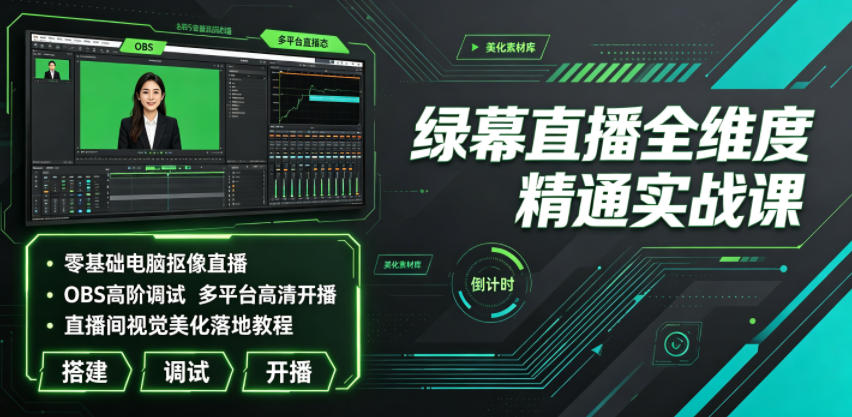
Green-Screen Live Streaming Full-Dimension Mastery Bootcamp | Zero-Basis PC Chroma-Key Streaming, Advanced OBS Tuning, Multi-Platform HD Broadcast, Live-Room Visual Beautification Hands-On Tutorial
-
Game Gold-Farming Money-Making Plan: Earn 1k+ Daily, a Stable 3-Year Project Anyone Can Do in Spare Time [Revealed]
Study material — included with membership Get Membership -
Hot-game fully-automated earning: 500+ a day, no experience, simple operation - the steadiest long-term game-earning side hustle (revealed)
Study material — included with membership Get Membership -
FlyingMouse earns merit this time! Don't panic at Windows format problems — the open-source FlyingMouse format conversion tool helps, a popular GitHub gem
Study material — included with membership Get Membership -
Douyin Product-Selling Coaching Bootcamp: No On-Camera Appearance Needed, Newbies Can Produce Selling Short Videos by Following the Steps
Study material — included with membership Get Membership -
First-release game gold-farming money plan: 1K+ a day, ordinary people in spare time
Study material — included with membership Get Membership





-
FlyingMouse earns merit this time! Don't panic at Windows format problems — the open-source FlyingMouse format conversion tool helps, a popular GitHub gem
Study material — included with membership Get Membership -
LuDaShi v6.1024.4105.1121 Slim Single File
Study material — included with membership Get Membership -
2D Cartoon Animation Software Moho Pro v14.3
Study material — included with membership Get Membership -
Video Editor Aiseesoft Filmai v1.0.18
Study material — included with membership Get Membership -
To-Do Microsoft To Do v2.147 Free
Study material — included with membership Get Membership -
PR/AE/DaVinci/FCPX video Plugin Nobe OmniScope Win1.11.15 / Mac1.10.138
Study material — included with membership Get Membership






Course Introduction
Today the live industry grows ever more competitive. Ordinary phone real-scene streaming looks flat, with fixed scenes and rough visuals, making it hard to retain viewers and lift live-room dwell time and conversion. Most live beginners and small-to-mid streamers face many practical problems: they don't understand green-screen setup logic, can't pair gear or tune lighting, and get blurry keyed pictures with bad edges; they're unfamiliar with live helper software and can't install/debug OBS, Wuta Companion or Live Companion, getting frequent stutter and fuzzy quality; they can't customize live scenes, dynamic materials, scrolling captions or effect stickers, so the room looks plain; multi-platform streaming is messy and they can't do multi-scene broadcast or screen-cast streaming; audio is noisy with background hum and out of sync with video, hurting the viewing experience; they don't know the full PC streaming features of WeChat Channels and Douyin - interaction, selling, lucky draw, preview; and they can't fix phone screen-cast connection failures or device compatibility errors, so streams keep crashing.
This full-dimension green-screen streaming bootcamp is built for zero-basis live practitioners. From early gear prep, environment setup and software deployment, to advanced fine OBS tuning, precise green-screen keying, live-room visual beautification and multi-platform HD broadcast, it covers everything, hand-in-hand teaching you to build a professional-grade live room, easily beating ordinary real-scene streaming and seizing platform traffic dividends.
Course Content
01. Intro course: preview of the advanced PC green-screen streaming build course
02. 1. The 4 core advantages of PC green-screen streaming
03. 2. PC green-screen streaming equipment checklist
04. 3. Full guide to choosing a live-room green screen and chroma-key techniques
05. 4. Full guide to lighting for PC green-screen streaming
06. 5. Microphone setup for PC green-screen streaming
07. 1. OBS software download and interface familiarization
08. 2. Wuta Companion install/download and interface
09. 3. Live Companion install/download and interface
10. 4. iTunes software install/download
11. 1. How to add a background in OBS
12. 2. How to add a person chroma-key effect in OBS
13. 3. How to add video materials in OBS
14. 4. How to add scrolling text in OBS
15. 5. How to add phone screen-cast in OBS
16. 6. How to set audio effects in OBS
17. 7. How to set streaming resolution in OBS
18. 8. How to quickly switch live scenes in OBS
19. 9. How to achieve multi-platform streaming in OBS
20. 10. How to achieve 3-screen simultaneous broadcast in OBS
21. 11. How to add non-system fonts in OBS
22. 12. How to add a clock effect in OBS
23. 13. How to remove microphone background noise in OBS
24. 14. How to set OBS to avoid streaming lag
25. 15. OBS Douyin HD lag-free streaming settings
26. 16. How to make video stickers
27. 17. How to make image stickers
28. 18. What to do if an iPhone can't connect to Wuta Companion signal
29. 19. What to do if an Android phone can't connect to Wuta Companion signal
30. 20. PC WeChat Channels streaming: the video source
31. 21. PC WeChat Channels streaming: beautification + effects settings
32. 22. PC WeChat Channels streaming: hot list and interactive messages
33. 23. PC WeChat Channels streaming: the co-host feature
34. 24. PC WeChat Channels streaming: product management
35. 25. PC WeChat Channels streaming: lucky draw + gift wish + playlist
36. 26. PC WeChat Channels streaming: live preview
37. 27. PC WeChat Channels streaming: content display
38. 28. PC WeChat Channels streaming: audio settings
39. 29. Tencent Meeting can also use OBS virtual chroma-key streaming
40. 1. Massive material library sharing
41. 2. Two sets of custom label stickers, backgrounds and title materials
42. 3. Live Q&A on course and practical details
43. 4. Shared toolkits + material packs used in the course
44. 5. Live-room build examples across industries
45. Bonus lesson 1: pre-build preparation for live streaming
Suitable For
✅ Zero-basis live newcomers who can't build a PC live scene and don't know green-screen keying or software tuning
✅ Streamers whose real-scene picture is flat and rough, wanting to upgrade to professional green-screen and lift room quality
✅ Operators whose streams stutter, look fuzzy and sound noisy, who can't optimize streaming parameters
✅ Commerce bloggers who can't make live materials or visual beautification, whose room has no character and can't retain viewers
✅ Senior streamers wanting multi-platform simultaneous broadcast and three-screen broadcast to amplify traffic
✅ Office workers needing online meeting/webinar live scenes who want to master virtual chroma-key tech
What You'll Learn
1. Master the full green-screen hardware build logic; skillfully choose green screen, lighting and audio gear for clean HD keying.
2. Master installation and fine tuning of OBS, Wuta Companion, Live Companion and other live software.
3. Master core live skills: person keying, scene replacement, material overlay, caption effects, screen-cast linkage.
4. Learn anti-lag, HD quality and noise-reduction audio optimization to fully fix live crashes.
5. Independently produce original live stickers, backgrounds and titles to build a distinctive high-looking live room.
6. Master full-flow HD multi-platform PC streaming, multi-screen broadcast and interactive selling on Douyin and WeChat Channels.
7. Independently troubleshoot common live faults: phone screen-cast, software adaptation, device connection.
8. Master extended virtual chroma-key plays for streaming, meetings and webinars, reusing the skill.
Supporting Study Materials
This course comes with a materials pack. Members receive the access link by email after requesting the course.
Related Courses

Xiaohongshu IP Gold-Mining Bootcamp: Master Topic Selection, Copywriting, Shooting & Editing, and Viral Operations with Private-Domain Monetization



Douyin Emotional-Card GIF Practical Course: Phone Production + Livestream Tactics, Unlock GIF Traffic Monetization

Kuaishou Good-Stuff Practical Course: Product Selection & Operations + Site-Wide Promotion + Re-Creation Editing for Affiliate Sales



Bilibili short-video product-promo dividend: free teaching plus managed operation, two playbooks, single-account seven-day income 1200-3600

Xiaohongshu electronic-resource category opening tutorial: targeted-access rules, qualification materials and the self-recommendation submission flow

Game Gold-Farming Money-Making Plan: Earn 1k+ Daily, a Stable 3-Year Project Anyone Can Do in Spare Time [Revealed]

