
















You've probably done this too
You downloaded a movie in MKV but your TV only plays MP4, so you hunt everywhere for a converter. Or a design-site image is in WebP and you have to convert it to JPG before sending via WeChat. More commonly, someone sends a PDF to edit but you have no editor installed and can't find a reliable tool to turn PDF into Word. Every format-incompatibility issue costs at least 10 minutes of fiddling.
What kind of tool is it?
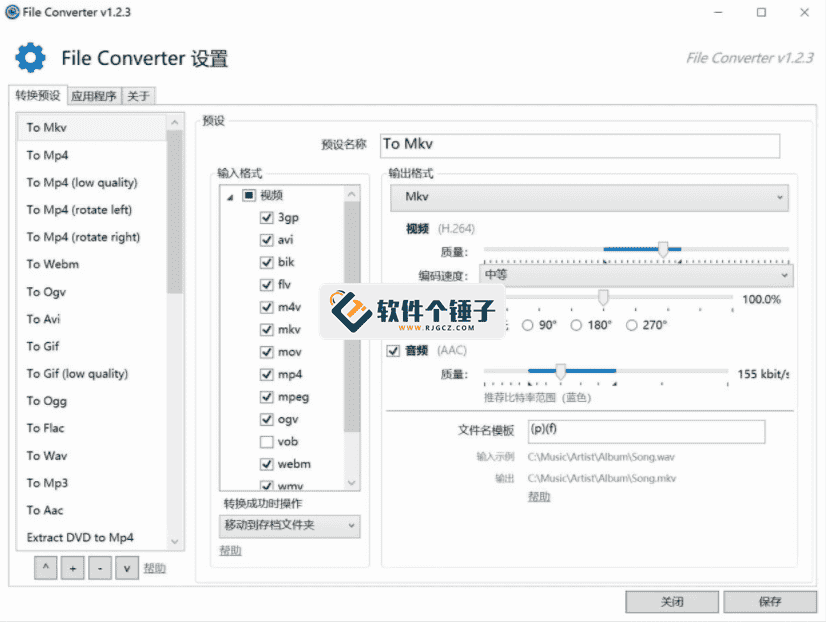
Think of it as a "format-conversion factory" installed in your right-click menu - select a file, right-click, pick the target format, and leave the rest to it. No app window to open, no file paths to copy-paste; everything happens in File Explorer. It supports conversion between audio, video, images, and documents - nearly 100 formats in total.
How does it save you time?
① Select a file, right-click, and conversion starts
No workflow to learn. In a folder, select one or more files and a "Convert with FileConverter" option appears in the right-click menu. Pick the target format and the software starts processing automatically. Select dozens of files at once for batch conversion - highly efficient.
② Handles all common formats
Video: MKV to MP4, FLV to AVI, MOV to MP4 - no problem. Audio: FLAC to MP3, WAV to AAC. Images: WebP to PNG, BMP to JPG, AVIF to JPEG - one click. Documents: PDF to Word, PDF to images - all basics. Covers most everyday conversion needs.
③ Compress while converting
If you just want to shrink file size without changing format, it compresses directly. Select files, right-click, choose compression, adjust ratio - large files shrink in minutes. Video, images, and PDF each support independent output-quality tuning to balance size and clarity.
Who can use this?
If you often download videos or audio files and get frustrated by player incompatibility; or you're a designer who regularly converts client PDFs into editable documents; or you just occasionally need batch-converting photos to a unified format - opening a browser, searching for online converters, and uploading/downloading is less efficient than installing a local tool.
To sum up
FileConverter reduces file-format conversion to a simple right-click. No app to open, no upload/download - local processing is also faster. Great for everyday conversion between video, audio, images, and documents.










