
















You may have run into this too
Copying hundreds of files from one folder to another by dragging between two File Explorer windows - slow and error-prone. Or renaming a batch of files by rule, manually one by one until you break down. Sometimes you just want to find a file; you remember a keyword in the name, but Windows search feels like dial-up. Not to mention compressing files, uploading to FTP, or comparing two files' differences - every task needs a different tool, switching between apps on your desktop - annoying.
What is this software for?
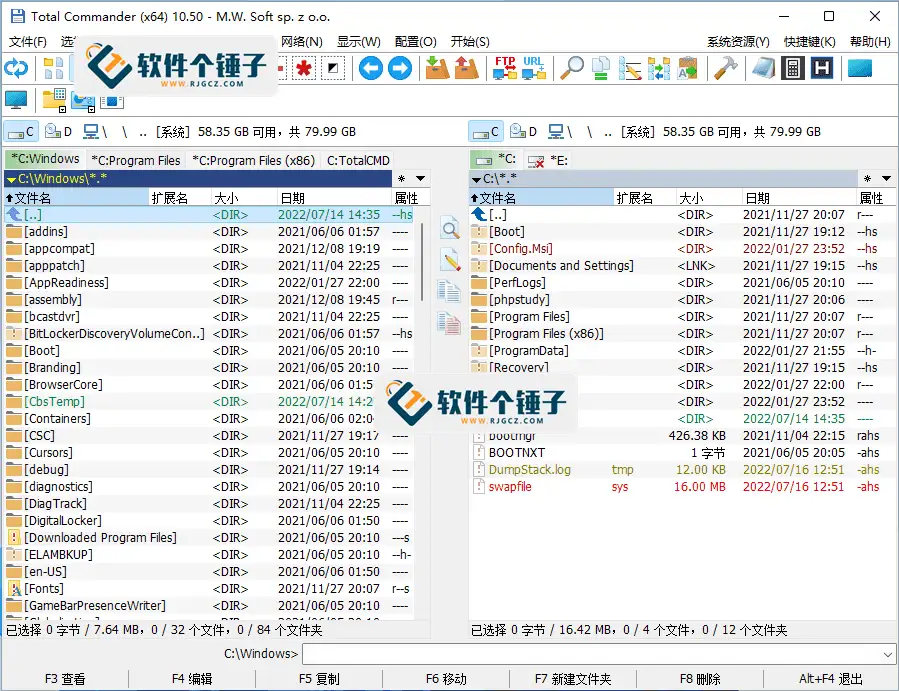
Think of Total Commander as a "file-management command center" - it integrates batch management, compression/extraction, FTP upload, file search, and content comparison into one place. Its biggest feature is the dual-pane design: left and right panels show two folders simultaneously, making drag-copy very intuitive. Once familiar, you'll find efficiency improves a lot.
What can you do with it? These uses are practical
① Dual-pane operations, doubled file-management speed
Left shows source folder, right shows target - copying, moving, comparing files all become clear. Drag with the mouse like in File Explorer, or use hotkeys. For anyone frequently organizing files across directories, this design is very comfortable.
② Built-in compression - no more WinRAR install
Supports creating and extracting ZIP, TAR, GZ directly; can view ARJ, CAB, RAR, LZH archives. No extra extraction software needed - it does what a compression tool does. Also supports multi-volume archives and self-extracting packages - more features than many professional compressors.
③ Batch rename and powerful search
The batch-rename feature is very powerful - numbering, character replacement, extension changes, case conversion - handling hundreds of files at once. Search finds by filename and content; it can even search inside archives - few tools can do that.
Who finds it most convenient?
If you work with many files daily - organizing assets, managing server files, batch-processing documents, frequent uploads/downloads - Total Commander saves you lots of time. Suits operations staff, developers, and techs maintaining websites. It also integrates well-regarded little tools like Everything and Notepad2 - ready out of the box, no setup hassle.
Brief summary
Total Commander is a very comprehensive file manager; its dual-pane design and rich built-in features make file operations efficient and comfortable. If you work with files often or feel File Explorer isn't enough, it's worth spending time to learn.










