
















When your phone runs out of storage
After a few months, the phone keeps warning storage is low, but opening the file manager you don't know what to delete.
Want to transfer a file between phone and PC but can't find a convenient way, and the cable isn't around.
Downloaded installers and cached images/videos are scattered across folders; you don't know where to start for one-click cleanup.
What is this software for?
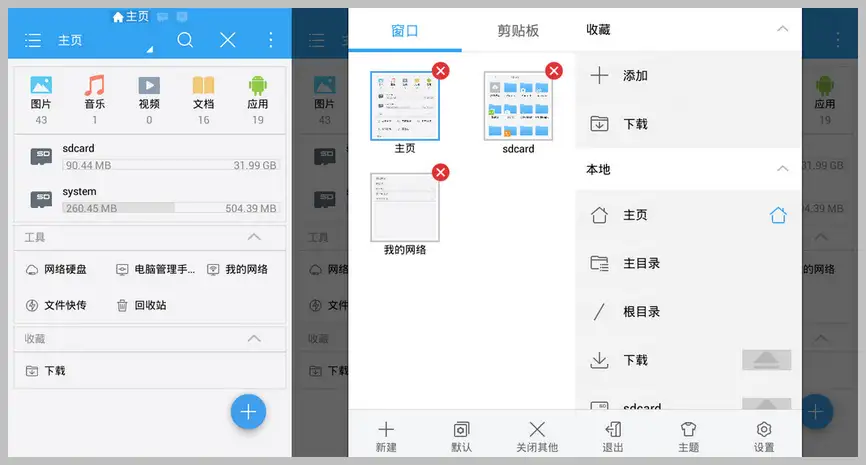
ES File Explorer is the all-around file manager on Android phones. It not only manages files as conveniently as on a PC, but also transfers data with PC over WiFi, accesses LAN shared folders, and connects cloud storage. Once installed, the phone's built-in file manager is basically unused.
Where does it save you effort?
① Quickly find files by category
Images, music, videos, documents, installers - auto-categorized; no need to dig folder by folder. Finding things is much faster.
② Wirelessly transfer files with PC
Connect to PC shared folders over WiFi, or use FTP to transfer directly - no cable, no extra software. Convenient and effortless.
③ Analyze storage, find space hogs
The file analyzer quickly scans phone storage, listing the largest files and folders - cleanup is targeted, no accidental deletion of important data.
Who is it for?
If your phone often warns low storage, you want convenient PC transfers, or you just feel the built-in file manager is too weak, ES File Explorer suits you. Especially for users who like tinkering with phones and frequently manage various files, it's almost an essential Android app.
In short
ES File Explorer is a comprehensive Android file manager supporting category management, wireless transfer, and storage analysis - comfortable for everyday file management and storage cleanup.










