


Categories
See All >
-
Solo Business Courses
-
 Others
-
Overseas Tutorials
-
Photography & Editing
-
Community & Private Domain
-
Self-Media Writing & Copywriting
-
Side Income Projects
-
E-commerce
-
Short Video & Live Streaming
-
Artificial Intelligence (AI)
-
Software & Tools
-
Operating Systems
-
Plugins & Scripts
-
MacOS Software
-
Android Software
-
Windows Software
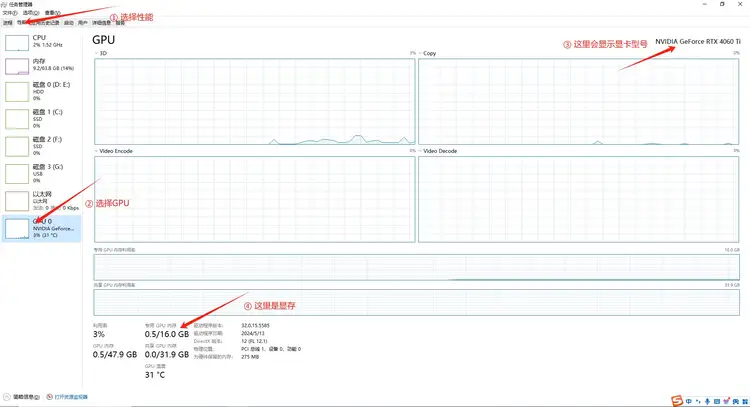

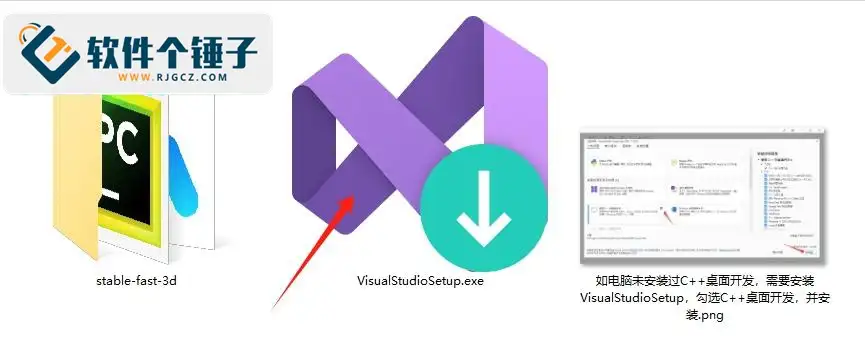
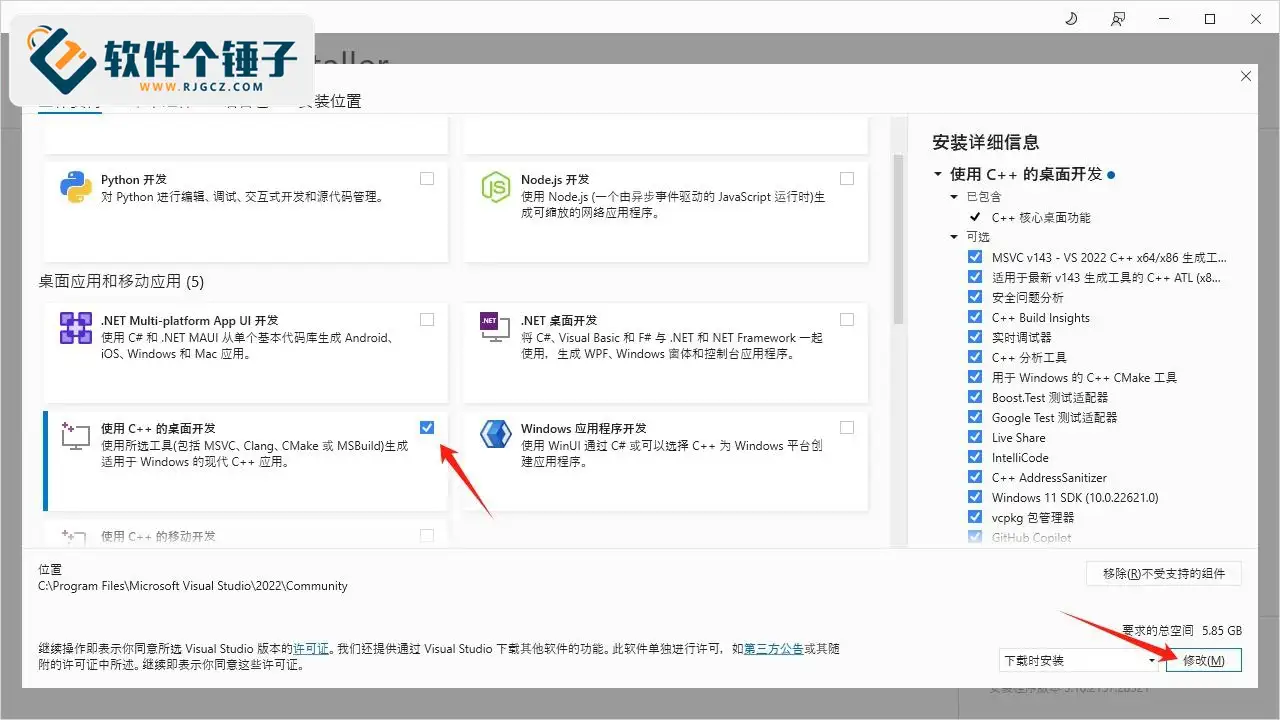



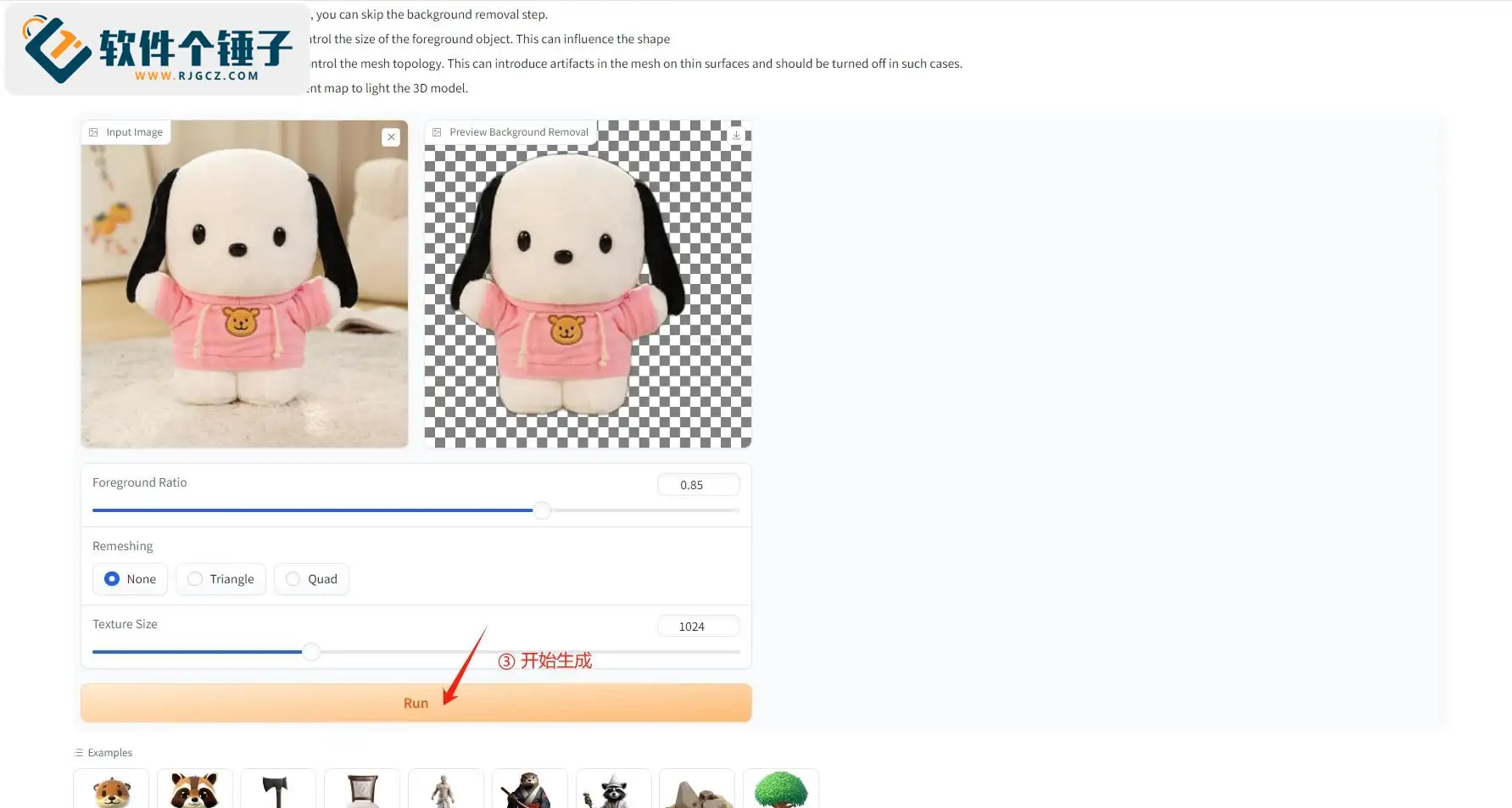

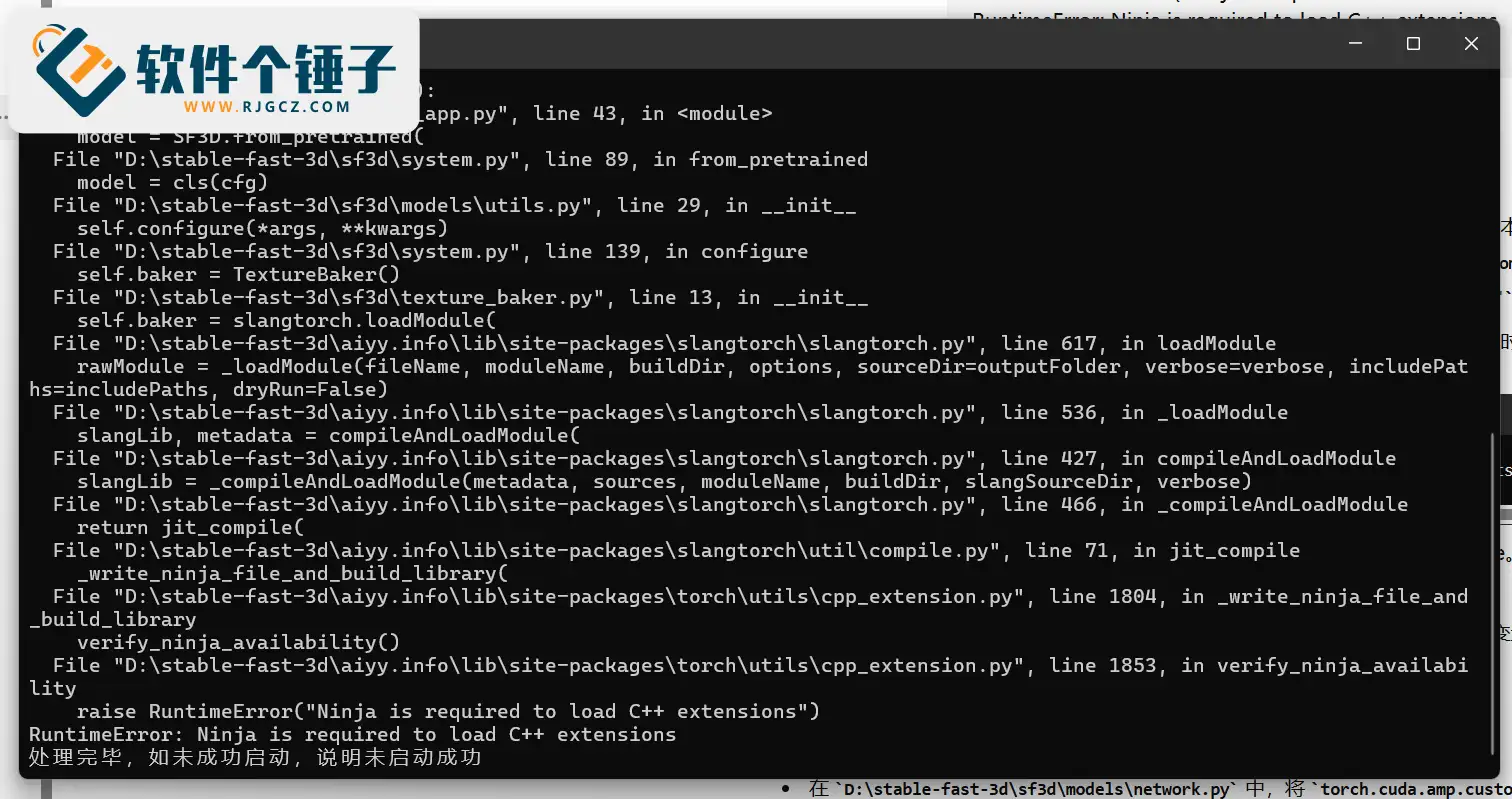

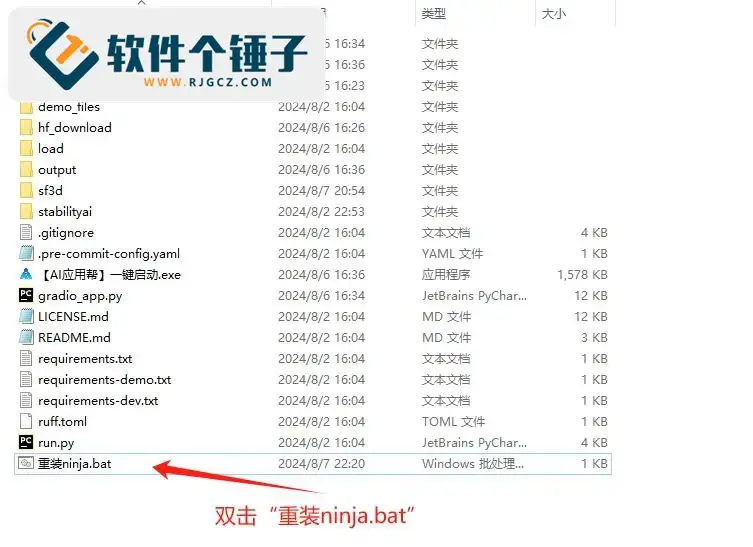
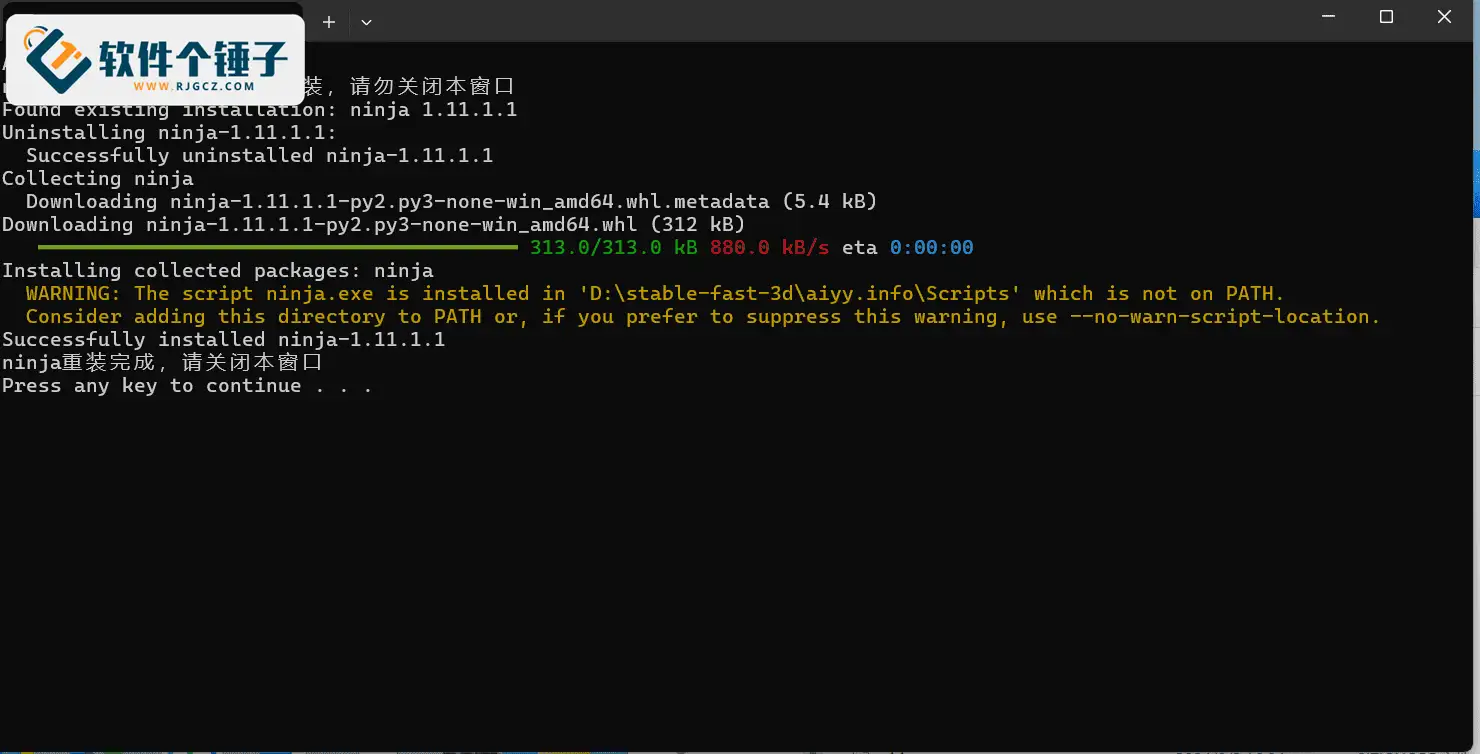
Image-to-3D Model Generator Stable Fast 3D No Deployment, No Auth, Lifetime Use [R2233]
📚Video Course
🕒Last updated: 11/19/2024
👥Entrepreneurs / Self-media creators / Cross-border e-commerce sellers / Side-hustlers
Study material — included with membership
Unlock Course with Membership
🔓
Get this course for reference study with membership
📦
Join membership — study all 16742 courses & software tools as reference
🔄
Courses keep updating — members study new material as it arrives
Share:
Top Selling Courses
-
Game Gold-Farming Money-Making Plan: Earn 1k+ Daily, a Stable 3-Year Project Anyone Can Do in Spare Time [Revealed]
Study material — included with membership Get Membership -
Hot-game fully-automated earning: 500+ a day, no experience, simple operation - the steadiest long-term game-earning side hustle (revealed)
Study material — included with membership Get Membership -
FlyingMouse earns merit this time! Don't panic at Windows format problems — the open-source FlyingMouse format conversion tool helps, a popular GitHub gem
Study material — included with membership Get Membership -
Douyin Product-Selling Coaching Bootcamp: No On-Camera Appearance Needed, Newbies Can Produce Selling Short Videos by Following the Steps
Study material — included with membership Get Membership -
First-release game gold-farming money plan: 1K+ a day, ordinary people in spare time
Study material — included with membership Get Membership






Top Selling Software Tools
-
FlyingMouse earns merit this time! Don't panic at Windows format problems — the open-source FlyingMouse format conversion tool helps, a popular GitHub gem
Study material — included with membership Get Membership -
LuDaShi v6.1024.4105.1121 Slim Single File
Study material — included with membership Get Membership -
2D Cartoon Animation Software Moho Pro v14.3
Study material — included with membership Get Membership -
Video Editor Aiseesoft Filmai v1.0.18
Study material — included with membership Get Membership -
To-Do Microsoft To Do v2.147 Free
Study material — included with membership Get Membership -
PR/AE/DaVinci/FCPX video Plugin Nobe OmniScope Win1.11.15 / Mac1.10.138
Study material — included with membership Get Membership





Recently, AI company Stability AI launched a 3D-model generation tool - Stable Fast 3D. While generation quality isn't far from traditional tools, its ultra-fast speed brings 3D-model making into a new era. Just one image, and you easily create a high-quality 3D model.
Main Features
- Blazing-fast generation: Convert an image into a high-precision 3D model in just 0.5 seconds.
- High-quality output: Provides UV-unwrap network, material parameters, and albedo colors that reduce lighting-bake influence. Supports quad or triangle meshing, with only 100-200ms extra processing time.
- Efficient VRAM use: Works with 6GB-VRAM NVIDIA GPUs, very low resource use.
- Advanced UV & material optimization: Output includes UV unwrap, additional material parameters, and normal maps, reducing lighting interference for natural results.
Use Cases
- Game & VR development: Quickly generate background objects or furniture models for efficient AR/VR project needs.
- Film production: Fast inference and model generation during pre-production.
- E-commerce display: Provide high-quality 3D product models to boost presentation.
- Architectural design: Quickly create building-structure models for designers.
- Other industries: Suits any field needing high-quality 3D assets.
System Requirements
Recommended: Windows 10/11 64-bit, NVIDIA GPU (6GB VRAM), CUDA 11.8 or higher.
GPU check: Open Task Manager, choose "Performance > GPU" to see model and VRAM.

Install CUDA: If needed, see the CUDA install tutorial.
Tutorial
- Unzip the bundle; ensure path and filenames have no Chinese characters.

- If C++ desktop development tools aren't installed, run "VisualStudioSetup.exe" and install related components.


- Double-click "One-Click Launch.exe" and the browser auto-opens the interface.

- Upload an image, click "Remove Background" to remove the background, then click "Run" to start generation. Results show on the right; click download to save.




- If you get "RuntimeError Ninja is required to load C++ extensions," run "Reinstall ninja.bat" in the unzipped folder to repair, then restart.




Open-Source Link
For more info, visit the GitHub open-source page.
Related Courses

Study material — included with membership
Get Membership
WorkBuddy zero-basics hands-on training: even non-programmers can follow the manual steps, learn agents systematically by doing

Study material — included with membership
Get Membership
Higgsfield cinematic animation course: one-stop creation platform, complete animation production-flow teaching

Study material — included with membership
Get Membership
The same dance with 6 outfits switching in order: I turned an outfit-change video into a Skill

Study material — included with membership
Get Membership
An eye-catching domestic Markdown editor: local offline high-performance note tool, free and no login required

Study material — included with membership
Get Membership
Domestic Markdown editor: local offline high-performance knowledge-note tool, free and no login required

Study material — included with membership
Get Membership
WorkBuddy practical blue paper: user manual and practice guide, complete combined image-text edition

Study material — included with membership
Get Membership
Jimeng challenges a 180-second long video: one-click a 3-minute movie? Full production flow shared in detail

Study material — included with membership
Get Membership
Super handy! Douyin video downloader, supports batch download of user works, favorites and likes lists, open-source free Better-douyin-R

Study material — included with membership
Get Membership
Nearly 200K stars on GitHub - Harness now runs by double-click: the Harness full-platform desktop edition

Study material — included with membership
Get Membership
Nearly 200K stars on GitHub - Harness now runs by double-click: the Harness full-platform desktop edition DSH Desktop

China Projects — one person, one company. No team, no middlemen. Every model here is already proven in China. Join the membership, study it as reference, and launch it locally in your country.
