
















Have you ever thought this?
\Want to play mobile games on PC, but emulators are demanding or laggy. Or you just want to control a phone with PC mouse/keyboard, but most mirroring tools are paid or laggy. Worse, some only support wired connection; hunting for cables is inconvenient.
\What is this tool for?
\Think of it as a "high-speed digital bridge between PC and phone" — after connecting, your PC shows the phone in real time, and you directly operate the phone with PC mouse/keyboard, like an Android emulator. But no extra emulator system; whatever apps/games on your phone, directly controlled.
\What can you do with it?
\① Play mobile games with controller precision
\Its visual key-mapping lets you bind every touch zone on the phone screen to keyboard/mouse. E.g., map fire to left-click, move-stick to WASD. All operations are millisecond-responsive; plays as smoothly as an emulator but uses your real phone/account.
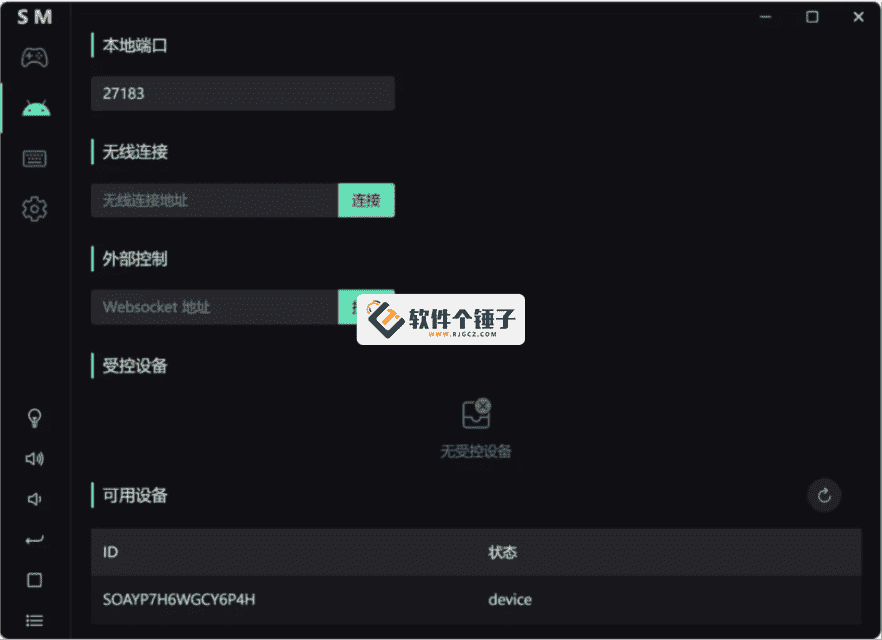
\② Wired or wireless, your choice
\No connection method preference. At home desk wanting stability, plug in data cable; on couch wanting wireless, connect via WiFi. Switching between two methods needs no reconfiguration, connection is hassle-free.
\③ Share key mappings with friends
\Key mapping config you spend time tuning can be one-click exported to a file, sent to friends/shared to groups; recipient imports and uses directly, no re-setup. Conversely, you directly import others' shared configs, saving your own research time.
\Who can use it?
\If you're a mobile gamer wanting more precise mouse/keyboard control on PC; or need remote-debug/demo phone apps to colleagues; or just prefer the big screen for phone content while replying with keyboard — it connects all these.
\In Summary
\\ \ \Scrcpy Mas lets you control your phone directly with PC mouse/keyboard; fast response/customizable key mapping/wired or wireless connection, suitable for mobile gamers and users needing remote phone control.










