











You've hit this, or will soon
\Accidentally pressed delete on important files, and emptied the recycle bin. Or a USB suddenly won't open, with tomorrow's PPT inside. Or after formatting a drive, discovering un-backed-up photos. That moment — brain goes "oh no."
\What is it for?
\Think of it as a "file medic" — as long as your files aren't physically overwritten, there's a high chance it recovers them from HDD/USB/SD/even phones. Whether accidental deletion/formatting/partition loss/crash, pick the right recovery mode, scan, and see recoverable files.
\How does it help recover files?
\① Pick mode by your loss case
\It has several recovery modes built in: simplest is "deleted recovery" (just-deleted files); "partition recovery" (unopenable partitions); "digital media recovery" (photos/videos). Pick per situation, click to scan; no complex setup.
\② Preview content before restore
\After scanning, it lists all recoverable files. You can preview photos/docs to confirm. Once OK, check them to recover; no need to pull everything off the drive. This saves time and avoids recovering junk.
\③ Any device: drive/USB/phone
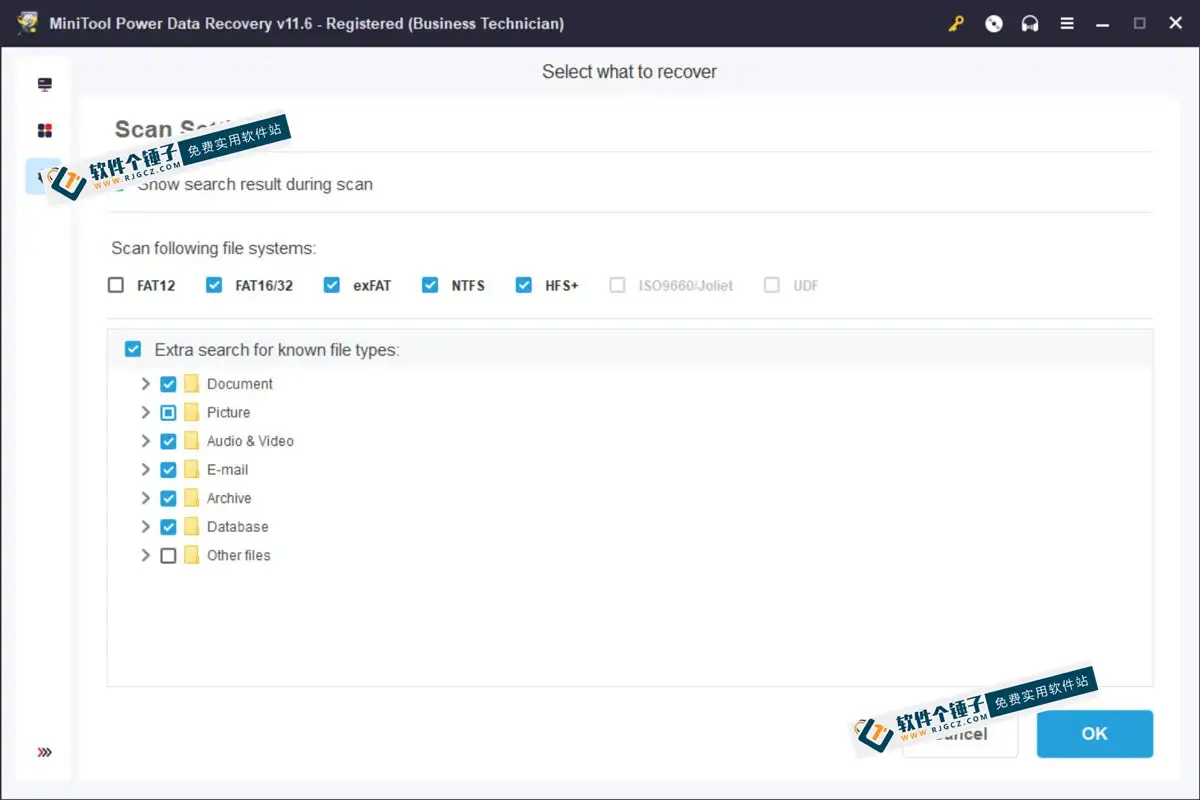
\It accepts any storage — internal/external HDD/USB/SD/SSD, even phone storage. Filesystems: NTFS/FAT32/EXT2/3/4 etc. Scan speed is decent; not a wait-for-no-response tool.
\Who can use it?
\If you've accidentally deleted files/formatted a drive/lost a USB, you're its target user. Especially those who lost important work docs/kid photos/thesis — instead of scrambling for unreliable recovery methods, scan it and see results.
\In Summary
\\ \ \MiniTool Power Data Recovery is an easy/fast data recovery tool; suitable for recovering files after accidental deletion/formatting/system crash. Keep it as an emergency tool on your PC; when issues arise, you're not helpless.