


-
Solo Business Courses
-
 Others
-
Overseas Tutorials
-
Photography & Editing
-
Community & Private Domain
-
Self-Media Writing & Copywriting
-
Side Income Projects
-
E-commerce
-
Short Video & Live Streaming
-
Artificial Intelligence (AI)
-
Software & Tools
-
Operating Systems
-
Plugins & Scripts
-
MacOS Software
-
Android Software
-
Windows Software
Mouse and keyboard click recording and playback software v1.6 single-file edition
-
Game Gold-Farming Money-Making Plan: Earn 1k+ Daily, a Stable 3-Year Project Anyone Can Do in Spare Time [Revealed]
Study material — included with membership Get Membership -
Hot-game fully-automated earning: 500+ a day, no experience, simple operation - the steadiest long-term game-earning side hustle (revealed)
Study material — included with membership Get Membership -
FlyingMouse earns merit this time! Don't panic at Windows format problems — the open-source FlyingMouse format conversion tool helps, a popular GitHub gem
Study material — included with membership Get Membership -
Douyin Product-Selling Coaching Bootcamp: No On-Camera Appearance Needed, Newbies Can Produce Selling Short Videos by Following the Steps
Study material — included with membership Get Membership -
First-release game gold-farming money plan: 1K+ a day, ordinary people in spare time
Study material — included with membership Get Membership






-
FlyingMouse earns merit this time! Don't panic at Windows format problems — the open-source FlyingMouse format conversion tool helps, a popular GitHub gem
Study material — included with membership Get Membership -
LuDaShi v6.1024.4105.1121 Slim Single File
Study material — included with membership Get Membership -
2D Cartoon Animation Software Moho Pro v14.3
Study material — included with membership Get Membership -
Video Editor Aiseesoft Filmai v1.0.18
Study material — included with membership Get Membership -
To-Do Microsoft To Do v2.147 Free
Study material — included with membership Get Membership -
PR/AE/DaVinci/FCPX video Plugin Nobe OmniScope Win1.11.15 / Mac1.10.138
Study material — included with membership Get Membership





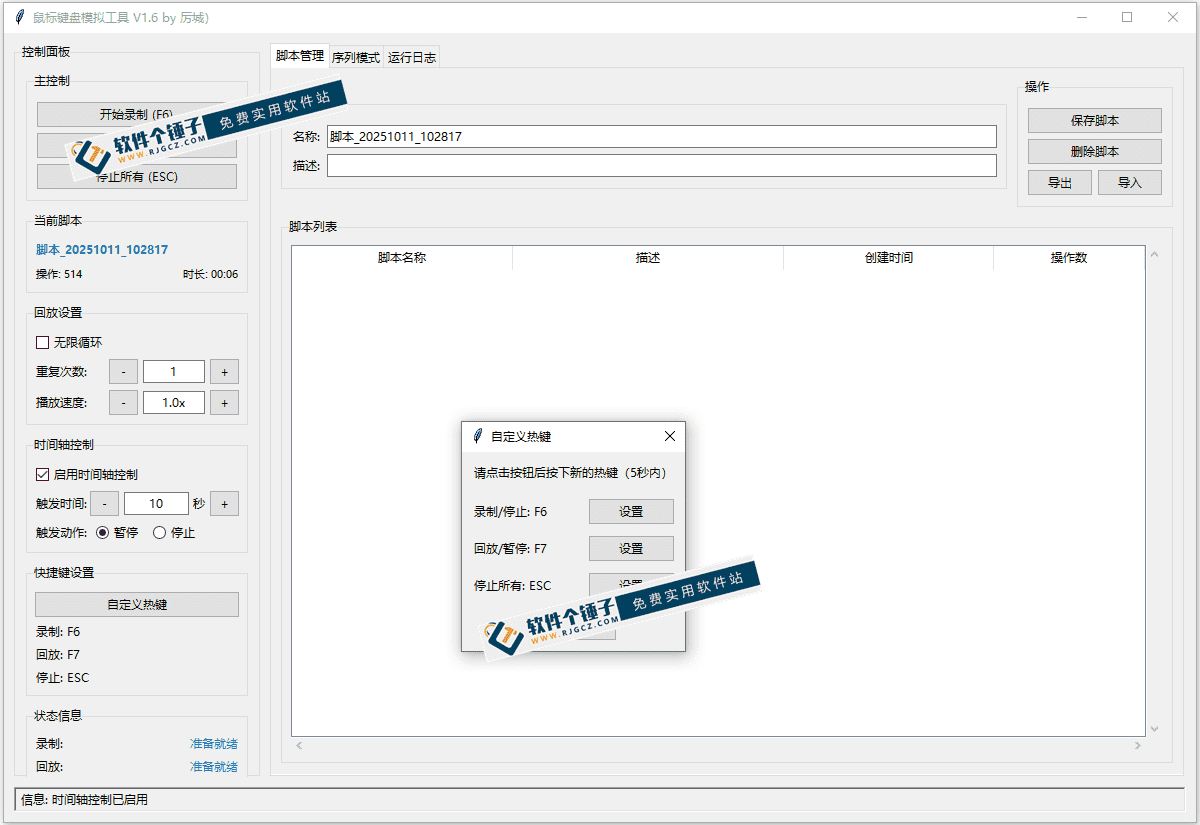
This mouse and keyboard click recording and playback tool is an automation software designed specifically for Windows. Its core function is to fully record the user's mouse click and keyboard action behavior, and achieve automated execution through precise playback. This tool can effectively free the user's hands and significantly reduce the workload caused by repetitive operation tasks.
\
Product features overview
\The software size is controlled at around 10MB. It is completely free and requires no installation—just double-click to run directly. The interface design is simple and intuitive, with clear feature zones. It also supports shortcut key operations, greatly improving convenience.
\Core feature details
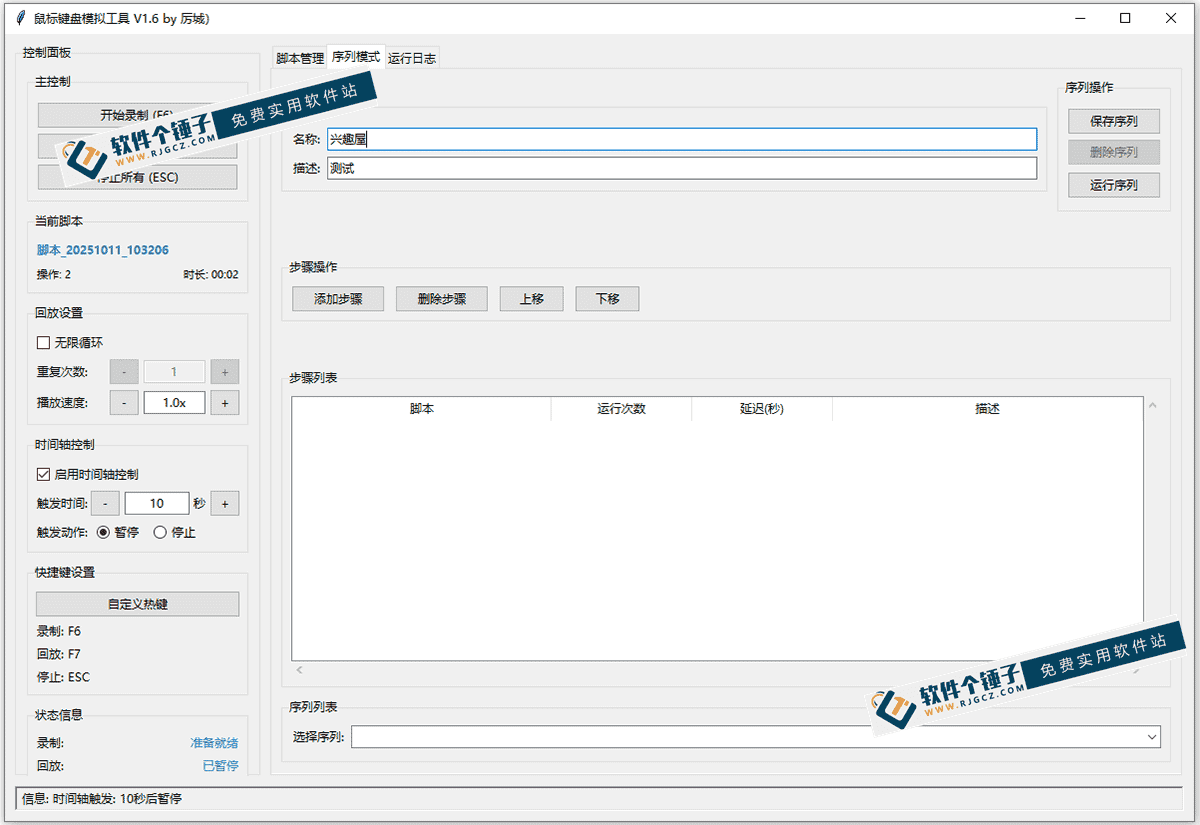
\A complete input device operation recording and playback system can accurately record and reproduce the user's mouse click positions and keyboard key actions; flexible playback parameter settings allow users to customize the repeat count and playback speed, supporting infinite loop mode; timeline control can precisely set operation trigger timing and specific execution actions; sequence mode supports multiple scripts executed in a predetermined order, with configurable operation interval delays and support for multiple loop runs.
\Application scenario analysis
\Suitable for game automation operations, repetitive data entry, batch web operations, software testing processes, daily office automation, and other scenarios. Whether it is a web game requiring repeated clicks or fixed-process software operations, this tool can achieve automated processing.
\Operation workflow guide
\After launching, click Record to start capturing operations; stop after completing them; set replay params then run the automation. Beginners should start with simple clicks, gradually mastering timeline/sequence features.
\
Technical advantages
\This tool uses lightweight design ensuring extremely low system resource usage; precise input device signal capture ensures accurate operation recording; smart replay ensures reliable operation reproduction. No-install makes it a plug-and-play portable tool.
\Tips
\Before recording, plan workflow to avoid unnecessary steps; when using timeline, set reasonable trigger intervals; complex tasks should use sequence mode in stages; before important ops, do a test replay to confirm expected results.
\Precautions
\Do not use this tool in any situation violating software terms or laws; some online games ban automation tools; confirm platform's rules before use. During long continuous runs, periodically check execution results.
\ \Related Courses

Super local toolbox! Built-in screen recording, audio/video cutting & merging, video compression & extraction, forever free - Kedou Video Converter

100% perfect free tool! One-stop multi-function PDF software: PDF convert, compress, edit etc., minimal, no ads, so nice - JOPDF

Open-Source Desktop Remote Tool, Beats Paid Versions! Free for Personal and Commercial Use Unlimited, Cross-Platform, HopToDesk Remote Control

Latest K-12 Textbook Downloader: Whole-Grade Resource Download, Courseware, Video, Audio in One Click

HuyanBao: free blue-light eye-care app with pet break reminders

Windows Can Have a Desktop Dynamic Island Too! A Modern System Control Center — Give Your PC a Black Notch, PyIsland

3D Simulated Comic Drama Production: Seedance2.0 Full-Process Practical Course - From Zero to One High-Quality Comic Drama Creation

Win/Mac Dual Support! Latest Permanent Lifetime Version, Supports Old Photo Restoration, Image Sharpening and Lossless Upscaling Tool, Aiarty Image Enhancer

Online Video Course: Github Open-Source Bilibili Video Download Tool! Supports 8K and Dolby Vision Bilibili Video Batch Download Tool, Easy to Use Bilidown


