
















Previously I gave up on locked Word docs
\Ever had this? Your boss sends an important Word file that opens read-only with every edit button greyed out, unable to change a single word. Or you dig up an old document whose content is useful, but the password you set years ago is long forgotten. Worse, a power outage mid-download leaves the document full of garbled text, with months of project data unreadable. Faced with this, people either panic, beg a tech-savvy friend, or spend hours rewriting.
\Think of it as Word's "ER room"
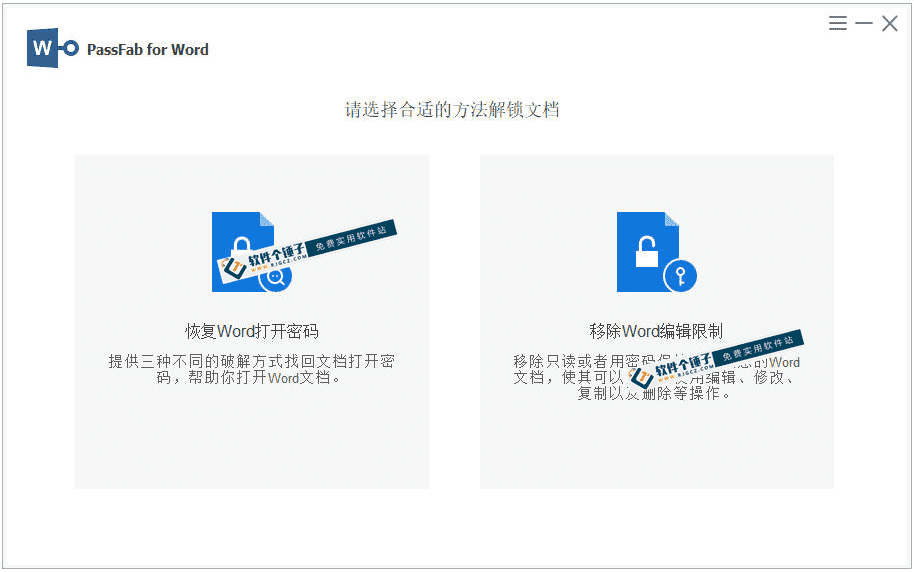
\PassFab for Word Essentially a toolbox specifically for Word problems. It combines unlocking/repair/password-finding core functions, covering almost all common Word issues. Whether forgot password/edit-restriction/corrupt file, toss it in; high chance it revives the document.
\These solve all your Word issues
\① Forgot password? 3 methods
\It offers three password-finding methods.Dictionary attack Fastest, for simple common passwords;Masked attacks Smart: if you know length/prefix, narrows attempts;Brute-force attacks Last resort when password forgotten, tries all.
\② Locked doc? One-click unlock
\Whether open password or edit-restriction password, it removes them. Import file/choose function/start op; a few steps, no original password needed, directly generates a freely viewable/editable/copyable/printable new doc.
\③ Corrupted file? Rescue it
\This is a really practical feature. When Word docs are corrupted/unopenable due to power outage/virus/transfer error, it smartly scans/repairs. Key: lossless processing; doesn't destroy original text/tables/layout; maximally restores content.
\④ Decrypting slow? GPU-accelerated
\Cracking complex passwords is time-consuming. This software uses your PC's GPU (graphics card) for accelerated computation; decryption is much faster than ordinary tools, no lag/crash on large files, saving lots of waiting time.
\Who can benefit from it?
\If you work with many Word documents daily - office worker, secretary or admin handling encrypted templates or meeting minutes - it's a capable assistant. A beginner unsure how to handle document issues will also find its simple workflow fits. Even creators or students maintaining important archives save much time recovering corrupt files or forgotten passwords.
\Overall
\\ \ \PassFab for Word It integrates Word-document processing fairly comprehensively: from password revealing/permission removal to file repair, basically one-stop. If you're often troubled by Word issues, keep it as a backup; it might save you someday.










