
















You've probably hit this too
\Downloaded a big file, turns out it's an archive; right-click shows RAR/ZIP/7Z... many formats. Some unzip only specific formats; for unknown ones you need another tool. Or you want to compress files for a colleague with password protection/split volumes/self-extracting — then you need a comprehensive archiver.
\WinRAR has been used since Windows 98; after all these years, it remains many people's top choice for compatibility/feature completeness/habits. New versions keep improving speed/stability; one install handles most compression needs.
\The compression Swiss Army knife
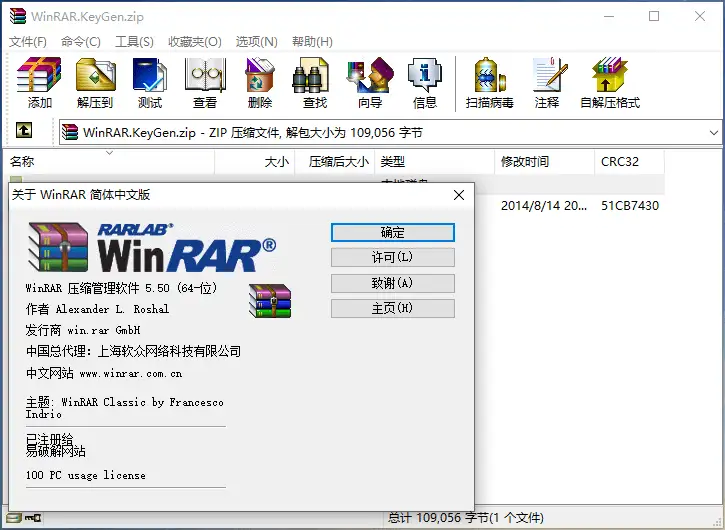
\WinRAR is essentially an all-purpose archive manager. It handles common RAR and ZIP, plus occasional 7Z, ISO, CAB, ARJ and more. Beyond basic compression and extraction, it offers handy features: splitting large to volumes, encrypting archives, and creating self-extracting EXEs. It covers just about every compression feature you need in office work and file sharing.
\What can you do with it?
\① One-click extract almost all formats
\Whether RAR/ZIP or 7Z/ISO/CAB/LZH even TAR.GZ common Linux format, right-click to extract. No more format compatibility concerns; one install is enough.
\② Password-protect, secure transfer
\Set a password when compressing, others can't open without it. For contracts/quotes/personal info, prevent casual viewing during transfer.
\③ Auto-split large files
\If a 1GB file needs to be sent via WeChat/email, often limited. Using WinRAR's volumes, auto-split into several tens-of-MB packages; recipient downloads all, double-click first to auto-merge/extract.
\④ Make self-extracting files
\Can make EXE self-extracting packages; recipients double-click to extract, no archiver needed. Great for less tech-savvy users.
\Who can benefit from it?
\As long as your PC needs zipping/unzipping, it suits you. Office workers send/receive archives, designers package source files, ops extract server logs, regular users download games/software as archives. Whether or not you use advanced features, a universal unzip is worth having. The new version supports Windows 11; right-click menu/system integration is smoother.
\In Summary
\\ \ \WinRAR is a full-featured archive tool; supports 10+ common archive formats; has encryption/volumes/self-extracting etc. practical features. New version continuously optimizes compatibility/stability, suitable as a daily office must-have.










