


-
Solo Business Courses
-
 Others
-
Overseas Tutorials
-
Photography & Editing
-
Community & Private Domain
-
Self-Media Writing & Copywriting
-
Side Income Projects
-
E-commerce
-
Short Video & Live Streaming
-
Artificial Intelligence (AI)
-
Software & Tools
-
Operating Systems
-
Plugins & Scripts
-
MacOS Software
-
Android Software
-
Windows Software
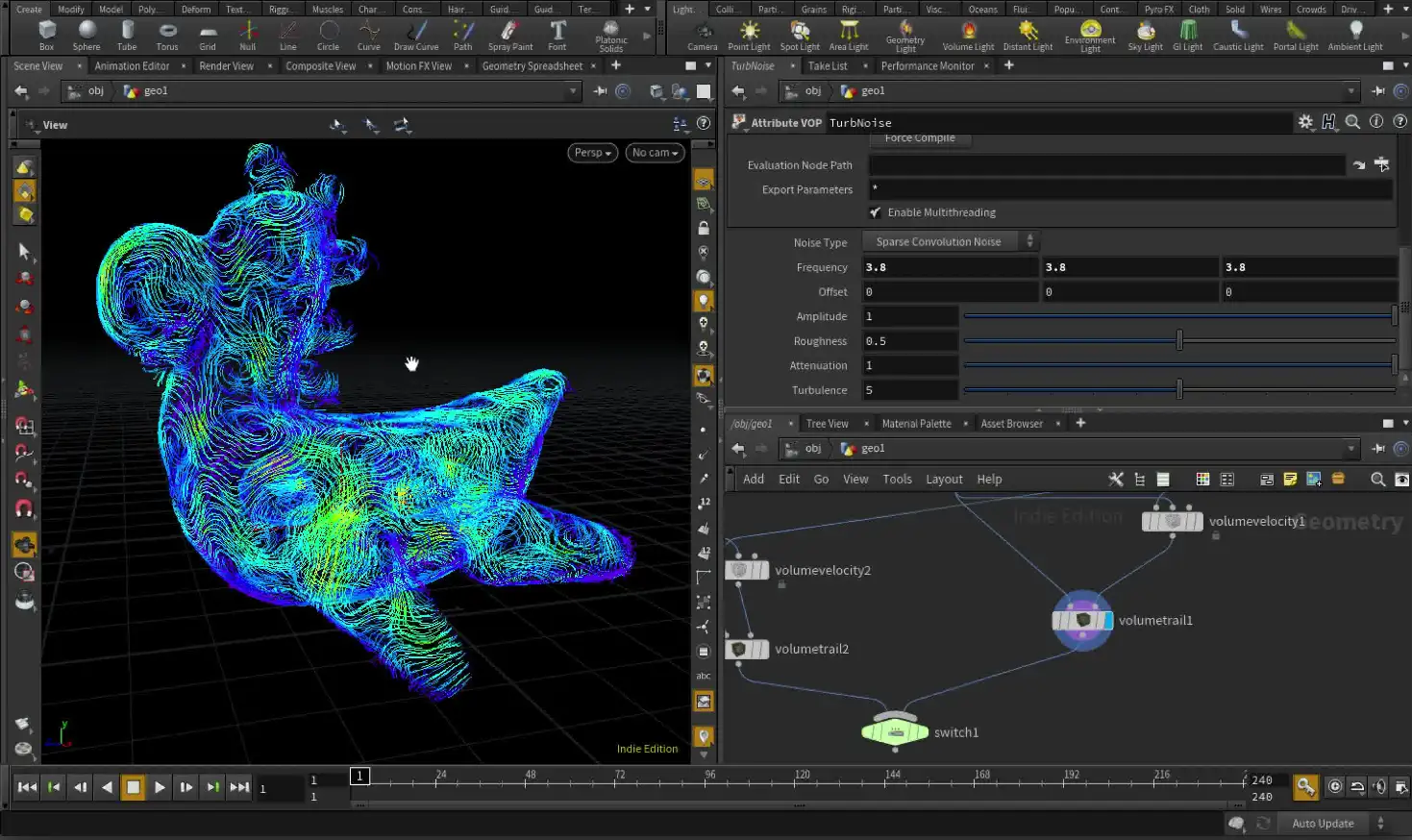
3D VFX rendering software SideFX Houdini FX Win21.0.631 / Mac20.5.487 / Linux20.0.547
-
Game Gold-Farming Money-Making Plan: Earn 1k+ Daily, a Stable 3-Year Project Anyone Can Do in Spare Time [Revealed]
Study material — included with membership Get Membership -
Hot-game fully-automated earning: 500+ a day, no experience, simple operation - the steadiest long-term game-earning side hustle (revealed)
Study material — included with membership Get Membership -
FlyingMouse earns merit this time! Don't panic at Windows format problems — the open-source FlyingMouse format conversion tool helps, a popular GitHub gem
Study material — included with membership Get Membership -
Douyin Product-Selling Coaching Bootcamp: No On-Camera Appearance Needed, Newbies Can Produce Selling Short Videos by Following the Steps
Study material — included with membership Get Membership -
First-release game gold-farming money plan: 1K+ a day, ordinary people in spare time
Study material — included with membership Get Membership






-
FlyingMouse earns merit this time! Don't panic at Windows format problems — the open-source FlyingMouse format conversion tool helps, a popular GitHub gem
Study material — included with membership Get Membership -
LuDaShi v6.1024.4105.1121 Slim Single File
Study material — included with membership Get Membership -
2D Cartoon Animation Software Moho Pro v14.3
Study material — included with membership Get Membership -
Video Editor Aiseesoft Filmai v1.0.18
Study material — included with membership Get Membership -
To-Do Microsoft To Do v2.147 Free
Study material — included with membership Get Membership -
PR/AE/DaVinci/FCPX video Plugin Nobe OmniScope Win1.11.15 / Mac1.10.138
Study material — included with membership Get Membership





Houdini FX is developed by SideFX professional 3D animation and VFX software designed for professionals in film, games, advertising and other industries. With its unique Node-based workflow and Procedural creation, Houdini FX enables users to efficiently generate complex animations and effects, meeting various high-end production needs.
\
Core Features
\1. Node-based, flexible & efficient
\Houdini FX uses Node-based workflow, allowing users to build complex FX networks by connecting different nodes. This nonlinear approach not only provides greater freedom, but also makes it easy to adjust and modify animations without starting from scratch, greatly improving work efficiency.
\2. Powerful volumetric rendering and simulation
\Houdini FX offers industry-leading Volumetric rendering & simulation features, supporting high-quality fire, smoke, liquid and other effects. Users can leverage Houdini's built-in volume grid tools to precisely manipulate complex volumetric data and achieve realistic dynamic effects.
\3. Procedural workflow, easily handling large-scale scenes
\Houdini FX uses Procedural generation approach, enabling users to more flexibly create and modify content and rapidly iterate on designs. This approach suits Large scenes & complex FX production, making the workflow more efficient.
\4. Powerful VFX tools
\Houdini FX has multiple built-in VFX tools, including:
\- \
- Fracture simulation: Create realistic building destruction, glass shattering and other effects. \
- Fluid simulation: Realistically simulate water, lava and other liquid effects. \
- Particle system: Generate smoke, magic effects and other cool visual effects. \
- Physical deformation: Suitable for character animation, environmental destruction and other application scenarios. \
5. Multiple high-quality renderers
\Houdini FX includes multiple High-quality renderer, including Mantra and Arnold, generates detailed/realistic renders. Choose renderer per project needs, freely adjust params, best visuals.
\How to Use
\Houdini FX install and:
\- \
- Delete
C:\\Windows\\keysall the folder. \
- open the software, check License Server, close after install. \
- click in order Start menu → License Administrator → File → License Tools Services → Stop, but don't close the window. \
- to
sesinetd.execopy toC:\\Program Files\\Side Effects Software\\License Server. \
- In License Administrator, click Start, close, restart License Administrator. \
- Click View → Diagnostic Information, find and copy Local host name and Local server code. \
- Run
Activation tool.exe, enter the copied Local host name and Local server code, click Generate Keys Generate License. \
- Back to License Administrator, select File → Import Licenses → Manual Install, enter five, click Manual Install to import the rest. \
Summary
\Houdini FX is a powerful 3D animation/VFX software, used in film/game/ad. Its Node-based workflow provides extreme flexibility,Volumetric rendering & simulation Brings realistic visuals, without Procedural workflow Makes large-scale FX production efficient. Complex visual FX or high-quality animation rendering, Houdini FX is the top choice.
\Installation tutorial
\Windows version:
\- \
- delete C:\Windows\keys \
- Double-click houdini-21.0.440-win64-vc143.exe; during install, check License Server \
- After completion, open License Administrator from Start menu; in top menu File – License Tools Services, under Sesinetd click Stop, but don't close this window — you'll need it later. \
- copy sesinetd.exe from the replacement folder to C:\\Program Files\\Side Effects Software\\License Server, replacing \
- Under Sesinetd click Start, Close, reopen License Administrator \
- In the top menu, View–Diagnostic information, copy the Local host name (Server Name) and Local server code (Server Code) \
- Open houdini_21_0_.exe; enter Server Name and Server Code; change 2025 in Exp.Date to 2125; click Generate Keys to generate the License \
- Back in License Administrator, choose File-Import Licenses-Manual Install, paste the generated codes; enter five lines, then continue File-Import Licenses-Manual Import the rest. \
- Close all, reopen Houdini, done! \
Mac version:
\- \
- Install Houdini.pkg \
- Open terminal, type sudo followed by a space, then drag the File patch over, press Enter, enter PC password (password input is invisible), press Enter, wait for completion. \
- Open Houdini, prompted for license; click the second option "I Have a paid license for Houdini", then Next, then continue to License Settings \
- Top menu View > Diagnostic Information; you can see Local host name and Local server code \
- Double-click run Houdini-20.5-Lic-Tool-MacOS.command; enter the above Local host name and Local server code in order, press Enter. \
- In Houdini License Administrator's top menu, File-Import License, MANUAL INSTALL; paste the license codes generated in the terminal, 5 lines at a time; two passes and it's done. \
\ \
Related Courses

Super local toolbox! Built-in screen recording, audio/video cutting & merging, video compression & extraction, forever free - Kedou Video Converter

100% perfect free tool! One-stop multi-function PDF software: PDF convert, compress, edit etc., minimal, no ads, so nice - JOPDF

Open-Source Desktop Remote Tool, Beats Paid Versions! Free for Personal and Commercial Use Unlimited, Cross-Platform, HopToDesk Remote Control

Latest K-12 Textbook Downloader: Whole-Grade Resource Download, Courseware, Video, Audio in One Click

HuyanBao: free blue-light eye-care app with pet break reminders

Windows Can Have a Desktop Dynamic Island Too! A Modern System Control Center — Give Your PC a Black Notch, PyIsland

3D Simulated Comic Drama Production: Seedance2.0 Full-Process Practical Course - From Zero to One High-Quality Comic Drama Creation

Win/Mac Dual Support! Latest Permanent Lifetime Version, Supports Old Photo Restoration, Image Sharpening and Lossless Upscaling Tool, Aiarty Image Enhancer

Online Video Course: Github Open-Source Bilibili Video Download Tool! Supports 8K and Dolby Vision Bilibili Video Batch Download Tool, Easy to Use Bilidown


