


-
Solo Business Courses
-
 Others
-
Overseas Tutorials
-
Photography & Editing
-
Community & Private Domain
-
Self-Media Writing & Copywriting
-
Side Income Projects
-
E-commerce
-
Short Video & Live Streaming
-
Artificial Intelligence (AI)
-
Software & Tools
-
Operating Systems
-
Plugins & Scripts
-
MacOS Software
-
Android Software
-
Windows Software
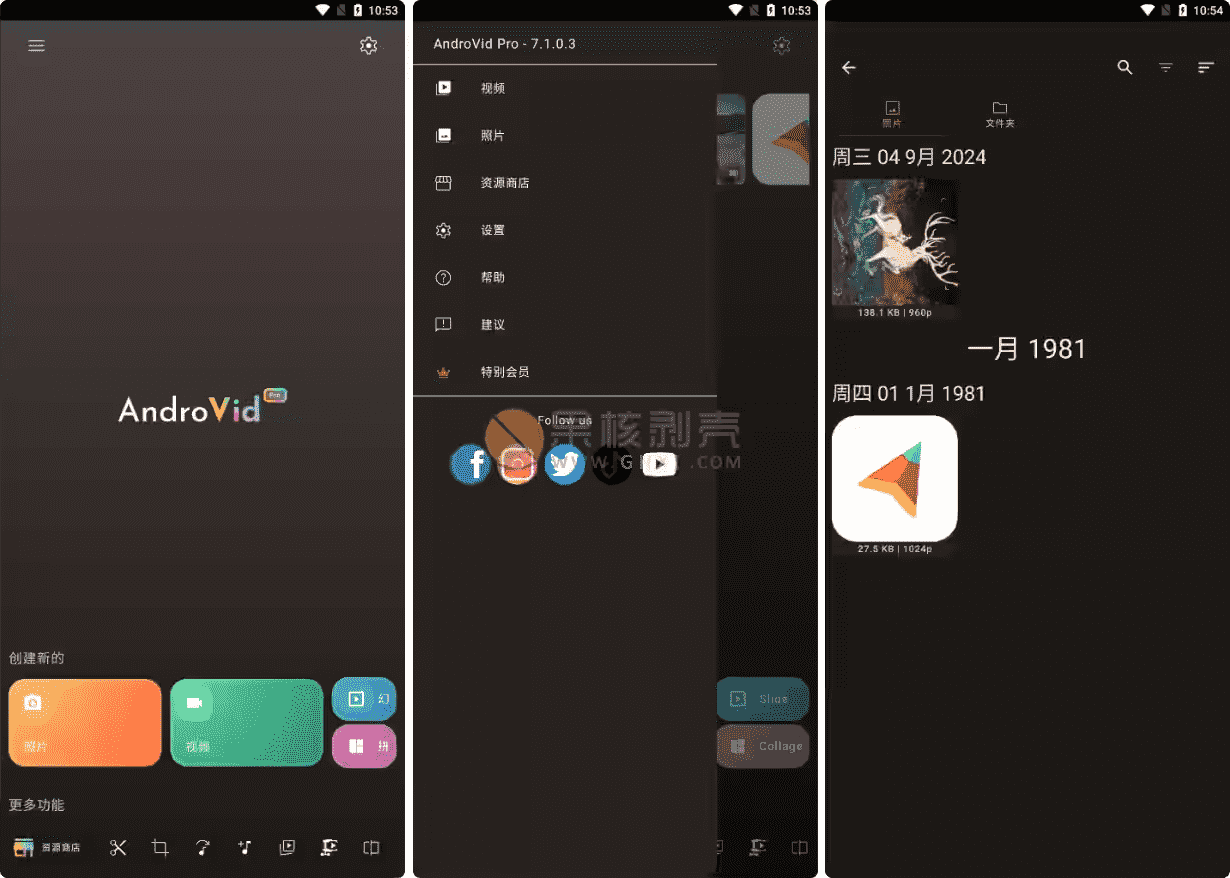
Android video editing software Android AndroVid Pro v7.1.0.3
-
Game Gold-Farming Money-Making Plan: Earn 1k+ Daily, a Stable 3-Year Project Anyone Can Do in Spare Time [Revealed]
Study material — included with membership Get Membership -
Hot-game fully-automated earning: 500+ a day, no experience, simple operation - the steadiest long-term game-earning side hustle (revealed)
Study material — included with membership Get Membership -
FlyingMouse earns merit this time! Don't panic at Windows format problems — the open-source FlyingMouse format conversion tool helps, a popular GitHub gem
Study material — included with membership Get Membership -
Douyin Product-Selling Coaching Bootcamp: No On-Camera Appearance Needed, Newbies Can Produce Selling Short Videos by Following the Steps
Study material — included with membership Get Membership -
First-release game gold-farming money plan: 1K+ a day, ordinary people in spare time
Study material — included with membership Get Membership






-
FlyingMouse earns merit this time! Don't panic at Windows format problems — the open-source FlyingMouse format conversion tool helps, a popular GitHub gem
Study material — included with membership Get Membership -
LuDaShi v6.1024.4105.1121 Slim Single File
Study material — included with membership Get Membership -
2D Cartoon Animation Software Moho Pro v14.3
Study material — included with membership Get Membership -
Video Editor Aiseesoft Filmai v1.0.18
Study material — included with membership Get Membership -
To-Do Microsoft To Do v2.147 Free
Study material — included with membership Get Membership -
PR/AE/DaVinci/FCPX video Plugin Nobe OmniScope Win1.11.15 / Mac1.10.138
Study material — included with membership Get Membership





AndroVid Prois asimple, easy-to-use, and fully featured video creation and photo editing tool. ItIts biggest highlights and features, arelossless split and lossless merge. Youcan use it to create video content for YouTube, Instagram, TikTok, Facebook, and other social media platforms.
\
Core editing features explained
\1. Video adjustment and editing tools
\You caneasily remove unwanted parts of a video by adjusting and editing it.
\Quick adjust/edit tool: this featureenables fast editing with no quality loss and no re-encoding, The exported video quality is identical to the original.
\Precise/frame-by-frame editing tool: this is anadditional adjustment toolthat lets youedit very precisely frame by frameandexport video in HD quality.
\You can alsosplit a video into two parts, ordelete any unwanted part in the middle of a video.
\2. Video compositing and merging
\This is afree video and music merging tool.
\You canmerge multiple video clips into one complete videoand alsoeasily add background music to videos.
\3. Adding music and audio effects
\It is also avideo creation tool with songs that can be used as a free TikTok editing tool.
\You canadd your favorite music to videosandadjust and edit the music and add various music effects.
\You can alsoAdjust original/BGM volume separately, evenMute original video audio.
\4. Text/stickers/watermarks
\You canAdd text in many fonts/colors/styles.
\also inAdd fun emojis/stickers, andAnimate text/emoji.
\you can alsoAdd custom image/watermark to video. ThroughSet images semi-transparent, you canMake pro custom watermarks.
\5. Video drawing
\You canDraw any shape on video.
\canAdjust color/opacity/brush size.
\MoreoverAdd any number of drawings on video.
\6. Filters & FX
\You canAmazing color filters, stand out, for exampleRetro/sepia/vignette/gray/blur.
\canCool FX, make video stand out.
\It also has aUnique: multiple filters/FX at once. ThroughMix filters, create unique FX.
\7. Aspect-ratio & background
\You canAdjust aspect without cropping.
\canEasily set ratios for Instagram/YouTube/TikTok.
\canBlur or solid background.
\evenNo cropping tool, make square video.
\8. Video-to-audio tool
\You canExtract BGM/vocals from video, Quickly convert video to MP3.
\9. Photo slideshow creation
\You canTurn photos into slideshow video.
\canFade transitions, add BGM.
\10. Video & photo management
\You canBrowse all phone videos.
\canDirectly play your clips.
\canShare edited video clips/photos to Instagram/Facebook/YouTube/TikTok/WhatsApp social sites/apps.
\can alsoRename/delete/sort/list videos.
\it evenActs as recycle bin for deleted video, soAccidentally deleted? Undo it.
\You can alsoBrowse/edit gallery photos.
\11. Video rotate/flip
\You canQuickly rotate video 90/180°.
\canFlip vertically/horizontally.
\MoreoverRotations without re-encoding, fast.
\12. Video quality enhancement
\You canEnhance video for higher quality. For exampleAdjust brightness/contrast/saturation/temp.
\can alsoIndividually adjust video volume.
\13. Video speed adjustment
\You canAdd fast/slow motion.
\canAdjust speed per clip.
\14. Video format conversion
\This is aFree video transcoder, you canConvert format/resolution, smaller files. ItConvert between GIF/3GP/AVI/FLV/MP4/MPG/MOV/WMV/VOB.
\You can alsoConvert part to animated GIF, thenShare to social apps.
\15. Video reverse & frame extract
\This is aVideo-reverse app, you canSlow/fast-motion playback.
\You canReverse video for fun FX.
\You can alsoExtract any frame anytime, Save video moments to gallery.
\16. Video compression tool
\You canCompress video, smaller size, soShare via WhatsApp/email.
\canAdjust export quality/resolution, orAdjust/crop to shorten.
\Version change notes
\This version isModified version, changes as follows:
\No LP/Luck Patcher or Play Store;
\Disabled/removed unneeded permissions/receivers/providers/services;
\Graphics optimized + zipaligned, cleaned, faster app load;
\Removed all ad-related permissions/services/providers from manifest;
\Removed ad links/calls;
\Ad layouts disabled, no ads visible;
\Play Store package verification disabled;
\Removed debug code;
\Removed default .source tag from java files;
\Analytics/Crashlytics/Firebase disabled;
\Native crashlytics analytics;
\AOSP-compatible mode;
\language: Full multi-language support;
\CPU architecture: supportsarmeabi-v7a, arm64-v8a, x86, x86_64;
\Screen DPI: supports120dpi, 160dpi, 240dpi, 320dpi, 480dpi, 640dpi;
\Original installer signature changed;
\System requirements: requiresAndroid 7.0+.
\Summary
\AndroVid Prois truly aSwiss Army knife for phone video editing. ItKey features: lossless split & merge, whichmeans fast trim/merge without quality loss, Great for creators who value efficiency and quality. But it'sPowerful beyond that——From basic editing, music, and text stickers, toAdvanced filters, aspect ratio, enhance, convert, reverse, GIF, itCovers almost all mobile video editing. ItsFeatures closely fit YouTube/TikTok/Instagram content creation, No app switching, edit→publish all-in-one. Modified versionRemoved ads, optimized, privacy, Provides a smoother experience. ForAndroid users, short-video fans, social operators, casual users, whereasAndroVid Proall aComprehensive/easy/free choice, From daily to pro content.
\ \Related Courses

Super local toolbox! Built-in screen recording, audio/video cutting & merging, video compression & extraction, forever free - Kedou Video Converter

100% perfect free tool! One-stop multi-function PDF software: PDF convert, compress, edit etc., minimal, no ads, so nice - JOPDF

Open-Source Desktop Remote Tool, Beats Paid Versions! Free for Personal and Commercial Use Unlimited, Cross-Platform, HopToDesk Remote Control

Latest K-12 Textbook Downloader: Whole-Grade Resource Download, Courseware, Video, Audio in One Click

HuyanBao: free blue-light eye-care app with pet break reminders

Windows Can Have a Desktop Dynamic Island Too! A Modern System Control Center — Give Your PC a Black Notch, PyIsland

3D Simulated Comic Drama Production: Seedance2.0 Full-Process Practical Course - From Zero to One High-Quality Comic Drama Creation

Win/Mac Dual Support! Latest Permanent Lifetime Version, Supports Old Photo Restoration, Image Sharpening and Lossless Upscaling Tool, Aiarty Image Enhancer

Online Video Course: Github Open-Source Bilibili Video Download Tool! Supports 8K and Dolby Vision Bilibili Video Batch Download Tool, Easy to Use Bilidown


