


-
Solo Business Courses
-
 Others
-
Overseas Tutorials
-
Photography & Editing
-
Community & Private Domain
-
Self-Media Writing & Copywriting
-
Side Income Projects
-
E-commerce
-
Short Video & Live Streaming
-
Artificial Intelligence (AI)
-
Software & Tools
-
Operating Systems
-
Plugins & Scripts
-
MacOS Software
-
Android Software
-
Windows Software
Universal AI ID Photo Maker v1.3.2 (Android)
-
Game Gold-Farming Money-Making Plan: Earn 1k+ Daily, a Stable 3-Year Project Anyone Can Do in Spare Time [Revealed]
Study material — included with membership Get Membership -
Hot-game fully-automated earning: 500+ a day, no experience, simple operation - the steadiest long-term game-earning side hustle (revealed)
Study material — included with membership Get Membership -
FlyingMouse earns merit this time! Don't panic at Windows format problems — the open-source FlyingMouse format conversion tool helps, a popular GitHub gem
Study material — included with membership Get Membership -
Douyin Product-Selling Coaching Bootcamp: No On-Camera Appearance Needed, Newbies Can Produce Selling Short Videos by Following the Steps
Study material — included with membership Get Membership -
First-release game gold-farming money plan: 1K+ a day, ordinary people in spare time
Study material — included with membership Get Membership






-
FlyingMouse earns merit this time! Don't panic at Windows format problems — the open-source FlyingMouse format conversion tool helps, a popular GitHub gem
Study material — included with membership Get Membership -
LuDaShi v6.1024.4105.1121 Slim Single File
Study material — included with membership Get Membership -
2D Cartoon Animation Software Moho Pro v14.3
Study material — included with membership Get Membership -
Video Editor Aiseesoft Filmai v1.0.18
Study material — included with membership Get Membership -
To-Do Microsoft To Do v2.147 Free
Study material — included with membership Get Membership -
PR/AE/DaVinci/FCPX video Plugin Nobe OmniScope Win1.11.15 / Mac1.10.138
Study material — included with membership Get Membership





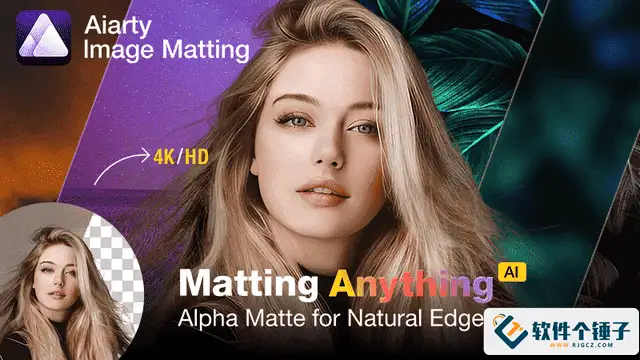
Universal AI ID Photo Maker is a completely free, high-definition ID photo app. Using AI, it delivers intelligent background cutout, one-click background replacement and cropping, making post-processing and saving quick and easy. It supports a wide range of common ID photo sizes used in China, solves the feature limitations of many ID photo apps on the market, and requires no sign-up, no payment, no download limits and no ad pop-ups—a truly generous free tool.

App Highlights
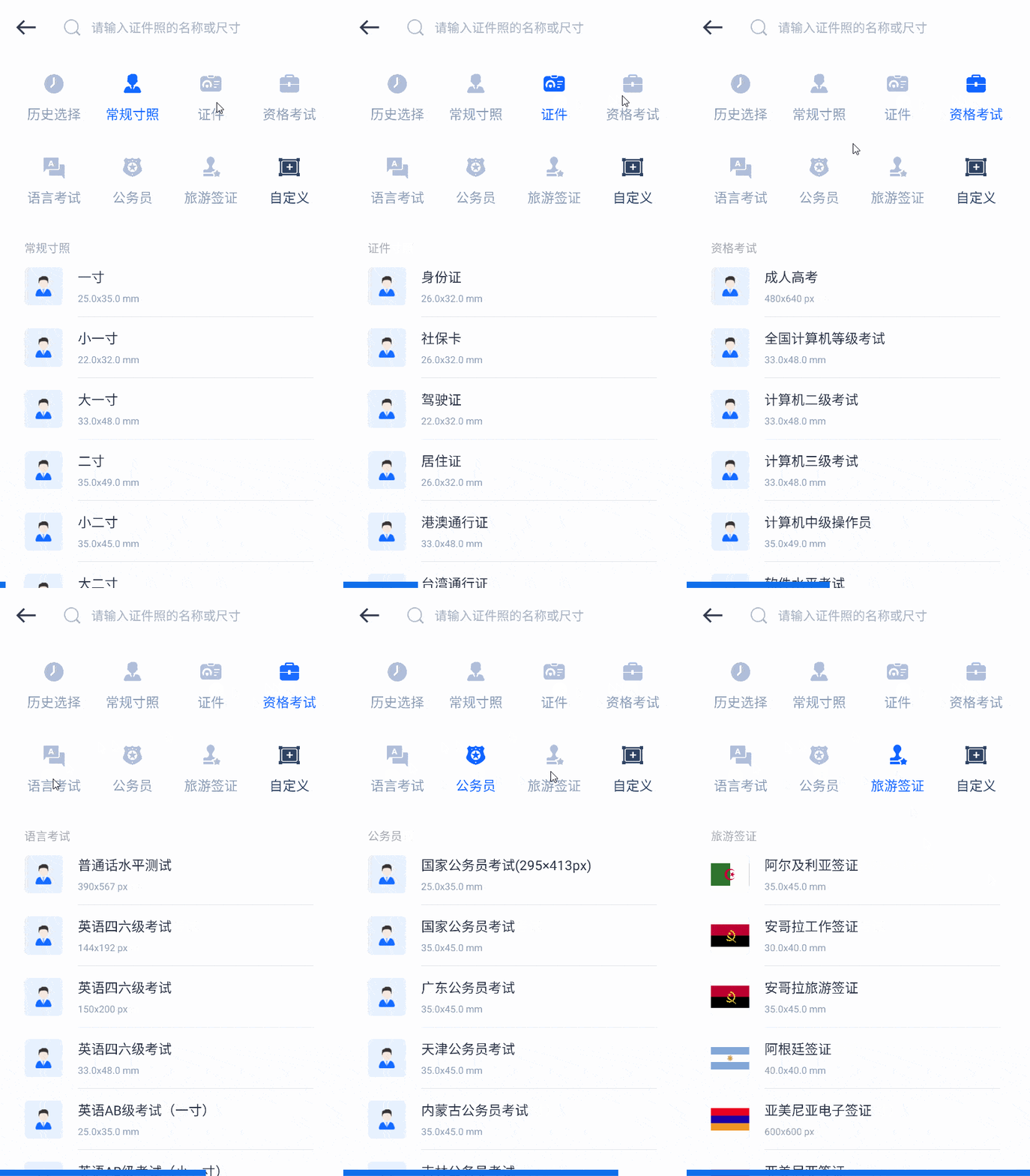
1. Huge Size Library, Custom Sizes Supported
It provides common ID photo sizes such as 1-inch, 2-inch, large 1-inch and small 2-inch, covering documents like ID cards, driver's licenses, social security cards, residence permits and passports. It also includes photos for professional qualification exams (accounting, constructor, teacher certification, legal profession), language tests (Mandarin proficiency, CET-4/6, BEC, TOPIK), and national and provincial civil service exams. Custom sizes are supported—just set the dimensions or pixels you need.
2. Smart Cutout, Auto Crop, One-Click Background Swap
It intelligently crops the image to your selected size, automatically and precisely extracts the portrait, and swaps the background color with one click to easily produce an ID photo. You can fine-tune as needed, including mirroring, rotation, correction and refined cutout, with helper tools such as lasso and eraser.
3. Natural Beauty Retouching, Versatile Portrait Adjustment
An optimized portrait recognition algorithm provides one-click beauty retouching while keeping ID photos realistic. It supports adjusting contrast, sharpness, brightness, saturation and more to improve photo quality.
4. Freely Switch Sizes and Background Colors
Upload an existing ID photo and instantly generate other sizes or background colors. Beyond the common red, white and blue backgrounds, it offers premium tones such as gradient blue, business gray, alpine blue and dark blue, with custom color selection to meet any background need.
5. Swap Outfits Freely
Choose from men's, women's and children's outfits in various styles (download required), change clothes with one click, adjust clothing size and position, and refine details with the eraser tool.
6. High-Resolution Saving, Multi-Size Layouts
Save PDF electronic ID photos in JPEG, PNG and WEBP formats at multiple resolutions. It can also generate multi-sheet layouts such as 5-inch, 6-inch, 8-inch and 12-inch prints, saving you a trip to the photo studio.

Version Notes
- Removed some unnecessary permissions
- Compatible with Android 4.3 and above, and with HyperOS/HarmonyOS
Usage Notes
1. Tutorial
Saves as JPEG by default; change the default format and save location via the hamburger menu at the top-left of the main screen. Album access permission is required; see the app's privacy policy on your phone for full permission details.
2. AI Algorithm Features
Mainly used for portrait recognition, smart cutout and one-click cropping; results depend on the photo content, and some details may need manual refinement. If you only need a simple portrait cutout, just set the size and background color, then save and export.
3. Privacy and Safety
This is a closed-source version already listed in domestic and international app markets. Please read the privacy policy or store information carefully before use. Except for downloading outfit templates, all features work offline—you can even use it in airplane mode to prevent privacy leaks.
4. Cloud Drive Access
Please enable the desktop mode in your phone/tablet browser to bypass access restrictions.
5. Free and Unlimited
No in-app purchases, unlimited use, no watermark on output; tested and working. If you obtained it through a paid channel, it is unrelated to this post.
Interface Preview
Main screen:
Search and use ID photos for all kinds of qualification exams and visa documents.
Editing screen:
Edit in airplane mode; the lasso tool works like Photoshop's lasso for refined retouching.
Save screen:
Also in airplane mode, choose your own pixels and studio-style layout output.
Related Courses

Format Factory Comes to Mobile! 100% Completely Free, Audio/Video/Image Format Converter, Free & No-Login (Android)

A Fun Tool! One-Click Cover Faces With Emoji, Local Offline Privacy-Safe, Works on Android Phones — EmojiFace

Video Prompt Reverse Engineering Software (Android App), Quickly Generate, Optimize, and Reverse-Analyze Videos


One Prompt: AI Fully Automatically Builds a Live TV App, Works on PC, Android and TV, Completely Free, Smooth Picture with No Lag

Mobile Video Aggregator — Dashi Xiong Video v4.0.8

Android massive hot free short dramas Hongguo Short Drama v7.4.1.32

Android Mobile Fingerprint Browser v1.1.8 with Hundreds of Built-in Tools

Android Video Re-creation & Repost Master v2.14

Android Volume Control App Volume Control Pro v6.7.2 [Software Hammer · R4561]

