
















Had it with these file-management headaches?
Years of photos on your drive, but you can't tell which are duplicates. Want to rename a batch of files, only to do it one by one until your hand aches. Or burn important files to disc, but they're too big for one disc and you don't know how to split them. Worse, backups worry you about privacy leaks, yet there's no easy way to password-protect a folder.
What exactly is it?
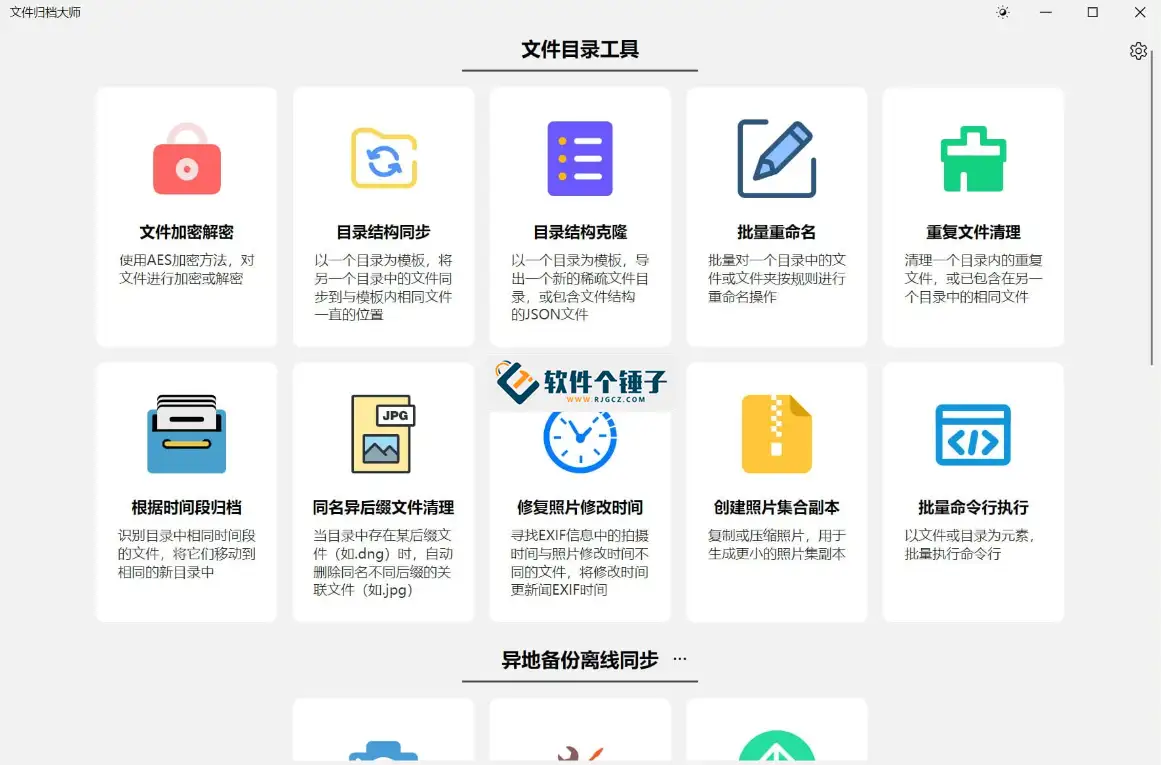
Think of it as a "file-management toolbox"—backup, sync, encryption, batch renaming, dedup, disc burning, photo organizing. Several tools you'd normally juggle are combined into one. It also supports plugins; the community has contributed over 200 modules you can install on demand.
What can you do with it?
① Secure backups that save time and space
Backups use AES-256 encryption—a "bank-grade" lock on your folders. It only backs up new or changed files rather than copying everything each time, saving time and disk space. It syncs across local drives, NAS, discs and cloud storage, covering your common devices.
② Batch rename, dedup and organize photos in one go
Want to name hundreds of photos "date + sequence"? Use regex or sequence numbering—set the rules once and it's done in seconds. Too many duplicates? It identifies identical files by their unique fingerprint (MD5 hash), freeing wasted space. When processing photos, it can batch-compress images and edit capture dates or GPS info.
③ Great at disc archiving and NAS management
Need to burn large files to disc? It automatically splits by disc capacity, then prints disc labels, verifies data integrity and even builds a disc index library—search and you'll know which disc holds what. If you use a Synology or QNAP NAS, it integrates deeply and supports RAID5 monitoring and repair.
Who is it for?
If you have many files to back up, organize or archive regularly without switching between tools; or you're a NAS user needing deep integration with Synology/QNAP; or you simply want to tidy up scattered photos and documents while clearing duplicates—ArchiveMaster has your back.
In short
ArchiveMaster brings backup, encryption, dedup, batch renaming and disc burning together—ideal for personal and business users who process files systematically.










