


-
Solo Business Courses
-
 Others
-
Overseas Tutorials
-
Photography & Editing
-
Community & Private Domain
-
Self-Media Writing & Copywriting
-
Side Income Projects
-
E-commerce
-
Short Video & Live Streaming
-
Artificial Intelligence (AI)
-
Software & Tools
-
Operating Systems
-
Plugins & Scripts
-
MacOS Software
-
Android Software
-
Windows Software
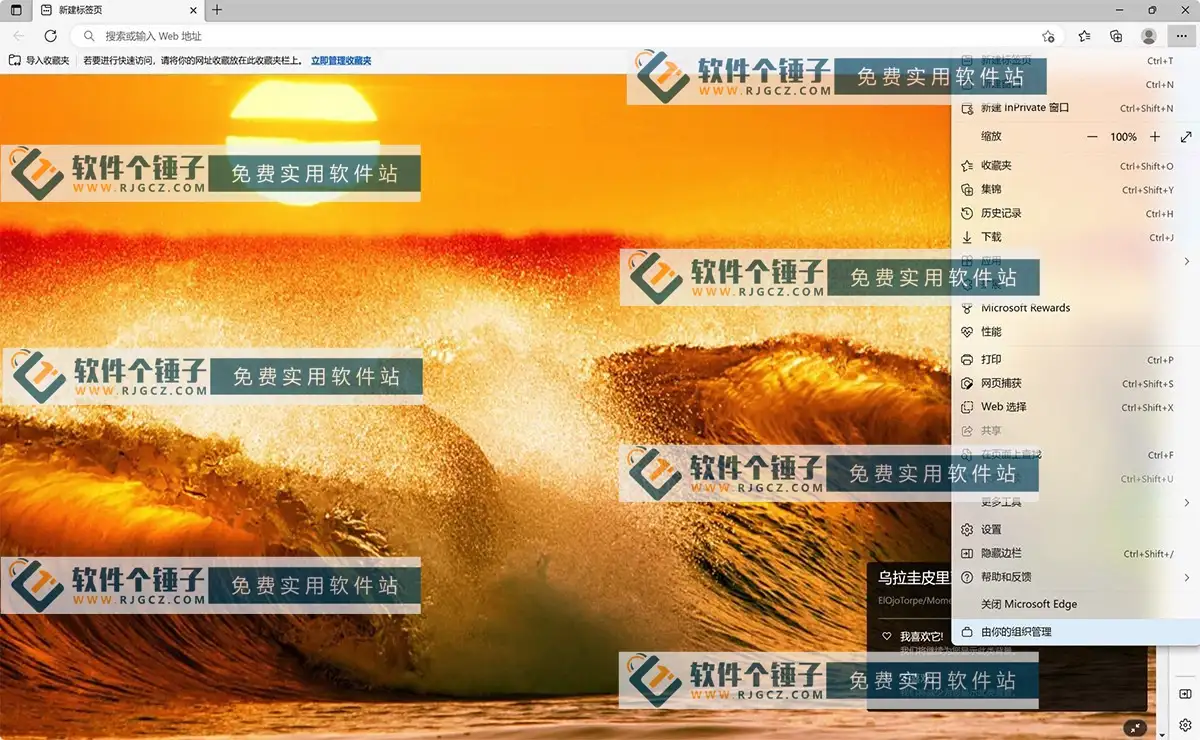
Microsoft Edge v147 — Web Browser (Win/Mac)
-
Game Gold-Farming Money-Making Plan: Earn 1k+ Daily, a Stable 3-Year Project Anyone Can Do in Spare Time [Revealed]
Study material — included with membership Get Membership -
Hot-game fully-automated earning: 500+ a day, no experience, simple operation - the steadiest long-term game-earning side hustle (revealed)
Study material — included with membership Get Membership -
FlyingMouse earns merit this time! Don't panic at Windows format problems — the open-source FlyingMouse format conversion tool helps, a popular GitHub gem
Study material — included with membership Get Membership -
Douyin Product-Selling Coaching Bootcamp: No On-Camera Appearance Needed, Newbies Can Produce Selling Short Videos by Following the Steps
Study material — included with membership Get Membership -
First-release game gold-farming money plan: 1K+ a day, ordinary people in spare time
Study material — included with membership Get Membership






-
FlyingMouse earns merit this time! Don't panic at Windows format problems — the open-source FlyingMouse format conversion tool helps, a popular GitHub gem
Study material — included with membership Get Membership -
LuDaShi v6.1024.4105.1121 Slim Single File
Study material — included with membership Get Membership -
2D Cartoon Animation Software Moho Pro v14.3
Study material — included with membership Get Membership -
Video Editor Aiseesoft Filmai v1.0.18
Study material — included with membership Get Membership -
To-Do Microsoft To Do v2.147 Free
Study material — included with membership Get Membership -
PR/AE/DaVinci/FCPX video Plugin Nobe OmniScope Win1.11.15 / Mac1.10.138
Study material — included with membership Get Membership





Microsoft Edge is a browser from Microsoft built on the advanced Chromium engine, with strong speed and security. Rebuilt on Chromium, Edge is more human and powerful. Edge works across devices on 7 platforms—Windows 10, Windows 8, macOS, Android—and supports 90+ languages. It auto-syncs your passwords, favorites and settings. Edge and Bing provide tools to protect your online privacy. The new Edge is built to help you do more, with favorites, and the most comprehensive built-in learning and accessibility tools. With IE mode, enterprise security and Microsoft Bing search, the new Edge is the only browser your organization needs.

Customize With Your Favorite Extensions
Download favorite extensions from the Microsoft Edge Add-ons store or the Chrome Web Store for a personalized experience.
Keep Kids Safe Online
A dedicated kids browsing mode has built-in protection and custom design, letting children browse only age-appropriate sites.
Always Connected
Sign in with a Microsoft account; sync roams your passwords, favorites and settings wherever you go.
Protect Online Privacy
In InPrivate mode, your browsing and search history isn't tied to your Microsoft account or saved on your device, giving you more control over your data.
Browse More Safely
Microsoft Defender SmartScreen protects you from phishing and malware sites and malicious file downloads.
Block Online Tracking
As you browse, Edge gives you more control over your data with greater transparency into blocked trackers.
Customize With Color Themes
Try enterprise-ready color themes directly in Microsoft Edge to make the browser feel more yours.
Quick Access to PDFs
Built-in free PDF tools let you view, edit and share PDFs right from the browser.
Make Search Simple
Search in text. Right-click text to get definitions and more in the sidebar without losing your place on the page.
Easily Earn Cash Back
Shop secure with Edge and Bing Rewards—earn cash back on qualifying purchases at 1,100+ merchants.
Notes
Portable, no-upgrade build; new-tab page has no ads; can be overwritten or extracted to use. Supports right-click extract-to-use; on Windows 7 you can choose the install location.
- Forced injection of the Edge enhancement patch edge++ 1.5.1 x64 (version.dll)
- Double-click a tab to close it
- Keep the last tab open (closing the last tab won't close the browser; clicking X still closes)
- Scroll the tab bar with the mouse wheel
- Hold right-click and scroll to move the tab bar
- Removed Flash region lock and the 2020 expiry warning (v88 dropped Flash support entirely)
- Removed the "run as administrator" warning
- Removed the developer-mode warning (install third-party extensions without enabling developer mode)
- Portable: program in the App folder, user data in the Data folder (compatible with original data)
- Removed the version-update error warning
- Won't conflict with other versions; when done, just delete the whole folder
- Enhancements work by injecting version.dll into msedge.exe
- Added an optimized startup .bat in the root for quick tracking and the optimizations below
- The self-extracting install auto-suppresses the Windows 7 low-version notice (final v109)
- Self-extracting install auto-lifts the latest Edge's default block on IE browsing
- Self-extracting install auto-hides the new top-right "Discover" button
- Modified msedge.dll to prevent auto-created upgrade scheduled tasks and upgrade system data
- Uses the official release; removed update component services and Chromium language PAKs
- Self-extracting install fully removes system Edge upgrade scheduled tasks and leftover data
Related Courses

Super local toolbox! Built-in screen recording, audio/video cutting & merging, video compression & extraction, forever free - Kedou Video Converter

100% perfect free tool! One-stop multi-function PDF software: PDF convert, compress, edit etc., minimal, no ads, so nice - JOPDF

Open-Source Desktop Remote Tool, Beats Paid Versions! Free for Personal and Commercial Use Unlimited, Cross-Platform, HopToDesk Remote Control

Latest K-12 Textbook Downloader: Whole-Grade Resource Download, Courseware, Video, Audio in One Click

HuyanBao: free blue-light eye-care app with pet break reminders

Windows Can Have a Desktop Dynamic Island Too! A Modern System Control Center — Give Your PC a Black Notch, PyIsland

3D Simulated Comic Drama Production: Seedance2.0 Full-Process Practical Course - From Zero to One High-Quality Comic Drama Creation

Win/Mac Dual Support! Latest Permanent Lifetime Version, Supports Old Photo Restoration, Image Sharpening and Lossless Upscaling Tool, Aiarty Image Enhancer

Online Video Course: Github Open-Source Bilibili Video Download Tool! Supports 8K and Dolby Vision Bilibili Video Batch Download Tool, Easy to Use Bilidown


