


-
Solo Business Courses
-
 Others
-
Overseas Tutorials
-
Photography & Editing
-
Community & Private Domain
-
Self-Media Writing & Copywriting
-
Side Income Projects
-
E-commerce
-
Short Video & Live Streaming
-
Artificial Intelligence (AI)
-
Software & Tools
-
Operating Systems
-
Plugins & Scripts
-
MacOS Software
-
Android Software
-
Windows Software
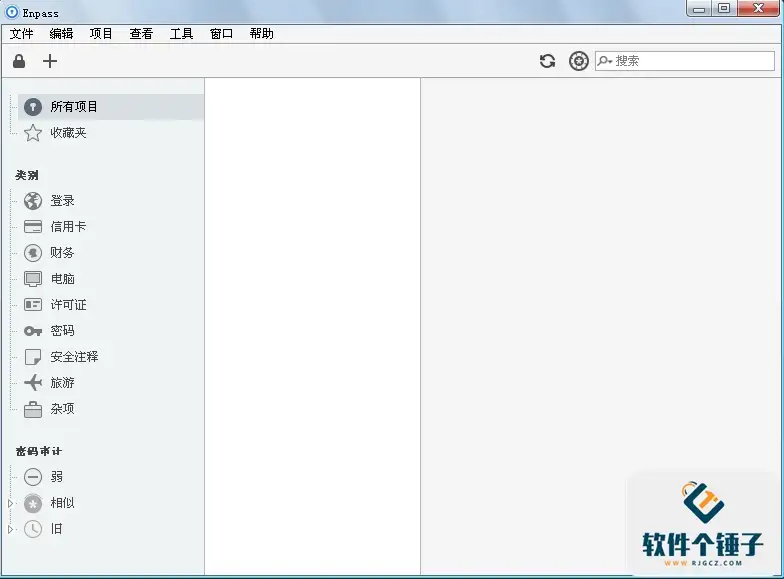
Enpass v6.11.13 — Password Manager (Win/Mac)
-
Game Gold-Farming Money-Making Plan: Earn 1k+ Daily, a Stable 3-Year Project Anyone Can Do in Spare Time [Revealed]
Study material — included with membership Get Membership -
Hot-game fully-automated earning: 500+ a day, no experience, simple operation - the steadiest long-term game-earning side hustle (revealed)
Study material — included with membership Get Membership -
FlyingMouse earns merit this time! Don't panic at Windows format problems — the open-source FlyingMouse format conversion tool helps, a popular GitHub gem
Study material — included with membership Get Membership -
Douyin Product-Selling Coaching Bootcamp: No On-Camera Appearance Needed, Newbies Can Produce Selling Short Videos by Following the Steps
Study material — included with membership Get Membership -
First-release game gold-farming money plan: 1K+ a day, ordinary people in spare time
Study material — included with membership Get Membership






-
FlyingMouse earns merit this time! Don't panic at Windows format problems — the open-source FlyingMouse format conversion tool helps, a popular GitHub gem
Study material — included with membership Get Membership -
LuDaShi v6.1024.4105.1121 Slim Single File
Study material — included with membership Get Membership -
2D Cartoon Animation Software Moho Pro v14.3
Study material — included with membership Get Membership -
Video Editor Aiseesoft Filmai v1.0.18
Study material — included with membership Get Membership -
To-Do Microsoft To Do v2.147 Free
Study material — included with membership Get Membership -
PR/AE/DaVinci/FCPX video Plugin Nobe OmniScope Win1.11.15 / Mac1.10.138
Study material — included with membership Get Membership





Enpass is an innovative, cross-platform password manager that's completely free. It securely stores your account details—login URLs, usernames, registered emails, phone numbers. Uniquely, it keeps your encrypted database in a cloud service you choose, not on Enpass's servers—truly putting you in control.

Core Features
Smart Sync
Securely sync across devices via OneDrive, Dropbox, iCloud and other major clouds. Every change updates in real time on all devices, keeping data consistent.
Convenient Autofill
Ditch tedious copy-paste—Enpass recognizes web pages and fills login details, greatly boosting browsing efficiency.
Strong Security
Military-grade AES-256 encryption, all done locally on your device, keeps your passwords absolutely safe.
Efficient Data Management
- Templates: preset templates for quickly entering account data
- Import: migrate from KeePass, 1Password and other managers
- Smart search: locate account info fast
- Organization: folders and favorites to keep passwords tidy
Full Protection
No Account Needed
No Enpass account to create—all data stays on your own device, so you fully control it.
Secure Browsing
A built-in secure browser prevents password theft, and autofill removes keylogger risk.
Smart Protection
Auto-lock keeps others out; a password generator creates strong, unguessable passwords.
Your Password Manager
Enpass combines professional-grade protection with ultimate convenience—the ideal choice for managing digital identity. From individuals to teams, everyone enjoys its security and convenience.
Related Courses

WeChat Multi-Instance & Anti-Recall Tool WeChatHooks v1.2-3 Single-File Mac

Apple TNT Mind-Mapping App SimpleMind Pro for Mac v2.3.5 Official Free Edition

Mac WeChat Plugin WeChatHooks v1.2.4 Free - Multi-Account & Anti-Recall

AI Smart Cutout Tool XianYi AI Cutout v3.1 Win/Mac Offline Version Supports Batch Cutout and AI Removal

3D Fashion Design Software Marvelous Designer Win2024.2.113/Mac7.5

Vector Editor / UI-UX Tool Sketch Mac2025.2.1 Free

Sogou Pinyin Input Win16.4.0.3497 / Mac6.18.1.10104

3D Modeling Renderer The Foundry Modo Win17.1v1 / Mac15.1v2

DB Management TablePlus Win26.9.8 / Mac6.4.4

P2P File Seeding Sharing Software FrostWire v3.0.15.769 Win/Mac

