GIF Toolbox v2.8.0 — GIF Editor (Android, Ad-Free)


📚Video Course
🕒Last updated: 06/19/2025
👥Entrepreneurs / Self-media creators / Cross-border e-commerce sellers / Side-hustlers

Study material — included with membership
Unlock Course with Membership
🔓
Get this course for reference study with membership
📦
Join membership — study all 16742 courses & software tools as reference
🔄
Courses keep updating — members study new material as it arrives
Share:

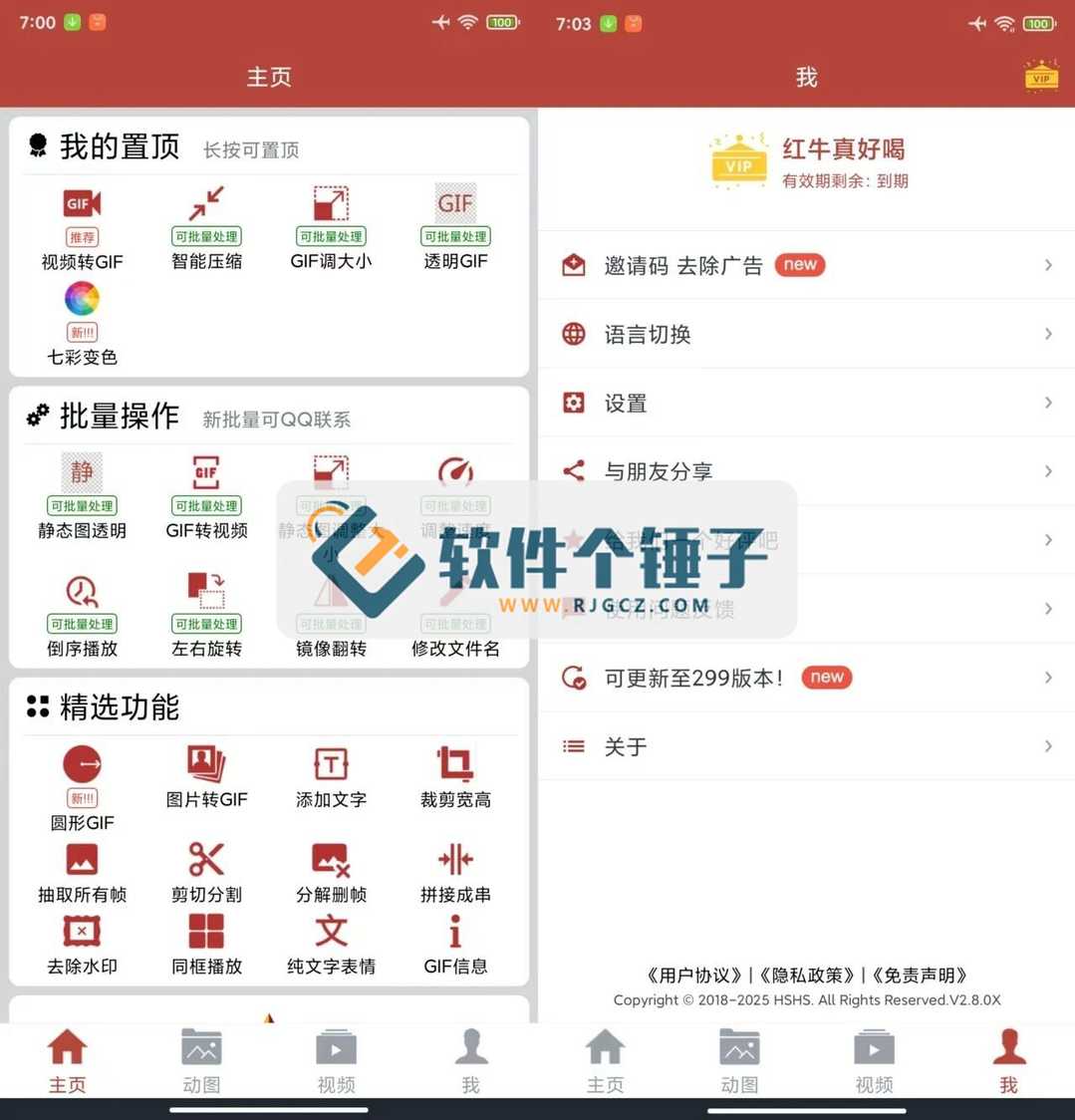
A professional tool focused on animated images, perfectly handling every need for GIF creation, editing and conversion—from simple image conversion to complex creative edits, all done with ease. Best of all, it's completely ad-free so you can focus on creating.

Core Features

1. Basic Editing

  • Video to GIF: batch processing with custom time segments
  • Image to GIF: turn static images into animated effects
  • GIF Crop: adjust aspect ratio for the perfect size
  • Frame Control: extract or delete specific frames to optimize file size

2. Creative Editing Tools

  • Color Shifting: freely adjust color and saturation, randomize colors in one tap
  • Add Text: add custom text to your GIF
  • Text Stickers: make your own animated text emotes
  • Circular GIF: create unique round-framed animations.

3. Advanced Processing

  • Smart Compression: auto-optimize file size for different scenes
  • Watermark Removal: clear watermarks from images/videos in one tap
  • Frame Extraction: pull key frames from video for analysis or creation
  • GIF Joining: merge multiple GIFs into one continuous animation.

4. Format Conversion

  • GIF to Video: convert animations to video format
  • Wide Format Support: compatible with major image and video formats
  • Batch Processing: convert multiple files at once for efficiency.
Tips

  • For long videos, the app splits conversion into segments automatically to ensure success
  • Keep emotes under 5 MB for best results
  • Keep files under 10 MB for social posts
  • Conversions auto-save to your system gallery for easy access

Why Choose It

  • Clean interface, intuitive operation
  • Completely ad-free experience
  • Fast processing, high efficiency
  • Batch operations save time
  • High output quality with full detail
Try this professional GIF editor now and unleash your creativity. Whether making emotes, editing animations or converting formats, it handles it all—let your creations truly move.
Related Courses