




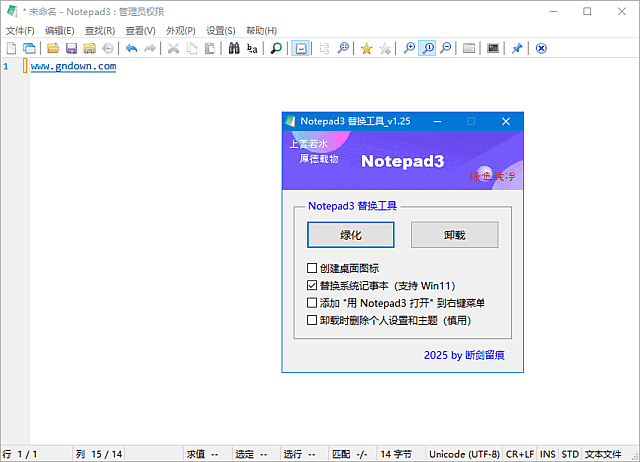












Sound Familiar?
- Opening a huge log file makes your PC crawl? The built-in Notepad gives up. You need something lightweight that actually works.
- Lost in a maze of brackets and semicolons? Without syntax highlighting, walls of black text make your head spin—you need an editor that clarifies your code.
- Closed the window mid-edit and lost it all? Notepad has no auto-save—a slip of the mouse is a disaster.
If any of that rings a bell, this tool is built for you.
In Short
It's a lightweight text editor—like a supercharged version of your system Notepad.
Open big files, read code structure, and never lose work to auto-save. Totally free and open source—unzip and go.
What It Does
① Syntax Highlighting & Encodings
Keywords, strings and comments light up in different colors while coding. Supports ANSI, UTF-8, UTF-16 and more—open any text without garbled characters.
② Auto-Save & Spell Check
No more closing windows by accident—turn on auto-save and your edits write to disk live. With spell check and autocomplete, writing docs and notes goes twice as fast.
③ Multi-Document Tabs & Fast Search
Like a browser, open many documents and switch freely. Powerful search and replacement locates and batch-edits content across a pile of files.
Who Needs It Most?
Scripts, configs, logs—syntax highlighting and fast search are essential.
Drafting, journaling, note-taking—auto-save and spell check give peace of mind.
Want something stronger than Notepad without loading heavy office suites.
Carry it on a USB drive, plug and play—great for on-site text handling.
Requirements
- OS: Windows 7 / 8 / 10 / 11
- Size: about 2 MB
- Languages: English and more
- Dependencies: none
The Bottom Line
Want a text editor that beats Notepad without installing heavy software? Notepad3 is a free, open-source, lightweight choice—syntax highlighting, auto-save, multi-document tabs—unzip and go, minimal footprint.










