


-
Solo Business Courses
-
 Others
-
Overseas Tutorials
-
Photography & Editing
-
Community & Private Domain
-
Self-Media Writing & Copywriting
-
Side Income Projects
-
E-commerce
-
Short Video & Live Streaming
-
Artificial Intelligence (AI)
-
Software & Tools
-
Operating Systems
-
Plugins & Scripts
-
MacOS Software
-
Android Software
-
Windows Software
Network Optimization Accelerator cFosSpeed v13.10.1005 [Software Hammer · R1028]
-
Game Gold-Farming Money-Making Plan: Earn 1k+ Daily, a Stable 3-Year Project Anyone Can Do in Spare Time [Revealed]
Study material — included with membership Get Membership -
Hot-game fully-automated earning: 500+ a day, no experience, simple operation - the steadiest long-term game-earning side hustle (revealed)
Study material — included with membership Get Membership -
FlyingMouse earns merit this time! Don't panic at Windows format problems — the open-source FlyingMouse format conversion tool helps, a popular GitHub gem
Study material — included with membership Get Membership -
Douyin Product-Selling Coaching Bootcamp: No On-Camera Appearance Needed, Newbies Can Produce Selling Short Videos by Following the Steps
Study material — included with membership Get Membership -
First-release game gold-farming money plan: 1K+ a day, ordinary people in spare time
Study material — included with membership Get Membership






-
FlyingMouse earns merit this time! Don't panic at Windows format problems — the open-source FlyingMouse format conversion tool helps, a popular GitHub gem
Study material — included with membership Get Membership -
LuDaShi v6.1024.4105.1121 Slim Single File
Study material — included with membership Get Membership -
2D Cartoon Animation Software Moho Pro v14.3
Study material — included with membership Get Membership -
Video Editor Aiseesoft Filmai v1.0.18
Study material — included with membership Get Membership -
To-Do Microsoft To Do v2.147 Free
Study material — included with membership Get Membership -
PR/AE/DaVinci/FCPX video Plugin Nobe OmniScope Win1.11.15 / Mac1.10.138
Study material — included with membership Get Membership





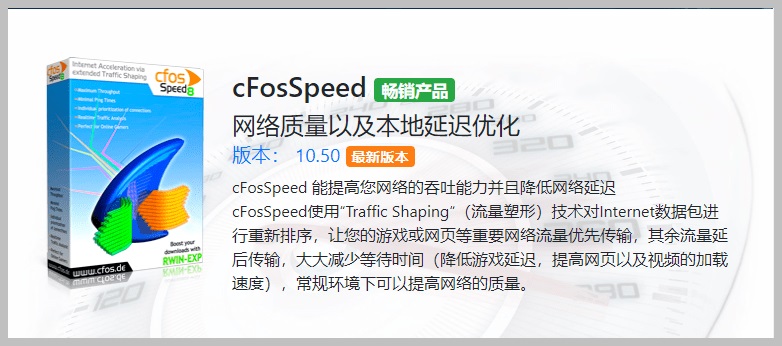
cFosSpeed is a world-renowned network accelerator that optimizes bandwidth use and response through advanced RWIN scaling and Traffic Shaping. It is ideal for users who download large files while gaming, boosting performance and reducing latency.

Core Features
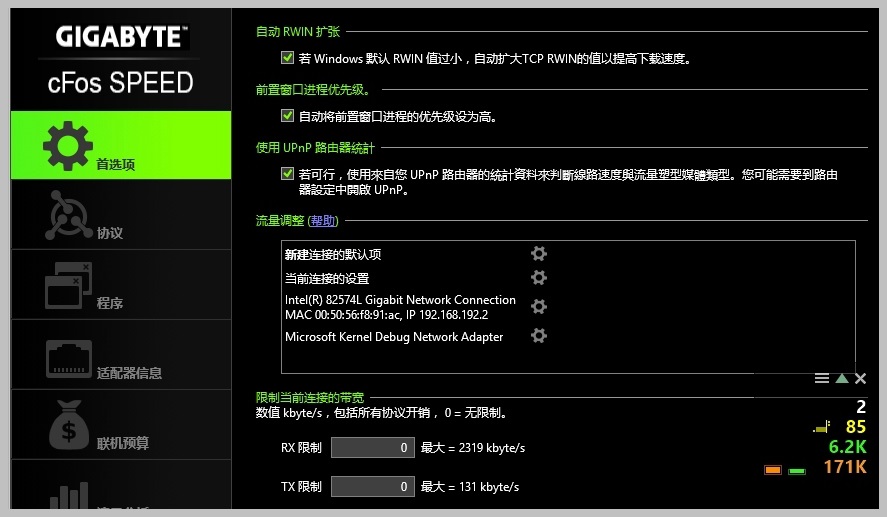
– Automatic RWIN scaling: auto-adjusts the TCP receive window to improve download speeds, notably with IE and Windows.
– Traffic Shaping: intelligent traffic control keeps browsing and gaming smooth while downloading or uploading.
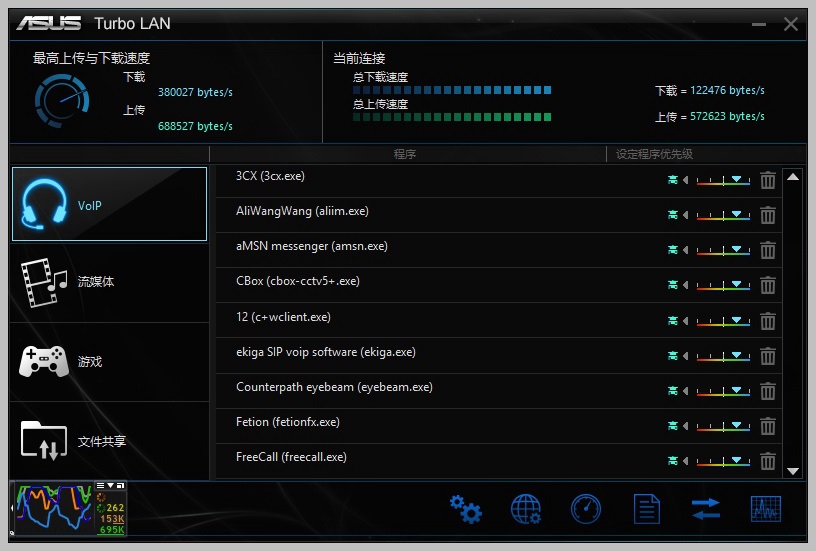
– Priority rules: auto or manual priorities for network apps to optimize response time for important activity.
– Full-speed downloads with minimal latency: keeps latency low even at full download speed, improving gaming and video calls.

Key Advantages
1. Multi-protocol support: supports HTTP, HTTPS, FTP, and more, compatible with many download tools.
2. Advanced network monitoring: real-time speed/latency monitoring with a visual usage display.
3. Customizable settings: detailed options to tune parameters to your needs.
4. Compatibility: supports Windows XP through the latest Windows 10.

Use Cases
– Online gamers: lower latency and improve the gaming experience.
– Heavy downloaders: optimizes resource allocation and efficiency when using P2P and other tools.
– Video streamers: reduces buffering and stutter in online video and meetings.
Changelog
– Added optimization support for the latest online games and apps.
– Improved performance for 4K video streaming.
– Enhanced UI for a more intuitive experience.
Support & Development
– cFosSpeed is developed by a global team, incorporating user feedback and updating regularly for new network tech.
– Provides a detailed user manual and online help so new users get up to speed quickly.
Compatibility Notes
– Compatible with most antivirus and firewalls, but may conflict with some security software such as 360 Total Security.
cFosSpeed is designed for users who want to make the most of their broadband while maintaining quality. Whether home users or small businesses, cFosSpeed provides a reliable solution for stable, fast internet.
Crack notes & compatibility details
1. OEM build notes
– The initial build is based on the Gigabyte OEM, following the original install process.
– Removes the Gigabyte-only restriction; supports multi-brand motherboards.
– Auto-configures after installation, no input needed.
– Provides both 32-bit and 64-bit installers without stripping languages.
2. Expanded support and certification
– Supports all motherboard brands; no specific board required.
– Built on the ASRock OEM XFast Lan; passed Microsoft WHQL certification.
– The OEM build is custom-made by ASRock; for cost reasons the retail build lacks WHQL certification.
– Compatible with all desktops and laptops; no special install key needed.
3. System and security compatibility
– Supports Windows XP (v10.10) through Windows 7 and later (from v10.12 onward).
– Known compatibility issue with 360 Total Security that may cause install or driver-loading failures.
4. Version choice and links
– The OEM build doesn't modify the main program and may not be the latest. The non-OEM build is the latest official public release, with full features achieved by modifying the main program.
Notes
Consider your needs and system compatibility when choosing. The OEM build offers basic stability, while the official public build offers the latest features and broader support.
Related Courses

Super local toolbox! Built-in screen recording, audio/video cutting & merging, video compression & extraction, forever free - Kedou Video Converter

100% perfect free tool! One-stop multi-function PDF software: PDF convert, compress, edit etc., minimal, no ads, so nice - JOPDF

Open-Source Desktop Remote Tool, Beats Paid Versions! Free for Personal and Commercial Use Unlimited, Cross-Platform, HopToDesk Remote Control

Latest K-12 Textbook Downloader: Whole-Grade Resource Download, Courseware, Video, Audio in One Click

HuyanBao: free blue-light eye-care app with pet break reminders

Windows Can Have a Desktop Dynamic Island Too! A Modern System Control Center — Give Your PC a Black Notch, PyIsland

3D Simulated Comic Drama Production: Seedance2.0 Full-Process Practical Course - From Zero to One High-Quality Comic Drama Creation

Win/Mac Dual Support! Latest Permanent Lifetime Version, Supports Old Photo Restoration, Image Sharpening and Lossless Upscaling Tool, Aiarty Image Enhancer

Online Video Course: Github Open-Source Bilibili Video Download Tool! Supports 8K and Dolby Vision Bilibili Video Batch Download Tool, Easy to Use Bilidown


