


-
Solo Business Courses
-
 Others
-
Overseas Tutorials
-
Photography & Editing
-
Community & Private Domain
-
Self-Media Writing & Copywriting
-
Side Income Projects
-
E-commerce
-
Short Video & Live Streaming
-
Artificial Intelligence (AI)
-
Software & Tools
-
Operating Systems
-
Plugins & Scripts
-
MacOS Software
-
Android Software
-
Windows Software
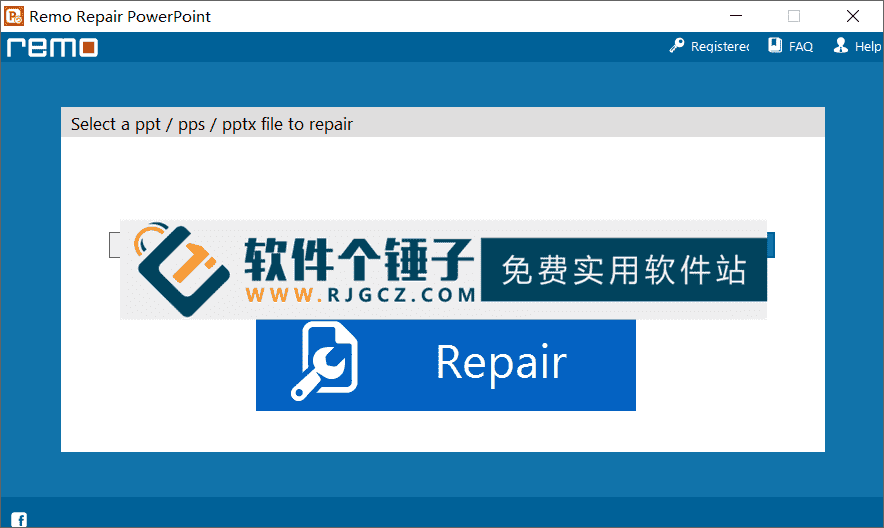
PPT Presentation Repair Software Remo Repair PowerPoint v2.0.0.22 English Version [Software Ge Chuizi·R4686]
-
Game Gold-Farming Money-Making Plan: Earn 1k+ Daily, a Stable 3-Year Project Anyone Can Do in Spare Time [Revealed]
Study material — included with membership Get Membership -
Hot-game fully-automated earning: 500+ a day, no experience, simple operation - the steadiest long-term game-earning side hustle (revealed)
Study material — included with membership Get Membership -
FlyingMouse earns merit this time! Don't panic at Windows format problems — the open-source FlyingMouse format conversion tool helps, a popular GitHub gem
Study material — included with membership Get Membership -
Douyin Product-Selling Coaching Bootcamp: No On-Camera Appearance Needed, Newbies Can Produce Selling Short Videos by Following the Steps
Study material — included with membership Get Membership -
First-release game gold-farming money plan: 1K+ a day, ordinary people in spare time
Study material — included with membership Get Membership






-
FlyingMouse earns merit this time! Don't panic at Windows format problems — the open-source FlyingMouse format conversion tool helps, a popular GitHub gem
Study material — included with membership Get Membership -
LuDaShi v6.1024.4105.1121 Slim Single File
Study material — included with membership Get Membership -
2D Cartoon Animation Software Moho Pro v14.3
Study material — included with membership Get Membership -
Video Editor Aiseesoft Filmai v1.0.18
Study material — included with membership Get Membership -
To-Do Microsoft To Do v2.147 Free
Study material — included with membership Get Membership -
PR/AE/DaVinci/FCPX video Plugin Nobe OmniScope Win1.11.15 / Mac1.10.138
Study material — included with membership Get Membership





Remo Repair PowerPoint is an excellent PowerPoint file repair software, specifically designed to repair PowerPoint files damaged for various reasons. If your PPT, PPS, or PPTX files won't open, you can use this program to repair them. The software has a simple user interface, and you don't need specialized or complex tools to easily recover various files. After repair is complete, the software will show you a preview of the repaired file, and then you can save and exit.

Why Do PowerPoint Files Corrupt?
PowerPoint is an application in the Microsoft Office suite, and this application is basically synonymous with the word "presentation." PowerPoint is widely used as a tool for creating and displaying presentations. Precisely because this application is so widely used, it also encounters problems related to corruption. PPT or PPTX files created to save presentations may become corrupted for various reasons, which may include:
1. Software Issues
Microsoft PowerPoint failures, or incomplete/incorrect installation, can create corrupted files.
2. Sudden Shutdown
Turning off the computer while a file is in use can corrupt it.
3. Human Error
Mistakes in manual operation can also corrupt files.
4. Incomplete Recovery
When you recover a deleted PPT/PPTX with recovery software, sector-level fragmentation may restore it incompletely. Such a recovered file is unusable and stays corrupted.
How Does It Repair?
Remo Repair PowerPoint handles PPT/PPTX files corrupted for these or other reasons. During repair, it reads and builds a virtual file structure, extracting every important element—text, embedded clip art, hyperlinks and more. When done, you get a full preview to assess the result. Its fully automated, wizard-based UI makes repairing corrupted PPT/PPTX easy.
Standout Features
1. Fast Repair
Quickly repairs corrupted PowerPoint files, saving your time.
2. Multiple Formats
Repairs unopenable PPT, PPS and PPTX—broad coverage.
3. An Interactive UI
An interactive interface with convenient options for repair.
4. Free Preview
Free preview of the repaired PPT before you decide.
5. Full Format Support
Repairs all types of PPT, PPS and PPTX files.
6. Fixes Won't-Open Issues
Specifically repairs PPT files that won't open due to corruption.
7. Complete Element Recovery
Repairs and restores text, formatting, animation, sound, images, OLE objects and fields (including hyperlinks) in corrupted PPT files.
8. Post-Repair Preview
After repair, preview the fixed PowerPoint file.
9. Preserves Original Formatting
Restores PPT files with their actual headers and footers, keeping them intact.
10. Flexible Save Options
Recovered content saves to any destination the host OS can reach.
11. Broad OS Compatibility
Supports Windows 11, 10, 8 and 8.1, and Windows 7 (32-bit and 64-bit).
In Short
Remo Repair PowerPoint is a professional, efficient tool. With advanced file-structure analysis and virtual reconstruction, it handles PPT corruption from all causes. Its intuitive wizard makes repair easy—even for non-experts. Whether an important business deck or an academic report, when a file won't open, it offers a reliable repair solution, helping you recover precious work.
Related Courses

Super local toolbox! Built-in screen recording, audio/video cutting & merging, video compression & extraction, forever free - Kedou Video Converter

100% perfect free tool! One-stop multi-function PDF software: PDF convert, compress, edit etc., minimal, no ads, so nice - JOPDF

Open-Source Desktop Remote Tool, Beats Paid Versions! Free for Personal and Commercial Use Unlimited, Cross-Platform, HopToDesk Remote Control

Latest K-12 Textbook Downloader: Whole-Grade Resource Download, Courseware, Video, Audio in One Click

HuyanBao: free blue-light eye-care app with pet break reminders

Windows Can Have a Desktop Dynamic Island Too! A Modern System Control Center — Give Your PC a Black Notch, PyIsland

3D Simulated Comic Drama Production: Seedance2.0 Full-Process Practical Course - From Zero to One High-Quality Comic Drama Creation

Win/Mac Dual Support! Latest Permanent Lifetime Version, Supports Old Photo Restoration, Image Sharpening and Lossless Upscaling Tool, Aiarty Image Enhancer

Online Video Course: Github Open-Source Bilibili Video Download Tool! Supports 8K and Dolby Vision Bilibili Video Batch Download Tool, Easy to Use Bilidown


