
















Always running out of phone storage? You've surely been there
After two years, 64GB of storage is always tight. Take a few photos, install a few everyday apps, and the system warns “insufficient storage.” You want to clean up, but can't bear to delete photos and videos, and the apps are all ones you use.
What's worse, modern phone systems have mostly dropped “move app to SD card,” and the built-in manager only moves photos and videos—it can't help with apps. Actually, moving some rarely-used apps to the memory card frees up a lot of internal storage.
What exactly does it do?
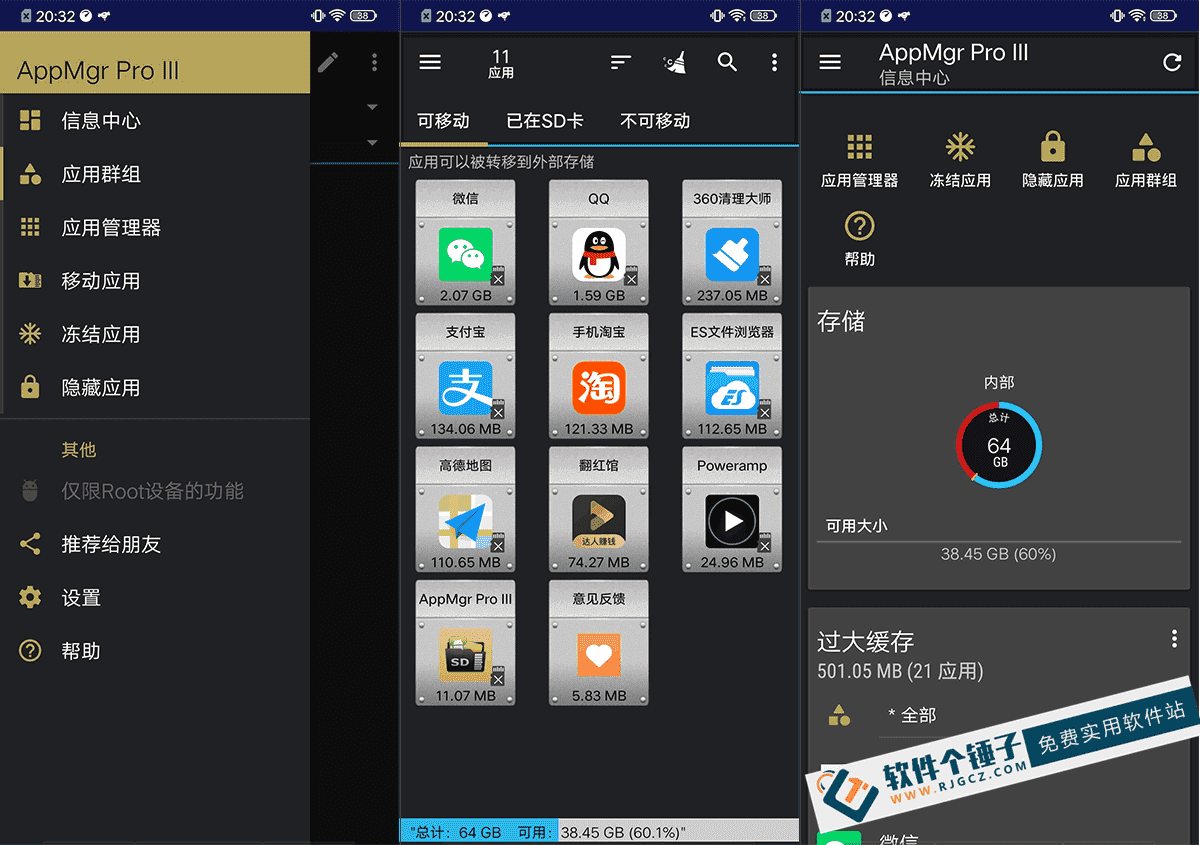
AppMgr Pro IIIThink of it as a “moving helper” for your phone apps. It moves apps from internal storage to the SD card, freeing valuable internal space. Beyond that, it can freeze rarely-used apps, hide preinstalled apps, and clear caches in batch—one tool, many storage needs.
What real problems does it solve?
① Move apps to SD card, free up internal space
Select apps that support moving and send them to the SD card in one tap, instantly freeing up internal storage. Move them back just as easily later. Very useful for phones with small storage.
② Freeze rarely-used apps, saving power and resources
Some apps you rarely use but don't want to uninstall, yet they sit in the background using CPU and battery. With freeze, they won't start or consume resources; just unfreeze when needed—much easier than reinstalling.
③ Hide preinstalled apps for a cleaner home screen
Some manufacturer-preinstalled system apps you don't use but can't delete, and they're eyesores. This hides them from the home screen and app list—out of sight, and restoring them is simple too.
④ Clear all app cache in one tap
Apps build up lots of cache over time, taking up space. It supports clearing all app caches in one tap, or selectively in batch—no need to clear each app manually.
Who is this tool for?
Users with low internal storage who've kept their phone for years should find it useful. Especially phones whose OS dropped “move app to SD card”—this restores that ability. Tinkerers can also use the freeze and hide features to optimize daily use.
What are the requirements?
This is an Android phone app supporting the Android system. The UI is clean and intuitive with no learning curve. It supports multiple color themes and offers home-screen widgets. Note: not all apps support moving to the SD card; it depends on each app's own settings.
Brief summary
AppMgr Pro III is a handy Android app manager. Moving apps to SD, freezing rarely-used apps, and clearing cache are all practical. If you're short on storage or want better control over installed apps, give it a try.










