




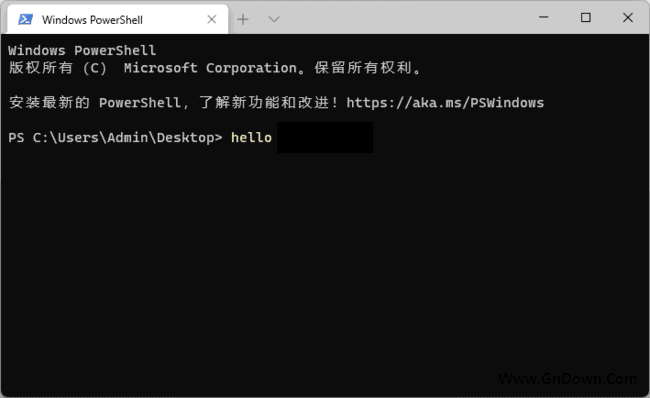












You've probably been here too
When developing or managing servers, you constantly type commands in terminal windows. The built-in cmd window looks plain, the font size is hard to adjust, the colors are dull, and your eyes tire. With several terminals open, the desktop is littered with black windows and switching is a pain. You flip between PowerShell, cmd, and WSL with inconsistent styling. All you want is one terminal that manages everything, looks good, and feels right.
What does this app actually do?
Think of Windows Terminal as the upgraded, all-in-one terminal: it brings PowerShell, cmd, and WSL together in one window managed by tabs, so no more piles of separate black windows. You can freely tune theme colors, font size, and background transparency to your taste. It also supports Unicode, so Chinese renders without garbling, and it feels far smoother than the old console.
What can you do with it? These use cases are handy
① Multi-tab: one window for everything
Open multiple tabs, each running a different shell—PowerShell for scripts, cmd for system commands, WSL for Linux dev. Switch between tabs quickly instead of hunting for separate windows. Each tab's state is clear, and efficiency improves noticeably.
② Custom themes and color schemes, easier on the eyes
Tune background color, font style, and size to your liking, even acrylic blur and background opacity. Many color schemes are supported and ready-made configs can be imported. For people who live in the terminal, an eye-friendly scheme reduces fatigue.
③ Multiple shells supported, great compatibility
Supports PowerShell, cmd, WSL, and more. Built-in Unicode support renders Chinese correctly. Customizable hotkeys cover copy-paste, new tab, and switching, making work faster.
Who is it for?
Windows Terminal suits developers, sysadmins, and anyone who lives in the command line. If you switch between PowerShell, cmd, and WSL, managing them here saves hassle. Users who care about terminal looks and are done with the old black console will enjoy the customization.
Summary
Windows Terminal is Microsoft's official modern terminal—multi-tab, multi-shell, customizable themes, open source and free. If you use the command line often, it beats the built-in CMD.










