
















Fixing a coworker's PC problem—must you walk over there?
You've been there: a coworker's PC has a small issue, you describe it over chat for ages without getting through, and finally you walk over. Or you're at home and want to connect to your work machine for a file, and fumble around with no clue where to start. Or you need to demo software to a client who isn't beside you, sending screenshots back and forth at terrible speed. In all these cases, what you really need is a tool that shows you the other screen and lets you control it.
Simply put, it lets two PCs "visit" each other
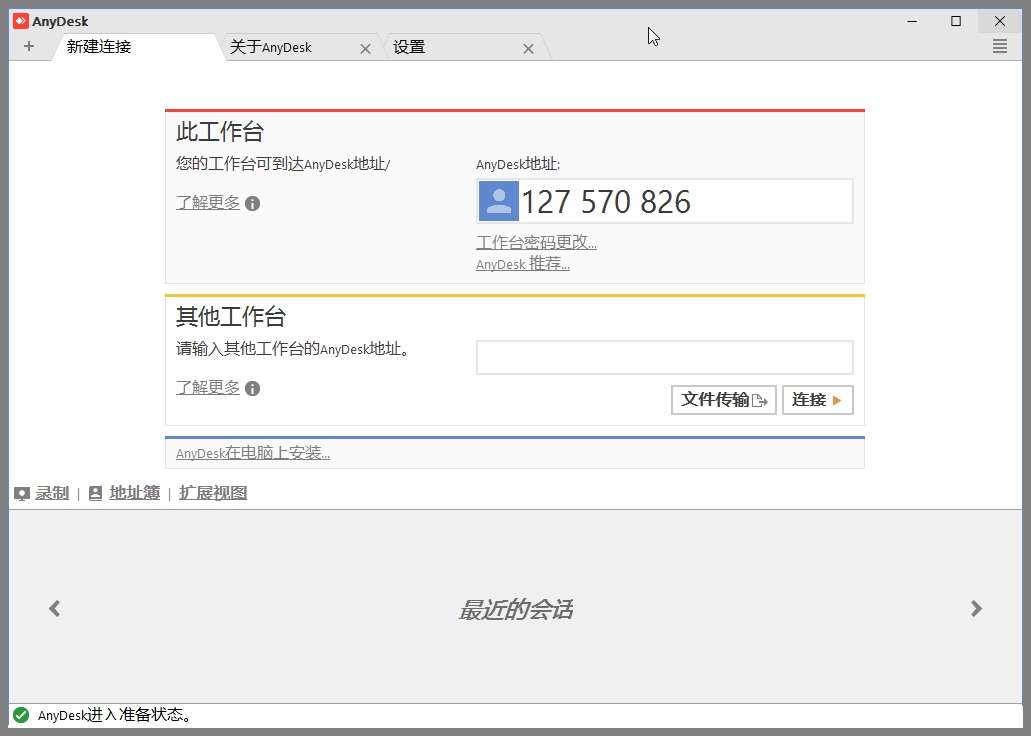
Think of AnyDesk as a "digital key"—enter the address code on the other side and you see their desktop directly, operating it as if you were sitting in front of that machine. A big bonus: no installation—download and open it. Windows, Mac and even phones connect with each other.
What practical problems does it solve?
① Remote-control the other PC as if you're sitting there
Open AnyDesk on both devices, enter the address shown on the other screen, and you see and control their desktop in real time. Mouse and keyboard are smooth with almost no lag. Helping a coworker debug software or sorting out your parents' PC no longer means describing it painfully on the phone.
② Fast file transfer between two PCs
Once connected, drag files directly—no email, no cloud drive. Left a big file on your work PC? From home, connect AnyDesk to it and drag the file onto your home machine—far faster than uploading to a cloud drive and downloading again.
③ Control your PC from your phone
AnyDesk has a mobile app—on the go, connect back to your own PC with your phone. Need a file or to launch a program? Pull out your phone and do it. Touch gestures mimic the mouse, so it feels natural.
Who will find it useful?
Anyone who works remotely and connects to their work PC from home for files or tasks. Also the "unpaid tech support" who helps friends and relatives with PC issues—no more running back and forth. Tech-support pros and remote trainers find demos very convenient. For personal use, the free edition covers everyday needs.
In short
Remote control isn't complicated—AnyDesk handles it: no walking over, no install, open and go.










