
















Organizing video/audio content — sound familiar?
You sit through an online meeting or interview and record half an hour of audio. Turning it into a transcript means listening and typing manually—hear a line, pause, type—an hour of recording eats an afternoon.
Or you want to subtitle a video, typing each line against the timeline until your eyes blur. This repetitive work can be handed to a tool.
What Is It?
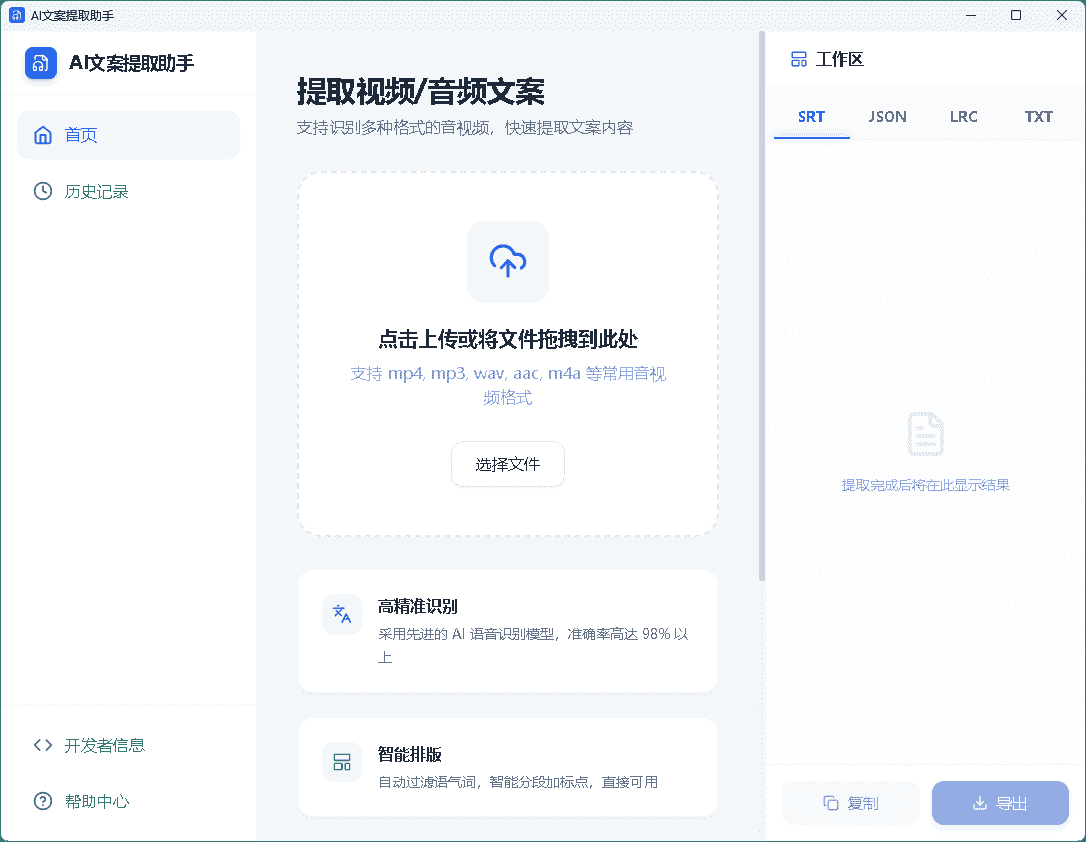
AI Copy Extractor is like a "shorthand writer for speech-to-text." Drop in a video or audio file, click start, and it recognizes the speech automatically—producing a transcript, subtitles or lyrics. No manual work; just wait for the result.
What Problems Does It Solve?
① Drop in and transcribe—simple
No complex setup—drag the video or audio into the app, click "start," and it recognizes speech and converts to text. Meeting recordings, interviews and video dialogue alike.
② Auto subtitles, lyrics, interview transcripts
Recognition results become subtitle text for video subtitling. For songs or interviews, it produces lyrics or dialogue transcripts—highly accurate, rarely needing edits.
③ History auto-saved, revisit anytime
A history panel on the left backs up past extractions automatically. If you forget a file or want to re-check a transcript, no re-recognition—just open history and find it.
Who Is It For?
Journalists, reporters and students who turn meeting or interview recordings into transcripts. Creators subtitling videos save lots of time. It also suits organizing podcast content and course-script transcription. The operation is simple—almost no learning curve.
What Do You Need to Run It?
A Windows desktop app with a clean UI—the main flow is "drag file, click start, wait for result." History acts as an automatic backup, so you needn't save each extraction manually—effortless.
In Short
AI Copy Extractor is a practical speech-to-text tool—simple to use, supporting video and audio formats. If you often turn recordings into text or subtitle videos, give it a try.










