

















Generating Doubao Images & Videos — Sound Familiar?
AI art saved from Doubao always carries a watermark—can't be used as raw material. Want to reuse an old prompt? You scroll back through chat history line by line. Want to batch-download all generated assets? Tapping each one is a hassle.
There's a dedicated Android extractor for Doubao assets—copy a chat link and one tap parses watermark-free images and videos, and extracts AI prompts at the same time. Three simple steps, just 8 MB.
What Is It?
ShunJing (Doubao Edition) is a "watermark-free extractor for Doubao assets." In Doubao, find the chat that generated images or videos, copy the share link, paste it into ShunJing, tap parse—see every asset and download the watermark-free originals directly. It also extracts AI art prompts and author URLs to revisit creative parameters and organize inspiration. Save singly or batch-download all assets.
What Problems Does It Solve?
① Paste a link, parse it—watermark-free originals
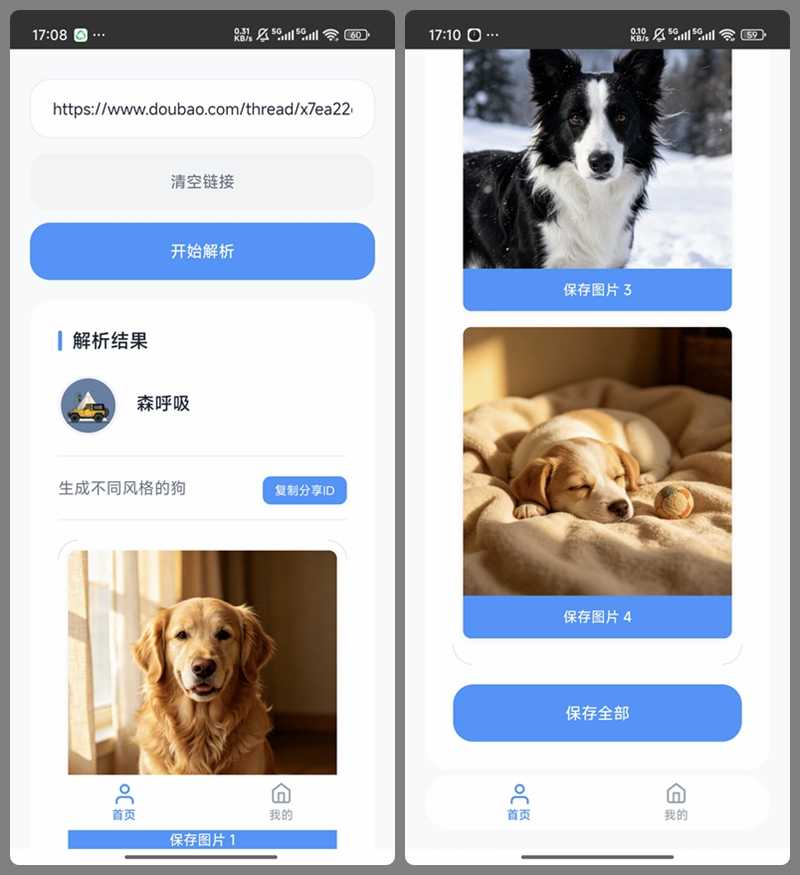
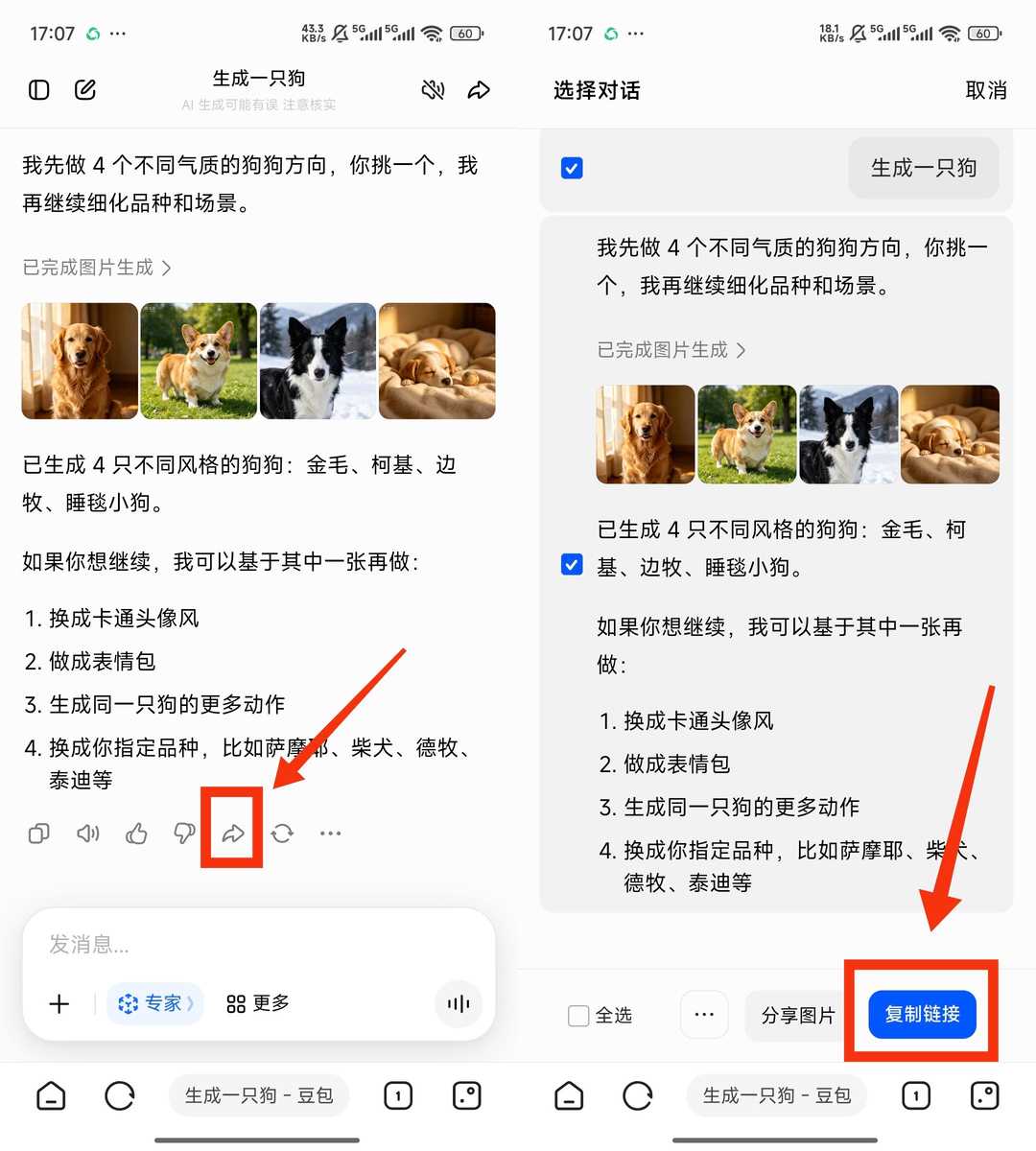
In a Doubao chat, tap share and copy the link. Paste into ShunJing, tap start, and after a few seconds the recognition finishes. Every generated image and video appears in full, as original HD watermark-free files ready to use as creative material.
② Batch download or save individually
After parsing, save one image with its button, or tap save-all to batch-download every asset. No repeated tapping—time saved. All generated content in one chat is processed at once.
③ Extract AI prompts to revisit parameters
Beyond downloading, it extracts AI art prompts and author URLs—handy for reusing prompts or organizing inspiration. No more scrolling back through Doubao history—big efficiency gain.
④ Tiny & simple, beginners pick it up fast
The package is just 8 MB—hardly any storage. A clean, practical UI with no clutter or ads. Copy link, parse, save—three steps with zero learning curve.
Who Is It For?
Frequent Doubao AI-art and creative-video users. Anyone who needs watermark-free assets as creative material. Those saving prompts and parameters for later reuse. Android users of all kinds—simple and device-friendly.
Requirements
Android. 8 MB package. Steps: copy a Doubao chat link, paste into ShunJing to parse, save assets. Watermark-free image and video downloads. AI-art prompt extraction. Single and batch saving. No registration or login. Clean UI, no ads.
In Short
ShunJing Doubao Edition is a practical Doubao asset extractor—paste a link to parse watermark-free images and videos, and extract prompts too. Tiny and simple. If you generate Doubao AI assets often, give it a try.










