


-
Solo Business Courses
-
 Others
-
Overseas Tutorials
-
Photography & Editing
-
Community & Private Domain
-
Self-Media Writing & Copywriting
-
Side Income Projects
-
E-commerce
-
Short Video & Live Streaming
-
Artificial Intelligence (AI)
-
Software & Tools
-
Operating Systems
-
Plugins & Scripts
-
MacOS Software
-
Android Software
-
Windows Software
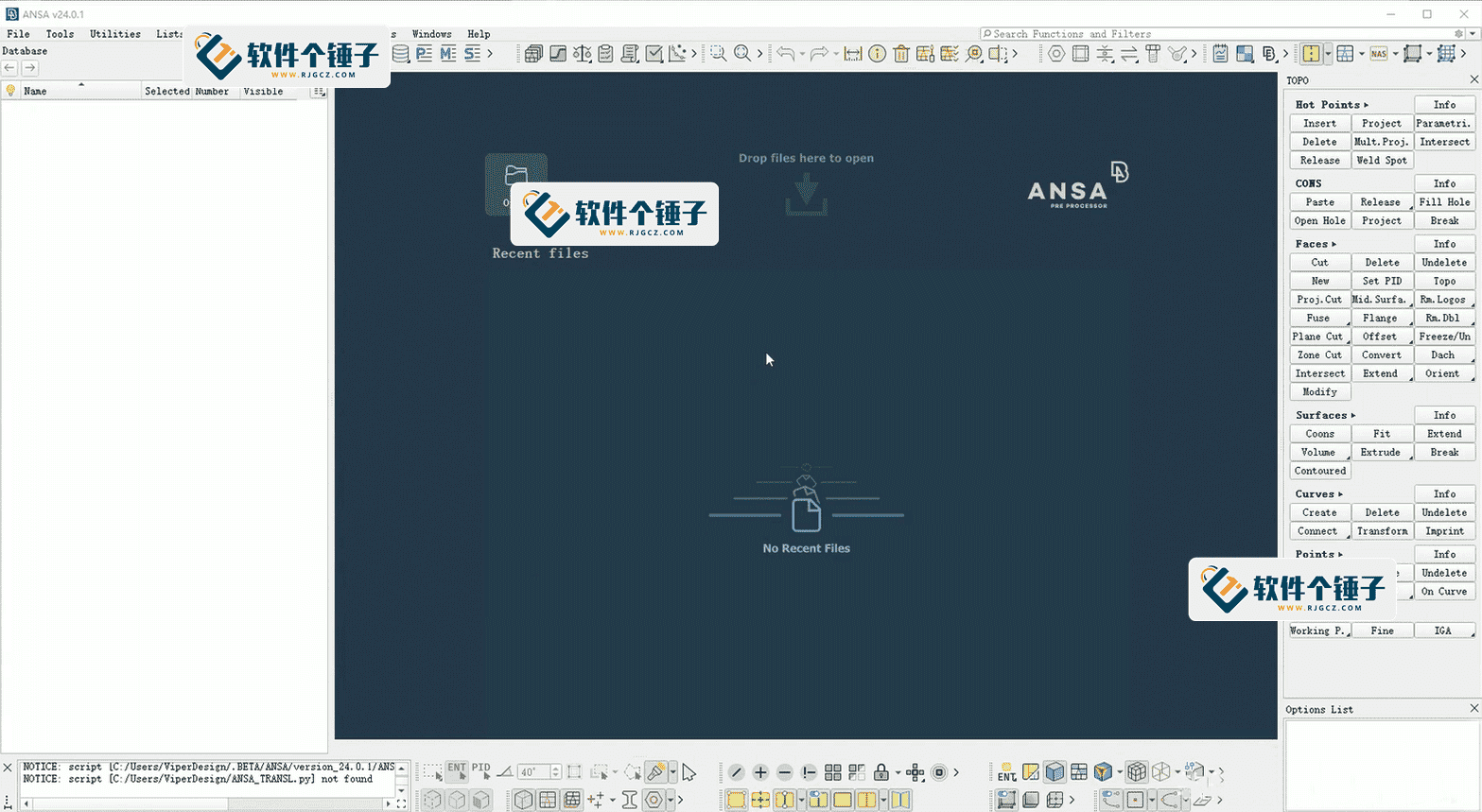
BETA CAE Systems v2026.1.0 — ANSA + META FEA Pre/Post-Processing Toolchain
-
Game Gold-Farming Money-Making Plan: Earn 1k+ Daily, a Stable 3-Year Project Anyone Can Do in Spare Time [Revealed]
Study material — included with membership Get Membership -
Hot-game fully-automated earning: 500+ a day, no experience, simple operation - the steadiest long-term game-earning side hustle (revealed)
Study material — included with membership Get Membership -
FlyingMouse earns merit this time! Don't panic at Windows format problems — the open-source FlyingMouse format conversion tool helps, a popular GitHub gem
Study material — included with membership Get Membership -
Douyin Product-Selling Coaching Bootcamp: No On-Camera Appearance Needed, Newbies Can Produce Selling Short Videos by Following the Steps
Study material — included with membership Get Membership -
First-release game gold-farming money plan: 1K+ a day, ordinary people in spare time
Study material — included with membership Get Membership






-
FlyingMouse earns merit this time! Don't panic at Windows format problems — the open-source FlyingMouse format conversion tool helps, a popular GitHub gem
Study material — included with membership Get Membership -
LuDaShi v6.1024.4105.1121 Slim Single File
Study material — included with membership Get Membership -
2D Cartoon Animation Software Moho Pro v14.3
Study material — included with membership Get Membership -
Video Editor Aiseesoft Filmai v1.0.18
Study material — included with membership Get Membership -
To-Do Microsoft To Do v2.147 Free
Study material — included with membership Get Membership -
PR/AE/DaVinci/FCPX video Plugin Nobe OmniScope Win1.11.15 / Mac1.10.138
Study material — included with membership Get Membership





\
ANSA + META — the meshing powerhouse every CAE engineer needs
\\ ⚡ Batch automation
\ 🔧 Multi-solver compatible
—
\What is ANSA? A complete look at the FEA pre-processing toolchain
\ANSA is an industrial-grade FEA pre-processor from BETA CAE Systems, paired with the post-processor META to form a full CAE toolchain. In short, ANSA is the “mesh hosting service” for CAE engineers — from the moment a CAD model walks in the door to the moment simulation results walk out, it handles all the tedious geometry cleanup, meshing and model assembly in between.
\Where ANSA fits
\- \
- Crash safety simulation — full-body BIW modeling, restraint-system matching, pedestrian protection analysis \
- Structural strength analysis — model prep for statics, dynamics and buckling studies \
- Topology optimization — find the optimal material distribution under constraints \
- DOE design of experiments — parametric morphing for fast multi-variant comparison \
- Batch automation — batch meshing, batch assembly, batch report generation \
ANSA vs. other pre-processors
\| Dimension | \ANSA | \HyperMesh | \Abaqus/CAE | \
|---|---|---|---|
| Pre-processing power | \⭐⭐⭐⭐⭐ full pipeline | \⭐⭐⭐⭐ strong | \⭐⭐⭐ basic | \
| Batch efficiency | \⭐⭐⭐⭐⭐ killer feature | \⭐⭐⭐ medium | \⭐ weak | \
| Multi-solver support | \⭐⭐⭐⭐⭐ native | \⭐⭐⭐⭐ needs interfaces | \⭐⭐ own solver only | \
| Learning curve | \⭐⭐⭐ medium-high | \⭐⭐⭐⭐ moderate | \⭐⭐⭐⭐ friendly | \
| Typical use case | \Automotive / aerospace at scale | \General, cross-industry | \Abaqus users only | \
—
\ANSA’s five core features
\1️⃣ Geometry cleanup & healing
\Automatically spots gaps, overlapping faces and tiny slivers in CAD models — turning messy geometry into a clean meshable model. Example: Geometry → Auto Cleanup → Smart Repair
2️⃣ Batch meshing
\Shell, solid and hex meshes supported; batch meshing lays out entire vehicle models of tens of millions of elements in one click — no more grinding through the night. Example: Mesh → Batch Mesh → Pick Parts → Auto Mesh
3️⃣ Assembly & connections
\Spot welds, bolts, adhesive, rivets — auto-detected and batch-created, with connection-quality checks to catch missing welds that you’d never spot on a drawing but that fall apart in simulation. Example: Connections → Spotweld Wizard → Batch Detect
4️⃣ Parametric morphing
\Change the model’s shape without remeshing — swapping design variants and running DOE feels as quick as changing outfits. Example: Morphing → Define Control Points → Drag to Deform
5️⃣ Multi-solver interfaces
\Native support for LS-DYNA, Abaqus, Nastran, Pam-Crash and other leading solvers — one pre-processing environment for every analysis case. Example: Deck → Export → Pick Solver Format
—
\ANSA in the wild: three real engineering cases
\
| Case | \Input → Output highlights | \Time | \Verdict | \
|---|---|---|---|
| Case 1 \ Automotive BIW meshing | \
Input: CAD IGES with fillets and draft lines \ Output: avg. 5 mm shell mesh, 1,287 auto-detected spot welds, 98.2% element-quality pass | \
~45 min \ (traditionally 2 days) | \
50×+ speedup | \
| Case 2 \ Battery-pack topology optimization | \
Input: 12.5 L design space, constraints: stiffness ≥ 90% of baseline, −20% mass \ Output: 9.8 L optimized mass, stress contour, material-density map | \
~2 hours \ (3 iterations) | \
One-click optimization | \
| Case 3 \ Crash-simulation DOE | \
Input: original front longitudinal beam, compare 8 gauges (1.2–2.5 mm) \ Output: 8 gauge-morphed models, solver decks, peak-acceleration comparison curves | \
~30 min \ (batch morphing) | \
Parametric, zero rework | \
—
\Tutorial: install and run your first mesh
\Step 1: Get the installer
\Visit the BETA CAE Systems site (www.beta-cae.com), go to Downloads and pick the build for your OS. ANSA runs on Windows and Linux; the installer is roughly 2–3 GB — leave enough disk space.
\Step 2: Install ANSA
\Run the installer and choose the install path — prefer the default path or a pure-ASCII path; non-ASCII paths can break script calls. During setup pick components: ANSA Base (required), META Post (post-processing, recommended), Python API (for scripting). A desktop shortcut appears when done.
\Step 3: Import geometry
\Launch ANSA, then File → Import supports IGES, STEP, Parasolid, Nastran BDF and more. If the import has broken faces or gaps, run Geometry → Auto Healing.
Step 4: Cleanup & mesh
\Switch to the Mesh module and use Batch Mesh. Set the target size (e.g. 5 mm), pick the parts and click Apply — ANSA handles complex regions and produces clean quad/tri shell elements. Then run Quality Checks.
Step 5: Export a solver deck
\When the model is ready, Deck → Write Deck, pick the solver format (LS-DYNA K file, Abaqus INP, etc.), set the output path and confirm — you get a solver-ready input file.
—
\ANSA vs HyperMesh vs Abaqus/CAE: a buying guide
\| Dimension | \ANSA + META | \HyperMesh | \Abaqus/CAE | \
|---|---|---|---|
| Industries | \Automotive, aerospace, heavy industry | \General, multi-industry | \General simulation | \
| Project scale | \Large batch projects | \Mid-to-large | \Small-to-mid | \
| Budget | \Commercial | \Commercial | \Commercial | \
| Recommendation | \⭐⭐⭐⭐⭐ top pick for batch | \⭐⭐⭐⭐ versatile | \⭐⭐⭐ easy start | \
—
\FAQ
\—
\Bottom line: is ANSA for you?
\ANSA + META is one of the most efficient industrial FEA pre/post toolchains today — especially for crash safety, full-vehicle durability and topology optimization at scale. If you’re fighting broken CAD geometry, struggling to control mesh quality, need rapid batch modeling, or jump between solvers — ANSA is worth a try.
Related Courses

WorkBuddy zero-basics hands-on training: even non-programmers can follow the manual steps, learn agents systematically by doing

Higgsfield cinematic animation course: one-stop creation platform, complete animation production-flow teaching

The same dance with 6 outfits switching in order: I turned an outfit-change video into a Skill

An eye-catching domestic Markdown editor: local offline high-performance note tool, free and no login required

Domestic Markdown editor: local offline high-performance knowledge-note tool, free and no login required

WorkBuddy practical blue paper: user manual and practice guide, complete combined image-text edition

Jimeng challenges a 180-second long video: one-click a 3-minute movie? Full production flow shared in detail

Super handy! Douyin video downloader, supports batch download of user works, favorites and likes lists, open-source free Better-douyin-R

Nearly 200K stars on GitHub - Harness now runs by double-click: the Harness full-platform desktop edition

Nearly 200K stars on GitHub - Harness now runs by double-click: the Harness full-platform desktop edition DSH Desktop

