
















This may have happened to you
\The pitch is tomorrow. You open the PPT to tweak a few slides — only to find it’s password-protected, and you can’t recall the password. Or you finally get in, only to find it read-only: copy and paste grayed out, frustration rising.
\Or you receive a PPT from someone marked read-only — no font changes, no animation. Either you rebuild from scratch or beg for the password. There’s an easier way.
\What is it, exactly?
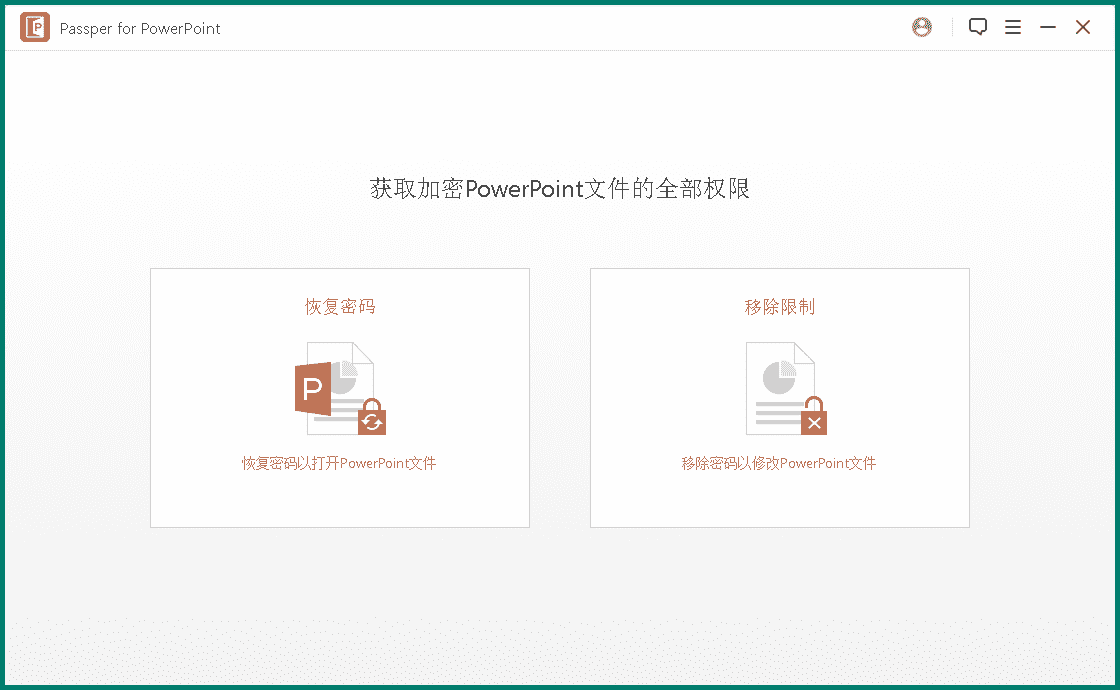
\Passper for PowerPoint — think of it as a PPT “password assistant”. It does two things: recover a forgotten open password, and remove read-only / no-edit restrictions. Wizard steps keep it simple.
\What problems does it solve?
\① Recover a forgotten PPT password
\If the file has an open password you forgot, four recovery modes: dictionary, combo, mask and brute-force. Pick the one that matches how much you remember — no need to grind from scratch.
\② Lift read-only limits, edit freely
\Some PPTs open but are read-only — no edit, no copy, no print. One click removes the restriction: edit, animate, export images, all back.
\③ Partial memory? Use clues
\If you remember length, characters, or even the first few digits, mask attack narrows the search far faster than blind brute-force.
\④ Step-by-step, easy to pick up
\Wizard UI — pick a mode, fill in what it asks. No complex setup; follow the steps to recover the password or lift the restriction.
\Who needs it?
\Anyone who works with PPTs — office staff prepping reports, teachers tweaking slides, students editing group work — and then hitting a password or read-only wall. Or old PPTs from years ago whose passwords are long forgotten.
\Requirements
\Windows; unzip and run, no install. Works with common PowerPoint versions — 2019, 2016, Office 365. UI in English; the steps are intuitive and prompt-driven.
\Short version
\\ \Passper for PowerPoint is a practical PPT password helper — recover forgotten open passwords or remove read-only restrictions. Multiple recovery modes with a wizard; not complicated. If you have locked PPTs lying around, give it a try.










