
















PC acting up and you can't find why?
\ \A blue-screen reboot mid-game — was it CPU overheating or an unstable PSU?
\ \Just got a new GPU or CPU and want to stress-test it, but don't know which tool to trust.
\ \After a while the fans got louder and you want to check whether temperatures and fan speeds are normal.
\ \What is this software for?
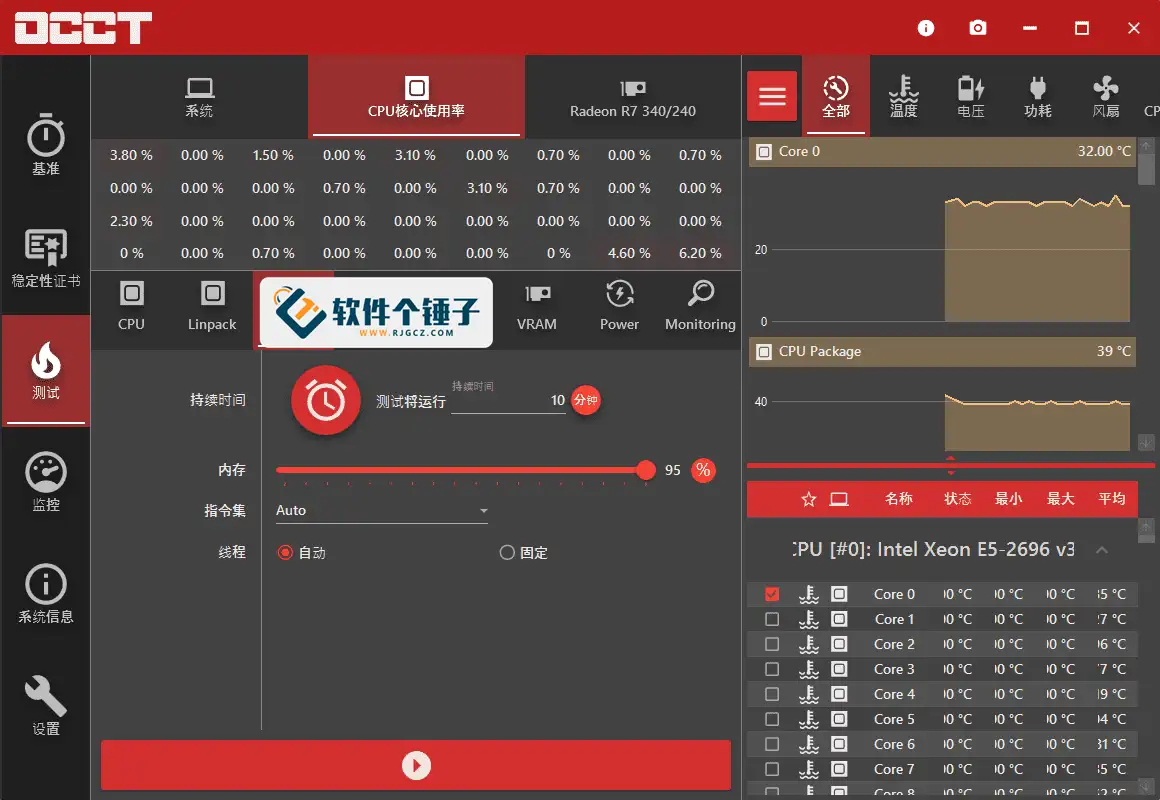
\ \OCCT is like a hardware checkup center. It pushes the CPU, GPU, RAM, and PSU to full load to see which link fails, while monitoring temperature, voltage, and fan speed in real time.
\ \What can you do with OCCT?
\ \① Stress-test the CPU and GPU
\ \Pick load types and data sets to run the CPU at full load and watch for overheating or errors. The GPU 3D test includes error detection to judge graphics stability.
\ \② Check memory and PSU stability
\ \Memory tests quickly surface stability issues, while the PSU test loads CPU and GPU together to see if the power supply holds up — great for diagnosing blue screens and reboots.
\ \③ Real-time hardware monitoring
\ \Per-core temperature, fan speed, power, and voltage show detailed values and live graphs. Choose which hardware to monitor for a precise display.
\ \④ High-intensity Linpack test and VRAM check
\ \The Intel Linpack test is a heavier stress test for checking post-overclock stability. The VRAM test quickly finds faulty memory cells, helping diagnose graphics artifacts.
\ \Who can use it?
\ \If you build PCs or tinker with overclocking, OCCT's monitoring and stress tests verify stability. If your machine keeps blue-screening or rebooting, run separate CPU, GPU, and PSU tests to pinpoint the issue. Everyday users who want to check hardware health, temperatures, and fan speeds will find it useful too.
\ \In summary
\ \\ \ \ \ \ \OCCT is a comprehensive hardware tool with solid stress testing and real-time monitoring, ideal for diagnosing PC issues and verifying hardware stability.










