


-
Solo Business Courses
-
 Others
-
Overseas Tutorials
-
Photography & Editing
-
Community & Private Domain
-
Self-Media Writing & Copywriting
-
Side Income Projects
-
E-commerce
-
Short Video & Live Streaming
-
Artificial Intelligence (AI)
-
Software & Tools
-
Operating Systems
-
Plugins & Scripts
-
MacOS Software
-
Android Software
-
Windows Software
Android Photo Filters — MIX Filter Master v4.9.63
-
Game Gold-Farming Money-Making Plan: Earn 1k+ Daily, a Stable 3-Year Project Anyone Can Do in Spare Time [Revealed]
Study material — included with membership Get Membership -
Hot-game fully-automated earning: 500+ a day, no experience, simple operation - the steadiest long-term game-earning side hustle (revealed)
Study material — included with membership Get Membership -
FlyingMouse earns merit this time! Don't panic at Windows format problems — the open-source FlyingMouse format conversion tool helps, a popular GitHub gem
Study material — included with membership Get Membership -
Douyin Product-Selling Coaching Bootcamp: No On-Camera Appearance Needed, Newbies Can Produce Selling Short Videos by Following the Steps
Study material — included with membership Get Membership -
First-release game gold-farming money plan: 1K+ a day, ordinary people in spare time
Study material — included with membership Get Membership






-
FlyingMouse earns merit this time! Don't panic at Windows format problems — the open-source FlyingMouse format conversion tool helps, a popular GitHub gem
Study material — included with membership Get Membership -
LuDaShi v6.1024.4105.1121 Slim Single File
Study material — included with membership Get Membership -
2D Cartoon Animation Software Moho Pro v14.3
Study material — included with membership Get Membership -
Video Editor Aiseesoft Filmai v1.0.18
Study material — included with membership Get Membership -
To-Do Microsoft To Do v2.147 Free
Study material — included with membership Get Membership -
PR/AE/DaVinci/FCPX video Plugin Nobe OmniScope Win1.11.15 / Mac1.10.138
Study material — included with membership Get Membership





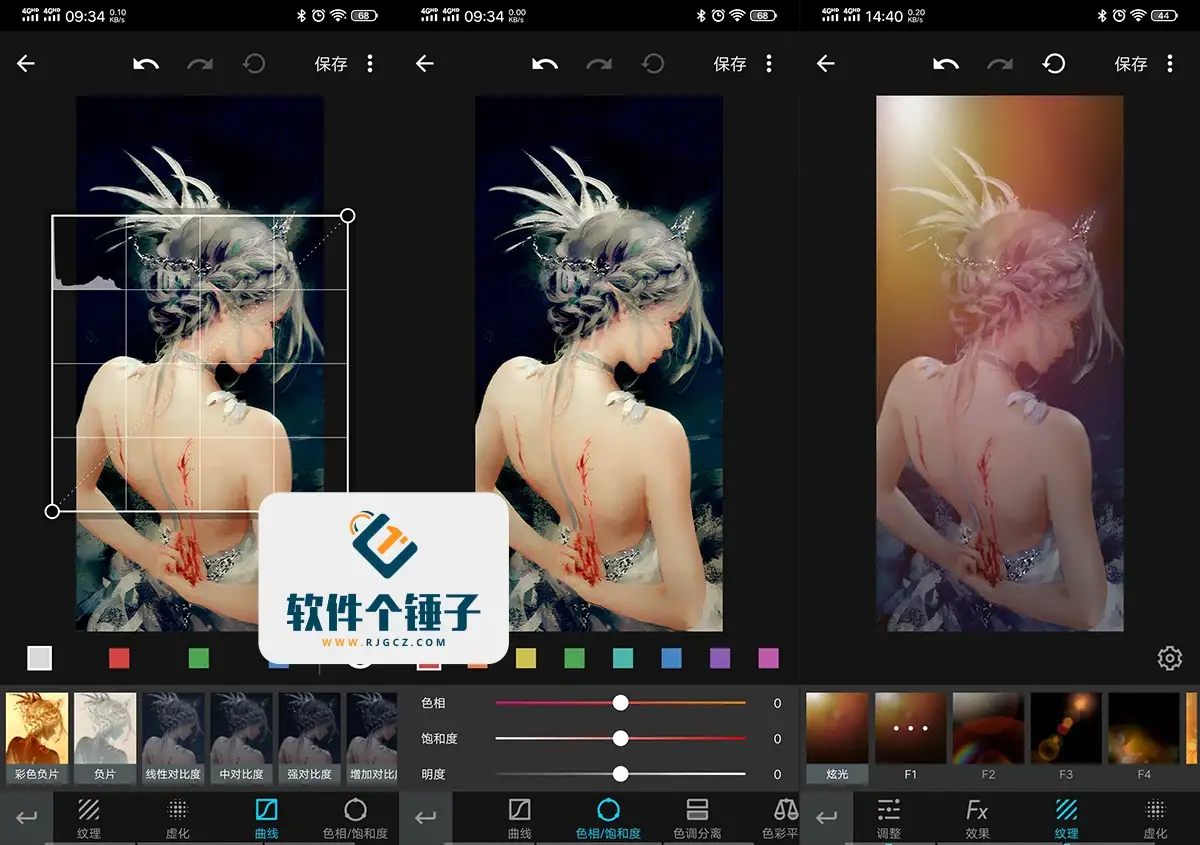
MIX Filter Master A powerful photo-effects app for Android with pro editing tools, local retouching, artistic filters, and photo posters to create stunning images.
\ \Key Features
\ \1. Aperture rendering
\ \Powerful aperture rendering gives photos a DSLR-like bokeh in one tap, instantly refreshing the colors.
\ \2. 100+ original filters
\ \Over 100 creative built-in filters edit photos in one tap with pro-designer results.
\ \3. Pro editing tools
\ \Powerful editing includes crop, color, brush, and filter tools. Adjust contrast, exposure, highlights, shadows, saturation, sharpening, noise, vignette, center brightness, skin smoothing, and color temperature for pro results.
\ \4. Local retouch & creative paint
\ \Paint over parts to add mosaic, blockers, or touch up dust. Add creative stickers like bubbles, snowflakes, petals, stars, and leaves, or draw with a highlighter for eye-catching effects.
\ \



5. Spot repair
\ \Pick a repair brush size and double-tap a spot; MIX analyzes data and color to remove blemishes and blend seamlessly.
\ \6. Gradient filter
\ \The gradient tool adjusts color temperature, tint, brightness, contrast, highlights, shadows, and more — use the three lines to precisely target areas for finer retouching.
\ \7. Little planet
\ \Turn a photo into a 360° little-planet panorama in one tap — great for starscapes. Slide to adjust and create unique visuals.
\ \8. Art filters
\ \MIX's art filters are its highlight. Though they require a permission, the high-end original looks are worth it — stunning in one tap.
\ \9. Photo posters
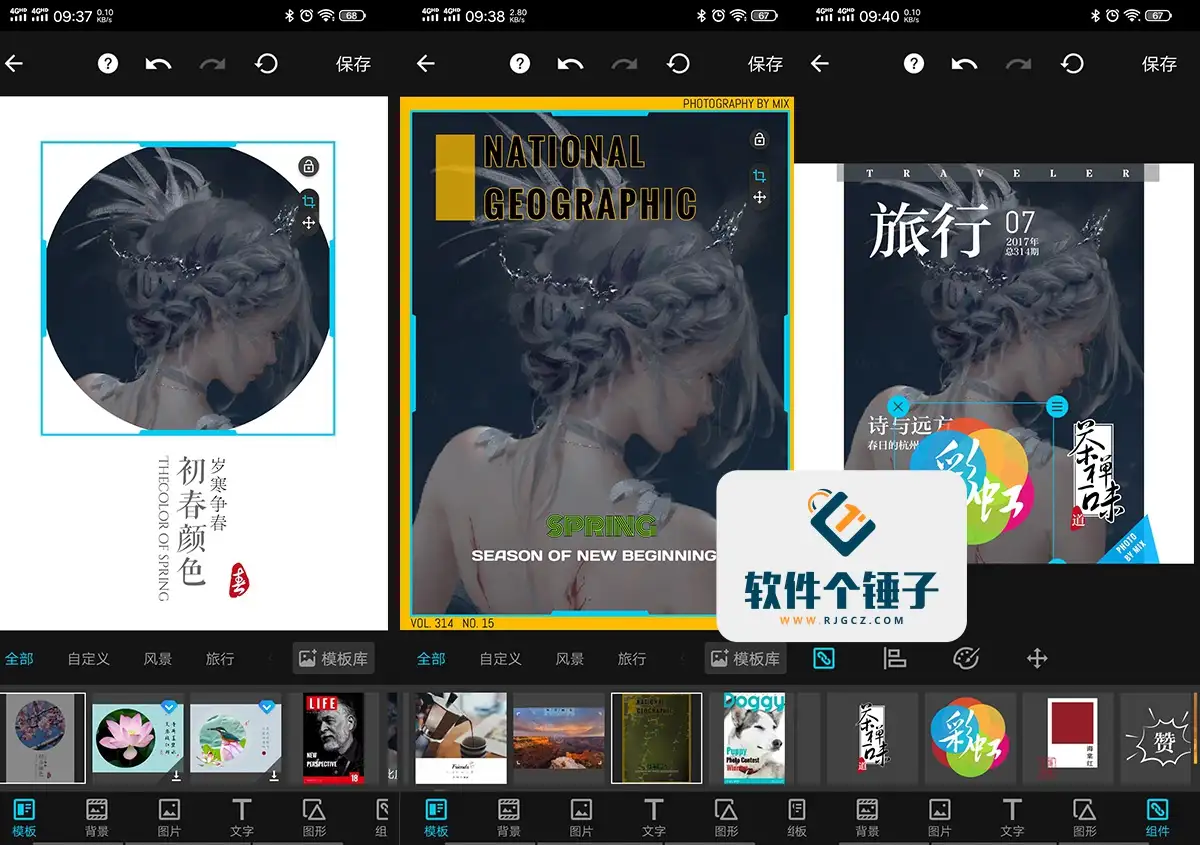
\ \Turn photos into polished posters in one tap with many shapes and styles. Freely adjust images, text, and layout for personalized work.
\ \The MIX community offers many user-uploaded filters with before/after previews. Download and apply any you like to expand your creative options.
\ \ \ \Related Courses

Format Factory Comes to Mobile! 100% Completely Free, Audio/Video/Image Format Converter, Free & No-Login (Android)

A Fun Tool! One-Click Cover Faces With Emoji, Local Offline Privacy-Safe, Works on Android Phones — EmojiFace

Video Prompt Reverse Engineering Software (Android App), Quickly Generate, Optimize, and Reverse-Analyze Videos


One Prompt: AI Fully Automatically Builds a Live TV App, Works on PC, Android and TV, Completely Free, Smooth Picture with No Lag

Mobile Video Aggregator — Dashi Xiong Video v4.0.8

Android massive hot free short dramas Hongguo Short Drama v7.4.1.32

Android Mobile Fingerprint Browser v1.1.8 with Hundreds of Built-in Tools

Android Video Re-creation & Repost Master v2.14

Android Volume Control App Volume Control Pro v6.7.2 [Software Hammer · R4561]

