


-
Solo Business Courses
-
 Others
-
Overseas Tutorials
-
Photography & Editing
-
Community & Private Domain
-
Self-Media Writing & Copywriting
-
Side Income Projects
-
E-commerce
-
Short Video & Live Streaming
-
Artificial Intelligence (AI)
-
Software & Tools
-
Operating Systems
-
Plugins & Scripts
-
MacOS Software
-
Android Software
-
Windows Software
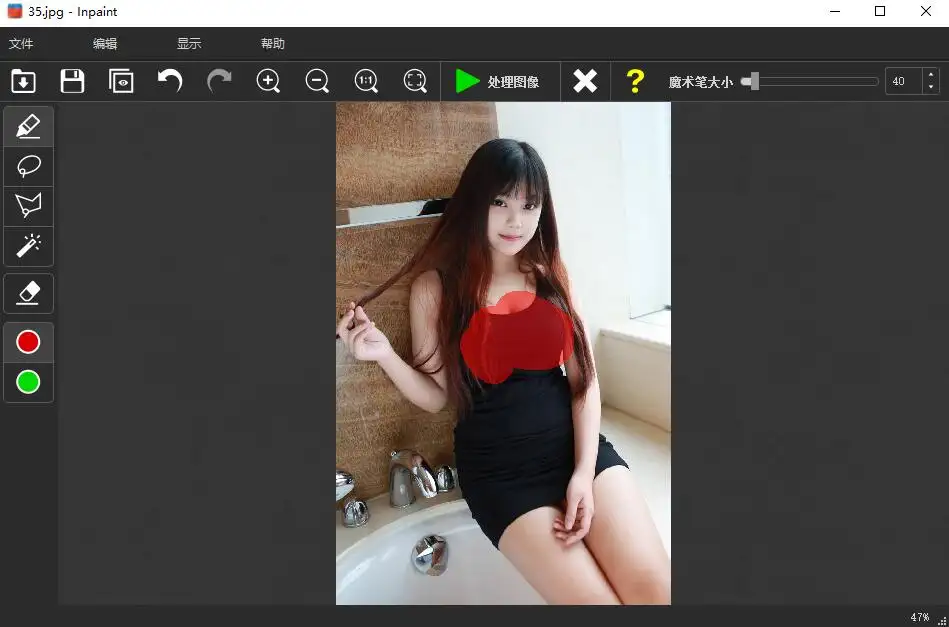
Image Watermark Remover — Teorex Inpaint Win11.0.2/Mac11.0.2
-
Game Gold-Farming Money-Making Plan: Earn 1k+ Daily, a Stable 3-Year Project Anyone Can Do in Spare Time [Revealed]
Study material — included with membership Get Membership -
Hot-game fully-automated earning: 500+ a day, no experience, simple operation - the steadiest long-term game-earning side hustle (revealed)
Study material — included with membership Get Membership -
FlyingMouse earns merit this time! Don't panic at Windows format problems — the open-source FlyingMouse format conversion tool helps, a popular GitHub gem
Study material — included with membership Get Membership -
Douyin Product-Selling Coaching Bootcamp: No On-Camera Appearance Needed, Newbies Can Produce Selling Short Videos by Following the Steps
Study material — included with membership Get Membership -
First-release game gold-farming money plan: 1K+ a day, ordinary people in spare time
Study material — included with membership Get Membership






-
FlyingMouse earns merit this time! Don't panic at Windows format problems — the open-source FlyingMouse format conversion tool helps, a popular GitHub gem
Study material — included with membership Get Membership -
LuDaShi v6.1024.4105.1121 Slim Single File
Study material — included with membership Get Membership -
2D Cartoon Animation Software Moho Pro v14.3
Study material — included with membership Get Membership -
Video Editor Aiseesoft Filmai v1.0.18
Study material — included with membership Get Membership -
To-Do Microsoft To Do v2.147 Free
Study material — included with membership Get Membership -
PR/AE/DaVinci/FCPX video Plugin Nobe OmniScope Win1.11.15 / Mac1.10.138
Study material — included with membership Get Membership





What is Teorex Inpaint?
\ \Teorex Inpaint is a powerful image-flaw remover that repairs and beautifies images without complex steps; users quickly remove unwanted elements like tourists, watermarks and objects. Whether removing extra people, restoring old photos, or deleting watermarks and text, Teorex Inpaint handles it easily, helping you achieve perfect results.
\ \
Remove tourists and unwanted people from photos
\ \Easily get clean, distraction-free photos
\
Unwanted tourists often wander into your shots. Without complex Photoshop work, Teorex Inpaint lets you easily remove these distractions. In just a few steps you get a clean photo exactly as you wanted. Inpaint's magic wand lets you select unwanted objects or people in seconds — then let Inpaint do the rest!
Remove unwanted elements
\ \Quickly remove camera timestamps, watermarks, and other clutter
\
Photos often contain elements you'd rather not see — camera timestamps, watermarks, or other unwanted objects that ruin the look. With Inpaint you can easily remove these distractions, making your photos look more professional and polished.
Remove unnecessary objects from photos
\ \Remove small objects in three easy steps
\
Even tiny objects can ruin a composition and hurt your photo. With Inpaint, just three simple steps remove power lines, tourists, buildings, and more — as if they were never there.
Restore old photos
\ \Fix scratches and bring precious memories back to life
\
Old photos hold precious memories, but time — scratches, spots, and cracks — inevitably damages them. Teorex Inpaint easily fixes these issues, making digitized old photos look like new. Just select the damaged area and Inpaint restores it, keeping your memories perfectly preserved.
Retouch skin blemishes
\ \Effortless retouching to look your best
\
Inpaint also lets you quickly improve skin in photos, helping you hide blemishes you'd rather not show so you look your best.
Modification notes
\ \- \
\
- No activation needed:This software has been pre-activated as a full licensed version; no verification is needed, and no watermark is added when saving images. \ \
- Bundled:Built from the official installer, bundled and packed into a single-file release to skip tedious setup steps. \ \
- Default settings optimized:The subscription-offer popup no longer appears on launch. To register, just enter any English letters (fill the fields). \ \
With Teorex Inpaint, anyone can easily fix photo flaws — no professional skills needed — and quickly get the perfect photo they want.
\ \\ \ \ \
Related Courses

WeChat Multi-Instance & Anti-Recall Tool WeChatHooks v1.2-3 Single-File Mac

Apple TNT Mind-Mapping App SimpleMind Pro for Mac v2.3.5 Official Free Edition

Mac WeChat Plugin WeChatHooks v1.2.4 Free - Multi-Account & Anti-Recall

AI Smart Cutout Tool XianYi AI Cutout v3.1 Win/Mac Offline Version Supports Batch Cutout and AI Removal

3D Fashion Design Software Marvelous Designer Win2024.2.113/Mac7.5

Vector Editor / UI-UX Tool Sketch Mac2025.2.1 Free

Sogou Pinyin Input Win16.4.0.3497 / Mac6.18.1.10104

3D Modeling Renderer The Foundry Modo Win17.1v1 / Mac15.1v2

DB Management TablePlus Win26.9.8 / Mac6.4.4

P2P File Seeding Sharing Software FrostWire v3.0.15.769 Win/Mac

