
















Pitfalls of mobile editing
\ \Worst nightmare on mobile? Features too basic — want picture-in-picture or layer ordering but the app doesn't support it.
\ \Want BGM but only a few tracks, with copyright issues and takedown risk.
\ \Export quality is poor — HD source becomes blurry with choppy frame rates.
\ \What is this software for?
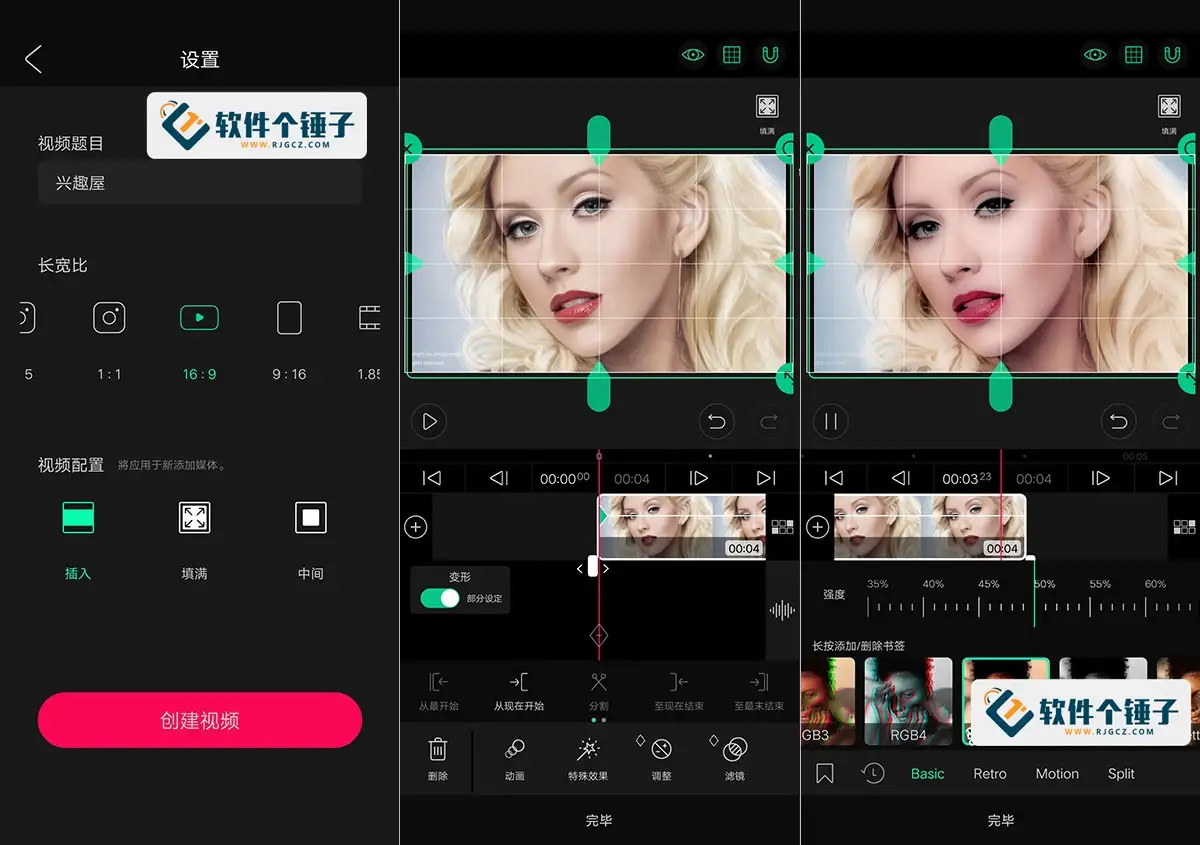
\ \VLLO is a pro editing workstation on your phone, bringing desktop multi-track editing to mobile — video, image, and audio on separate tracks. It includes 450+ royalty-free tracks for commercial use, and exports up to 4K at 60fps.
\ \What can you do with VLLO?
\ \① Multi-track editing like desktop
\ \Video, image, and audio sit on separate tracks. Drag, split, reorder, and add picture-in-picture — just like desktop, but on your phone.
\ \② 450+ royalty-free tracks
\ \Built-in BGM and sound effects are royalty-free, 450+ tracks updated monthly. No takedown worries for commercial or platform uploads.
\ \③ Export up to 4K 60fps
\ \Export from 640×360 up to 4K, up to 60fps. Also export GIFs or extract subtitles.
\ \④ Cinematic stills
\ \Ken Burns effects slowly pan and zoom static photos for a documentary feel and richer storytelling.
\ \Who can use it?
\ \Great for short-video or commercial creators who need royalty-free music, and for anyone wanting multi-track editing, picture-in-picture, and layer adjustments. 4K 60fps export suits quality-focused creators.
\ \In summary
\ \\ \ \ \ \ \VLLO is a full-featured mobile editor with practical multi-track editing, royalty-free music, and 4K export for quality-focused creators.










