
















Want to save a video?
\ \Found a great documentary on YouTube but no tool to save it? Online sites have size limits or only 360p.
\ \Worse, region-blocked videos or no way to extract audio.
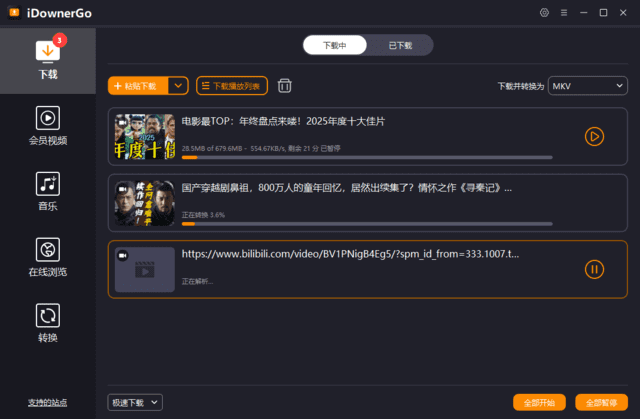
\ \It's a universal web downloader
\ \Paste a link and iDownerGo parses it, letting you pick resolution and format — download video, extract audio, or batch save.
\ \What can you do with it?
\ \\
\
\
\
① Download in any quality
\ \YouTube, Vimeo, TikTok — download 1080p, 4K, or higher as MP4, AVI, MOV.
\ \\
\
\
\
② Extract audio
\ \Extract MP3/AAC audio from videos to listen like podcasts.
\ \\
\
\
\
③ Batch downloads
\ \Queue multiple links or whole playlists.
\ \Who is it for?
\ \For offline viewers, creators grabbing footage, and anyone who wants to extract BGM without multiple tools. Simplified Chinese UI with queue management.
\ \In summary
\ \\
\
\
\
\ \ \ \ \ \iDownerGo is a convenient desktop downloader that bypasses some region limits.










