




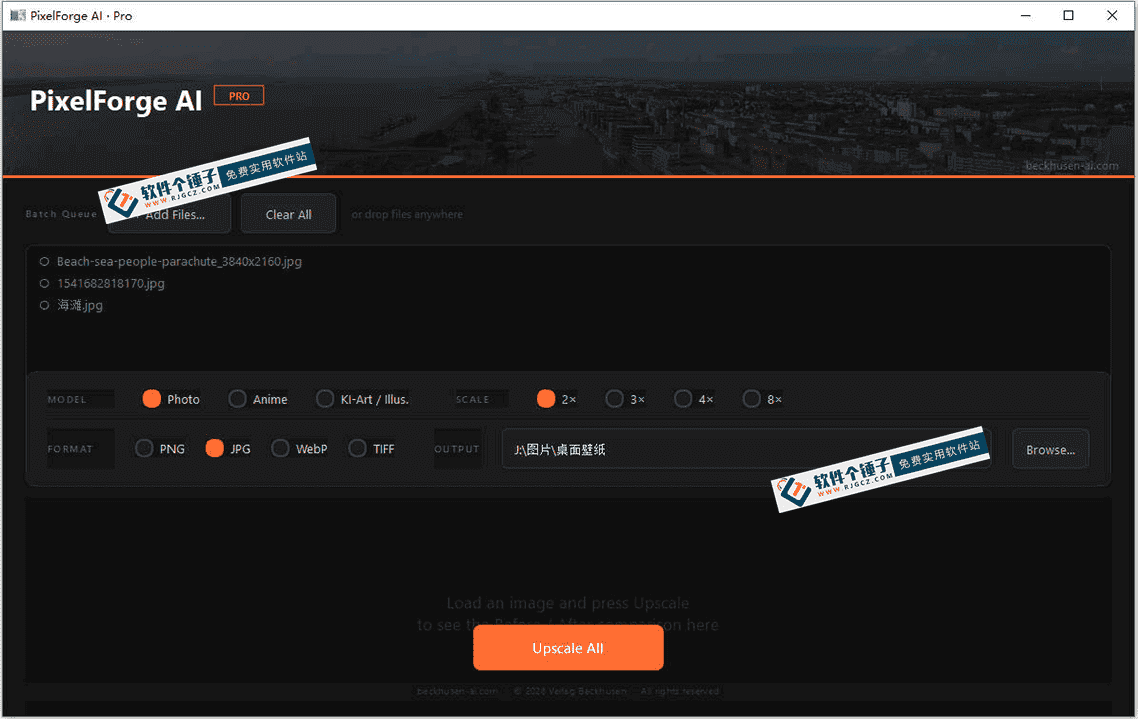












Ever run into these while working on images?
You dig up an old photo, but its resolution is pathetic — zoom in and it's all pixels — and you don't know how to restore it. Or, doing e-commerce product shots, you have to cut out the product and swap the background, but the hair edges are a mess and retouching manually is torture.
Other scenarios are just as common: you suddenly want a pixel-art game-style image but no tool supports it; or you need to process a hundred product photos in batch — resizing and watermarking one by one until you're too exhausted to keep going. With the right tool, all of these get solved fast.
What exactly is this tool?
PixelForge AI ProThink of it as a mobile photo editor moved onto your PC and given an AI brain. No need to learn Photoshop's complex layers and channels: type text to generate images, click once to cut out, upscale and restore, and turn ordinary photos into a Van Gogh look or pixel-game style — one app covering several image needs.
What practical problems does it solve?
① Blurry old photo? AI restores clarity
Low-res images turn blocky when enlarged? The AI adds detail, restores clarity, and removes scratches and noise. For revitalizing family photos or upsizing small images found online, the results are much better after processing.
② Cutout without handwork — even hair strands
Smart cutout separates people, products and pets from their backgrounds in one click, accurately detecting fine details like hair strands. For e-commerce images, posters and ID-photo background swaps, you'll never wrestle with Photoshop's magic wand again.
③ Type text to generate images
Want a "cyberpunk cat drinking coffee" illustration? Just type the description and the AI generates a high-res image in oil-painting, watercolor, pixel-art and other styles. Handy for article covers and poster assets.
④ Batch-process 100 images while you watch a short video
Batch operations let you resize, watermark and convert format uniformly — processing a hundred images at once quickly. Content creators and e-commerce sellers save a lot of time on bulk product photos.
Who is this tool for?
Anyone who occasionally needs to touch up images but doesn't want to learn pro software will find it useful — bloggers, online-shop owners, people who occasionally make a poster. It's also great for everyday users with family photos to restore. Pixel-art fans can generate game assets or custom avatars. The UI is intuitive, no technical background needed.
What are the system requirements?
Runs on Windows with a very clean interface — no complex layers or parameter panels, basically no learning curve. It uses a dual local-and-cloud engine: most tasks run locally without uploading private images, while cloud compute is reserved for the heavier jobs.
In short
PixelForge AI Pro is a fairly full-featured AI image tool; old-photo restoration, smart cutout, AI generation and batch processing are all practical. If you handle images regularly but don't want to learn complex pro software, give it a try.










