
















You've probably done this too
\ \Ever had this: you want to send a client product photos, but they're too large to send for ages. Or after finishing a project, you find images in all sorts of formats, inconsistent together. Not to mention adding anti-theft watermarks manually, one by one — slow and eye-straining. Facing these trivial, repetitive image tasks, most people just slog through it.
\ \saywhite,itthenis“picturepiecehandlesmall工”
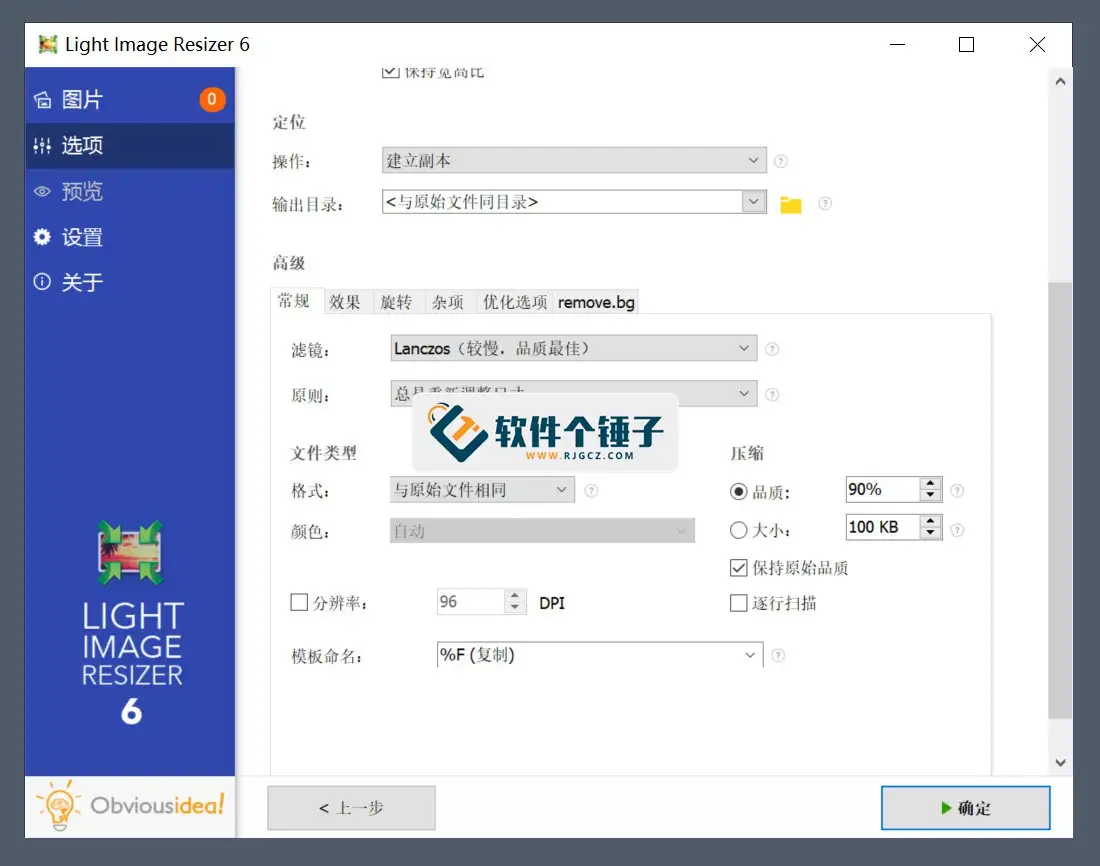
\ \Think of Light Image Resizer as a little helper dedicated to processing images. Tell it 'resize these hundreds of photos to 800px wide, convert to JPG, and add a copyright watermark', and it immediately does the whole batch in one go — no one-by-one work.
\ \takeitcandopointwhat?
\ \① batchquantityadjustpicturepiecebigsmall,1键dostable
\ \Whether shrinking photos for web transfer or enlarging to a size, pick the target and it resizes all selected images at once. It has high-quality filters, keeping images clear while compressing.
\ \② formatswitch tochangeandcompress,1套tapewalk
\ \With it, no need to manually convert JPG to PNG, BMP or PDF. It supports batch conversion and controls compression, balancing size and quality — great for publishing or e-commerce with many images.
\ \③ 1键pluswater印,guarantee护workversionpower
\ \Just prepare your logo or copyright text, set position and opacity, and it watermarks all images uniformly. Position and opacity preview live, adjusting anytime.
\ \whichfriendfriendcanfollows1part 2?
\ \If you're an e-commerce ops person handling **batch product images** daily; a social blogger needing to watermark and compress **image assets** before upload; or an office clerk who often turns **image materials** into PDFs for archiving — this tool saves you time and effort, freeing you from tedious repetition.
\ \needtargetsystemenvironment
\ \It supports Windows, runs as a single file with no install — double-click to use. Carry it on a USB between PCs — very convenient.
\ \Overall
\ \\ \ \ \ \ \If you often work with lots of images, Light Image Resizer is a handy helper. It combines compression, resizing, conversion and watermarking, replacing repetitive work with one-click operation.










