
















youisnotisalso遇toexperienced?
\ \You get a code or config file on your phone to tweak, but the built-in notes open it as garbled text, or lose line numbers and indentation. Want to write notes or an article — the typing area is big, but there's no find-and-replace. Worse, you try several editors, and moderately large files lag, or the screen fills with ad popups. Actually you want little — a quiet app that properly edits text, a bit more efficient, a bit cleaner. Is that too much?
\ \youcanholdit当becomemobile phonepart 1target“professionalmarkthingcopy”
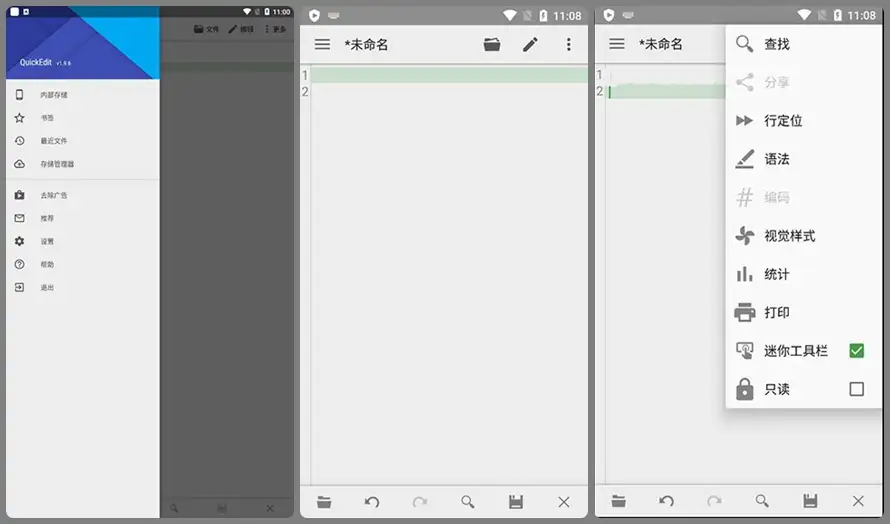
\ \QuickEdit essentially brings a great desktop text editor to Android. It supports syntax highlighting, multi-tabs and auto-indent, opens huge files without lag, and has no ads. Whether editing code, writing notes or reading configs, it delivers.
\ \What can you do with it?
\ \① write代codevideoincomputerpart 11way顺smooth
\ \Supports syntax highlighting for dozens of languages — Java, Python, HTML, CSS, JavaScript — and has all basics: copy/paste, find/replace, undo/redo. Auto-indent keeps code neatly formatted and pleasant to read.
\ \② sametimeeditmultiplefile,alsocanminute屏pairphoto
\ \It opens multiple tabs, switching files with one tap. On tablets or big phones, split-screen shows two files side by side — handy for comparing or copying.
\ \③ fileexistincloud端,changesetpreparealsonotcut档
\ \It saves files directly to Google Drive or Dropbox, so code or docs edited on your phone open up-to-date on your PC. Great for those syncing work across devices.
\ \Who can make use of it?
\ \If you're a programmer who often tweaks code or reads logs on the phone; or a writer syncing docs and notes between phone and PC; or you just want a text editor richer than the system Notepad and ad-free — QuickEdit should meet your needs. It stays fast even editing large files and won't lag when files grow.
\ \Version notes
\ \This version is fully unlocked, ad-free, with multi-language UI. It fits all resolutions, working from 120dpi to 640dpi devices.
\ \In short
\ \\ \ \ \ \ \If you want a comprehensive, fast, ad-free mobile text editor, QuickEdit is a solid choice. Syntax highlighting, multi-tab and cloud sync together cover daily needs.










