


-
Solo Business Courses
-
 Others
-
Overseas Tutorials
-
Photography & Editing
-
Community & Private Domain
-
Self-Media Writing & Copywriting
-
Side Income Projects
-
E-commerce
-
Short Video & Live Streaming
-
Artificial Intelligence (AI)
-
Software & Tools
-
Operating Systems
-
Plugins & Scripts
-
MacOS Software
-
Android Software
-
Windows Software
CPU/GPU Monitor — HWiNFO v8.54.6090
-
Game Gold-Farming Money-Making Plan: Earn 1k+ Daily, a Stable 3-Year Project Anyone Can Do in Spare Time [Revealed]
Study material — included with membership Get Membership -
Hot-game fully-automated earning: 500+ a day, no experience, simple operation - the steadiest long-term game-earning side hustle (revealed)
Study material — included with membership Get Membership -
FlyingMouse earns merit this time! Don't panic at Windows format problems — the open-source FlyingMouse format conversion tool helps, a popular GitHub gem
Study material — included with membership Get Membership -
Douyin Product-Selling Coaching Bootcamp: No On-Camera Appearance Needed, Newbies Can Produce Selling Short Videos by Following the Steps
Study material — included with membership Get Membership -
First-release game gold-farming money plan: 1K+ a day, ordinary people in spare time
Study material — included with membership Get Membership






-
FlyingMouse earns merit this time! Don't panic at Windows format problems — the open-source FlyingMouse format conversion tool helps, a popular GitHub gem
Study material — included with membership Get Membership -
LuDaShi v6.1024.4105.1121 Slim Single File
Study material — included with membership Get Membership -
2D Cartoon Animation Software Moho Pro v14.3
Study material — included with membership Get Membership -
Video Editor Aiseesoft Filmai v1.0.18
Study material — included with membership Get Membership -
To-Do Microsoft To Do v2.147 Free
Study material — included with membership Get Membership -
PR/AE/DaVinci/FCPX video Plugin Nobe OmniScope Win1.11.15 / Mac1.10.138
Study material — included with membership Get Membership





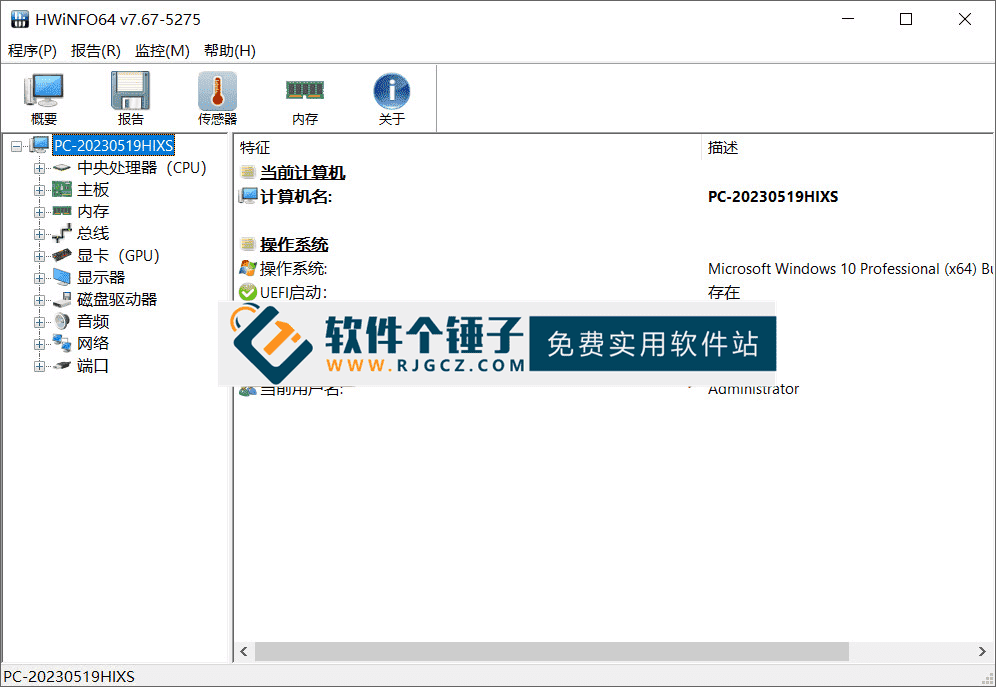
HWiNFO is a professional hardware-information monitor whose standout feature is very complete hardware monitoring. You can see the CPU model, core count, clock speed, real-time temperature, working voltage and more. It also shows the motherboard model, BIOS version, chipset and bus speed. And for memory, drives, GPU, sound and network cards, it displays details like model, specs, operating temperature and fan speed — one by one.
\ \
1. Not just for viewing information — these practical features too
\ \Besides core hardware monitoring, HWiNFO has other handy tricks. It can check hardware health and remind you to replace a drive or laptop battery. It also helps auto-update drivers, boosting overall performance and stability. And it offers benchmark functions to test CPU, memory, drives and GPU, giving you a full assessment of your PC's performance.
\ \2. A professional toolbox for advanced users
\ \For advanced users who like tinkering, HWiNFO has many advanced features and options. You can set alert thresholds for monitored metrics, customize temperature and voltage graphs, monitor multiple sensors at once, and export monitoring data to files for saving and analysis. These features well meet advanced needs, letting users monitor and manage their hardware more fully and deeply.
\ \3. Detailed feature overview
\ \1. Comprehensive hardware information library
Supports comprehensive hardware information viewing, covering almost all computer components.
2. Thoughtful system health monitoring
Able to monitor key system health metrics, including temperature, voltage, fan speed and power status.
3. Rich and varied data presentation methods
\
It displays info via tables, log files, graphs, tray icons, desktop widgets and LG LCD-screen reports.
4. Native 64-bit application support
This is a complete 64-bit application that can better leverage the performance of modern systems.
5. Flexible report export formats
Supports exporting reports in text, CSV, XML, HTML, MHTML and many other formats, convenient for sharing and archiving.
6. 广泛的目标软件维度
软件将定期更新,以支持新的目标和修复重复问题。
7. 广泛的目标系统平台兼容性
\
Supported platforms: 64-bit (X64/AMD64) versions of Windows Server 2003/2008 and Windows 7.
8. 面向开放硬件目标扩展的可能性
\
It also serves as the HWiNFO64 SDK, letting developers build custom clients.
4. 总结
\ \Overall, whether you just want to see your PC's specs, deeply monitor hardware health, or run professional benchmarking and analysis, HWiNFO — powerful and professional — becomes a strong assistant.
\ \ \ \ \ \Related Courses

Super local toolbox! Built-in screen recording, audio/video cutting & merging, video compression & extraction, forever free - Kedou Video Converter

100% perfect free tool! One-stop multi-function PDF software: PDF convert, compress, edit etc., minimal, no ads, so nice - JOPDF

Open-Source Desktop Remote Tool, Beats Paid Versions! Free for Personal and Commercial Use Unlimited, Cross-Platform, HopToDesk Remote Control

Latest K-12 Textbook Downloader: Whole-Grade Resource Download, Courseware, Video, Audio in One Click

HuyanBao: free blue-light eye-care app with pet break reminders

Windows Can Have a Desktop Dynamic Island Too! A Modern System Control Center — Give Your PC a Black Notch, PyIsland

3D Simulated Comic Drama Production: Seedance2.0 Full-Process Practical Course - From Zero to One High-Quality Comic Drama Creation

Win/Mac Dual Support! Latest Permanent Lifetime Version, Supports Old Photo Restoration, Image Sharpening and Lossless Upscaling Tool, Aiarty Image Enhancer

Online Video Course: Github Open-Source Bilibili Video Download Tool! Supports 8K and Dolby Vision Bilibili Video Batch Download Tool, Easy to Use Bilidown


